




Xpress M2071W
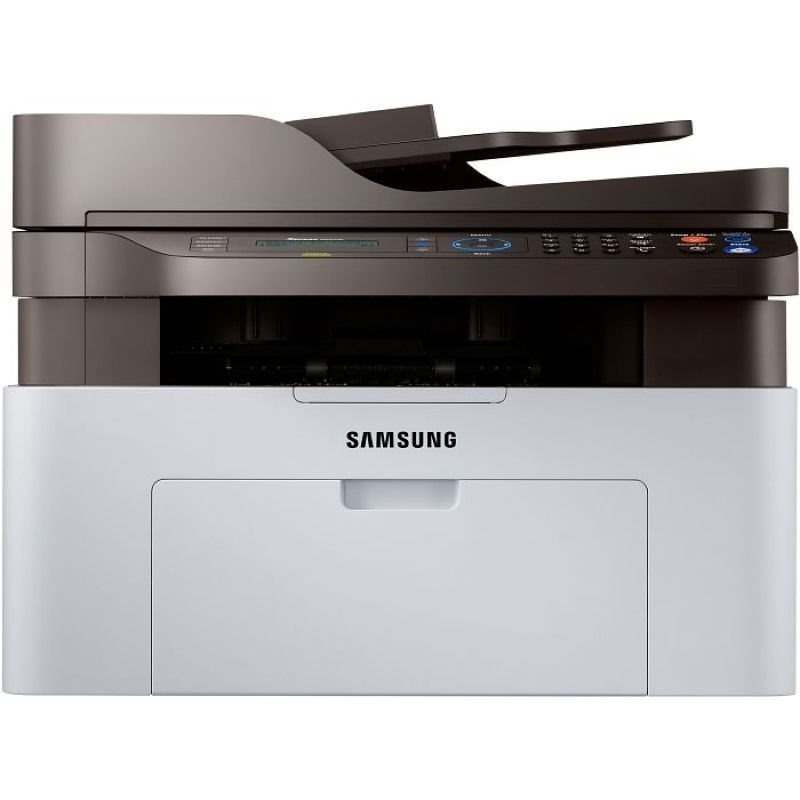
Samsung's Xpress M2071W is the wireless regional variant of the M2071 multifunction, combining Wi-Fi with print, scan and copy in the compact Xpress chassis — a connected all-in-one for modern households. It takes the MLT-D111S standard cartridge or the MLT-D111L high-yield, and the cartridges below wear the family's shared Xpress M2020 name.
Two facts define this model: it is a regional variant, so its badge differs from the same hardware sold elsewhere, and it is wireless, so it tends to live where the signal is good rather than next to a desk. Neither fact changes the consumable. Owners moving from an older M2071-family machine will find the cartridge routine unchanged, which is exactly why ordering by code beats ordering by model name.
Toner Cartridges for Xpress M2071W
| Cartridge | Color | Page Yield |
|---|---|---|
| One cartridge — MLT-D111S | Black | See product page |
| Two cartridges — MLT-D111S | Black | See product page |
| Three cartridges — MLT-D111S | Black | See product page |
| Five cartridges — MLT-D111S | Black | See product page |
| Ten cartridges — MLT-D111S | Black | See product page |
Which cartridge should you buy?
This printer offers two cartridge sizes and accepts both, so the real question is your monthly rhythm. Households printing steadily — homework most nights, documents most weeks — get better value and fewer interruptions from the high-yield MLT-D111L. Genuinely occasional printers should stay with the standard MLT-D111S stocked here: toner can degrade when a cartridge sits installed for many months, so an oversized fill in a rarely used machine is money parked in powder you may never use. Among the standard listings, the 2-pack is the low-effort choice for a printer kept away from your desk; singles suit anyone happy to reorder as needed.
Chip, toner and everyday use
A tidy swap keeps this machine's wireless convenience from becoming a scavenger hunt. Remove every shipping seal and pull-tab from the new cartridge before it goes near the printer — leftover tabs are a leading cause of both jams and recognition errors — then slide the unit in following the guide rails until it settles. The chip should meet its contacts squarely; if the panel complains, reseating once, slowly, usually resolves it. Keep the spent cartridge level and bagged until it can be recycled, since a used unit still carries loose toner.
Frequently Asked Questions
What is the cleanest way to replace the cartridge in the Xpress M2071W?
Work over a covered surface and pull the spent MLT-D111S straight out without tipping it. Strip the seals from the replacement before inserting it, following the diagram on the box, and slide it home along its rails. That unhurried routine keeps toner off your hands, off the desk and out of the machine's interior.
My M2071W offers two cartridge sizes. Will it really accept both?
Yes — the choice is simply standard-yield MLT-D111S versus high-yield MLT-D111L: same print quality, different toner capacity, no configuration changes. For light, occasional printing the standard size is the sensible pick, because a cartridge installed for many months can lose quality before it empties. Heavy printers should take the larger fill and enjoy the longer intervals.
Why is toner not sticking to the paper in my M2071W?
When toner sits on the surface instead of melting into the fibers, the fuser — the hot roller at the output — is the prime suspect. A fuser near the end of its life often fuses the center of the page while the edges still smudge, and that pattern is close to diagnostic. Rule out the simple causes first, including the correct paper type setting, and the real culprit usually stands out.
More printers that use the same cartridges
The M2071W is one badge among many on this shared platform; the models below all take the identical cartridge: Xpress M2070W, Xpress M2071, Xpress M2071FH, Samsung-MLTD111S, Xpress M2020, Xpress M2020W, Xpress M2021, Xpress M2021W, Xpress M2022, Xpress M2022W, Xpress M2070, Xpress M2070F, Xpress M2070FW.