




Xpress M2070W
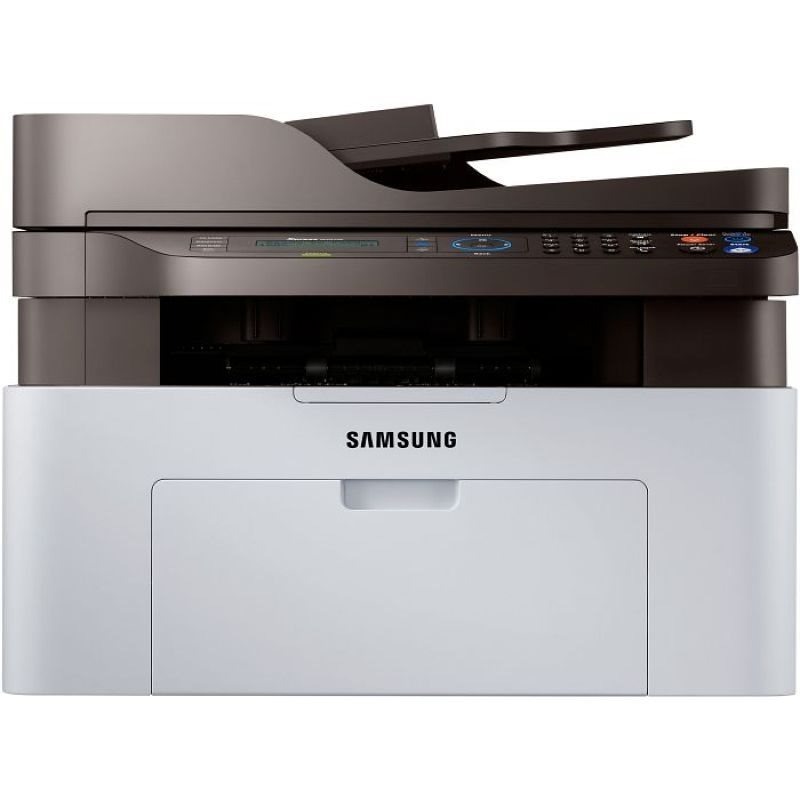
Wireless printing comes standard on Samsung's Xpress M2070W, freeing this compact print-scan-copy multifunction from the USB cable. Every laptop, phone, and tablet in the house can share it.
It runs on the MLT-D111S or the longer-lasting MLT-D111L. Compatible and genuine Samsung OEM versions are stocked, shipping fast from Clever Supplies.
Toner Cartridges for Xpress M2070W
This printer works with the following toner cartridges:
- Samsung MLT-D111S
- Samsung MLT-D111L
More Samsung Printers
- Xpress M2020
- Xpress M2022
- Xpress M2070F
- Xpress M2071
- Xpress M2020W
- Xpress M2022W
- Xpress M2070FW
- Xpress M2071FH
- Xpress M2021
- Xpress M2070
- Xpress M2071W
- Xpress M2021W
Frequently Asked Questions
Does a spare MLT-D111S for my Xpress M2070W go bad sitting in a closet — any special handling before installing it later for best results?
Keep the spare MLT-D111S for your Xpress M2070W sealed in its original packaging, stored upright in a cool, dry place away from direct sunlight. Heat is the main enemy — avoid attics, garages, and spots near radiators, since warmth can clump the toner inside. Store it right and the spare prints like new when its turn comes.
Is the high-yield version of the MLT-D111S family worth it for the Xpress M2070W, and does the bigger one change anything besides capacity?
Both cartridges in the MLT-D111S / MLT-D111L family work in the Xpress M2070W; the L-suffixed MLT-D111L just holds more toner than the S-suffixed MLT-D111S. There is no compatibility risk either way: the Xpress M2070W accepts both yields without any settings change. Either choice prints the same sharp pages; capacity is the whole decision.
My Xpress M2070W pages are coming out looking pale with thin-looking text on every document now?
This symptom sits at the crossroads of two consumables: the MLT-D111S toner cartridge and the imaging drum inside the Xpress M2070W. Print a supplies status page from the Xpress M2070W panel to see the remaining toner before spending money on a new cartridge. That simple sequence usually pinpoints the culprit in a minute or two.