




Xpress M2070FW
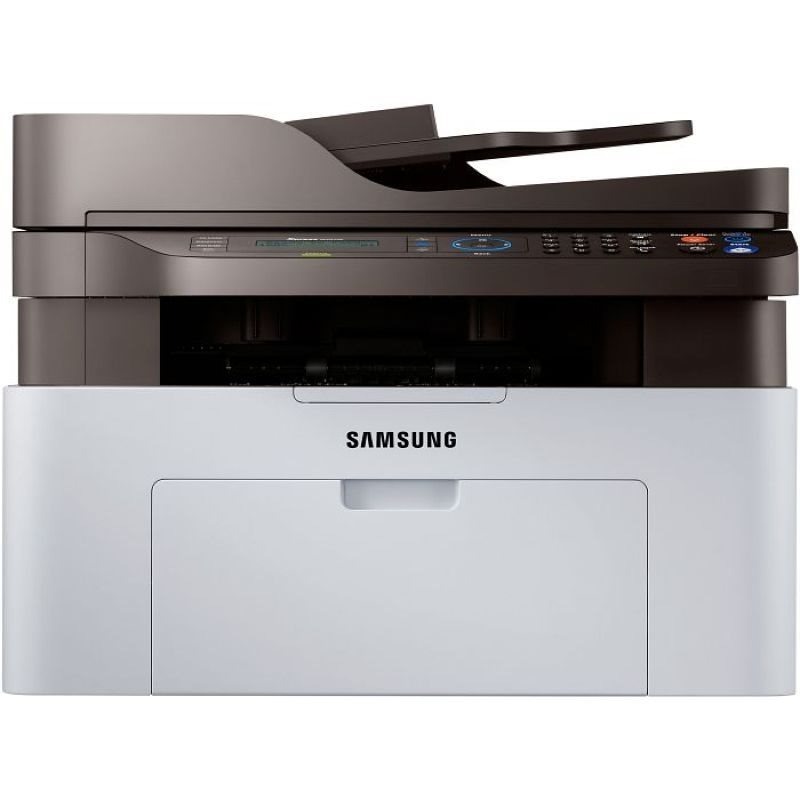
Samsung's Xpress M2070FW is the everything-included Xpress multifunction: print, scan, copy, fax, and wireless in one compact mono unit. For a home office that wants a single machine for every paper task, this configuration covers it.
Despite the long feature list it needs only the MLT-D111S or MLT-D111L cartridge. Compatible cartridges save money; genuine OEM cartridges stay factory-spec. Both ship fast from Clever Supplies.
Toner Cartridges for Xpress M2070FW
This printer works with the following toner cartridges:
- Samsung MLT-D111S
- Samsung MLT-D111L
More Samsung Printers
- Xpress M2020
- Xpress M2022
- Xpress M2070F
- Xpress M2071
- Xpress M2020W
- Xpress M2022W
- Xpress M2071FH
- Xpress M2021
- Xpress M2070
- Xpress M2070W
- Xpress M2071W
- Xpress M2021W
Frequently Asked Questions
Which replacement cartridge is compatible with the Xpress M2070FW, and are there different yield options?
Match the code on your old cartridge to the MLT-D111S / MLT-D111L family — MLT-D111S or MLT-D111L — and you cannot go wrong. The S suffix marks the standard-yield cartridge and the L marks the high-yield one; both fit the Xpress M2070FW identically. That code match is all it takes to get the right toner first try.
My Xpress M2070FW prints repeating marks down the length of the sheet, and can a cartridge swap fix it?
When the same mark repeats at regular intervals down the page, the drum surface inside the Xpress M2070FW is usually damaged or worn. Open the multifunction printer and look at the drum for scratches, fingerprints, or a worn band that lines up with the streak on the page. Knowing which roller is guilty turns a confusing defect into a one-part repair.
How do I know the drum in my Xpress M2070FW is finished — how many cartridges does one drum usually survive on this printer?
Yes, the drum in the Xpress M2070FW is designed to outlast several toner cartridges, so most of your purchases will just be the MLT-D111S or MLT-D111L. The Xpress M2070FW may display a drum-life or imaging-unit warning on its panel or status page, separate from toner alerts. That symptom-based timing gets the full value out of every imaging unit.