




Xpress M2070
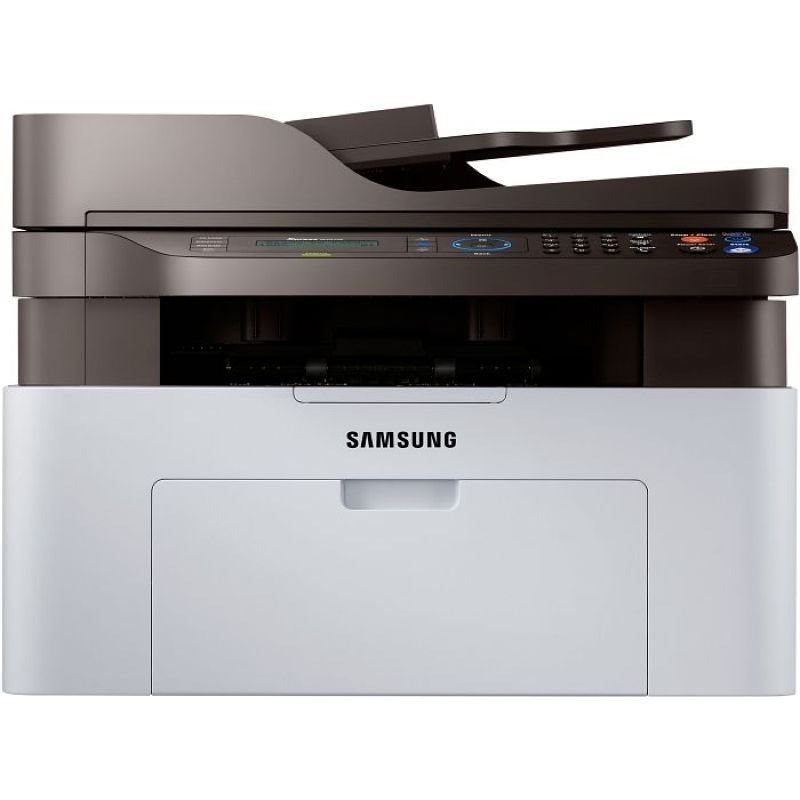
The Xpress M2070 is the core multifunction of Samsung's Xpress mono line: print, scan, and copy in a compact unit that fits where bigger all-in-ones cannot. Home offices and dorm rooms are its natural setting.
The cartridge is the MLT-D111S standard or MLT-D111L high-yield. Our compatible cartridges are the economical pick; genuine OEM cartridges are the original pick. Fast shipping from Clever Supplies.
Toner Cartridges for Xpress M2070
This printer works with the following toner cartridges:
- Samsung MLT-D111S
- Samsung MLT-D111L
More Samsung Printers
- Xpress M2020
- Xpress M2022
- Xpress M2070F
- Xpress M2071
- Xpress M2020W
- Xpress M2022W
- Xpress M2070FW
- Xpress M2071FH
- Xpress M2021
- Xpress M2070W
- Xpress M2071W
- Xpress M2021W
Frequently Asked Questions
What toner do I need for my Xpress M2070, and what do the S and L suffixes mean?
The Xpress M2070 takes the MLT-D111S / MLT-D111L cartridges — look for the MLT-D111S or MLT-D111L code printed on the box. Both yield options use the same slot and the same installation steps, so the choice comes down to how much you print. A thirty-second code check beats a week-long exchange.
How do I fix a cartridge error on the Xpress M2070 after a swap — is it a seating problem or a chip issue before calling for help?
Before suspecting the cartridge itself, remember the multifunction printer needs the chip aligned, the seals removed, and the cartridge clicked firmly home. Verify the box code matches the MLT-D111S / MLT-D111L family — a close-but-wrong code is a classic cause of 'incompatible cartridge' messages on the Xpress M2070. Check the simple things first and the error usually clears.
I bought a backup cartridge for my Xpress M2070, and does heat or light damage it for best results?
A closet shelf at room temperature is ideal storage for a backup MLT-D111S or MLT-D111L — no special equipment needed. Direct sunlight degrades the cartridge over time, so an interior shelf or cabinet beats a sunny windowsill. Good storage means your backup is ready the moment the Xpress M2070 needs it.