




ML-2551N
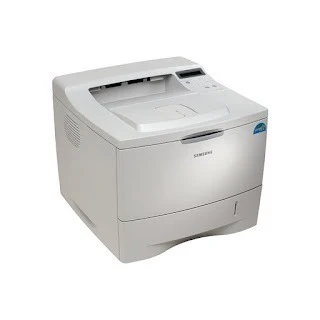
The Samsung ML-2551N added Ethernet networking to the ML-2550's faster engine — a shared workgroup mono laser for offices that needed both speed and connectivity.
Its cartridge is the ML-2550DA. Compatible and genuine OEM toner for the ML-2551N is stocked here.
Toner Cartridges for ML-2551N
This printer works with the following toner cartridges:
- Samsung ML-2550DA
More Samsung Printers
Frequently Asked Questions
Should the ML-2551N be on or off when I change the toner?
Give the new ML-2550DA five or six gentle side-to-side rocks before installing it in the ML-2551N to distribute the toner evenly. Do not shake it violently - rough handling can spill toner inside the cartridge. This quick step helps the first pages print at full density.
Could a new ML-2550DA cartridge cause blank pages on the ML-2551N?
Blank pages right after clearing a jam on the ML-2551N usually mean a torn scrap is still blocking the paper path or the ML-2550DA was not reseated properly. Open the printer, look for leftover paper bits, and reinstall the cartridge firmly. A test page from the panel confirms the path is clear.
The ML-2551N was printing yesterday, but now the driver reports it as unavailable — what went wrong?
For the ML-2551N, the safest driver source is the official Samsung or HP support page for your operating system — third-party sites may bundle outdated installers. Choose the full driver package instead of a universal driver for complete feature access. After installation, confirm the correct model name appears in your printer list; the ML-2550DA cartridge needs no change for this.