




ML-2151
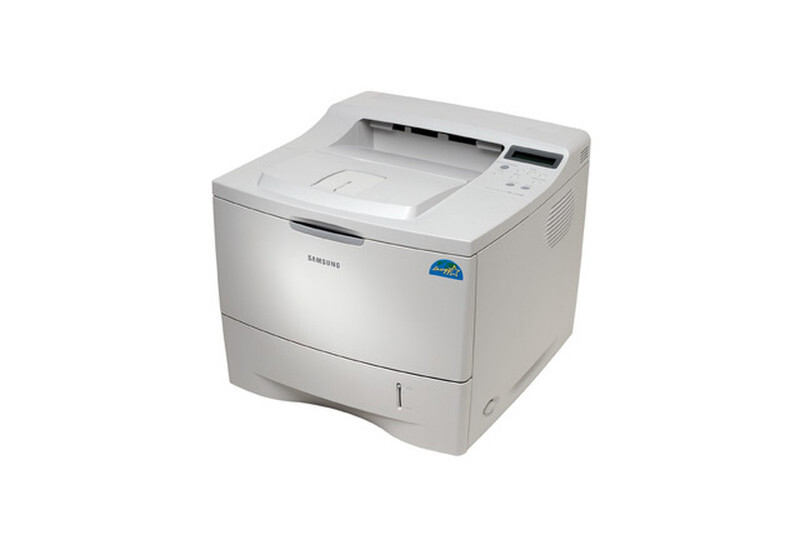
The Samsung ML-2151 was the base refresh of the 2150 workgroup line — a direct-connected, single-function mono laser for offices that did not need network sharing. Everything it prints comes from one cartridge, the ML-2150D8, and this page stocks that cartridge in several forms: the code-named original listing, listings sold under the ML-2151 name, and multi-packs for desks that would rather not reorder often.
A direct connection shapes how this printer lives. It belongs to one desk or one small team, prints when its owner prints, and idles the rest of the day — a rhythm that suits the standard office mix of letters, reports and forms. There is no queue of colleagues to keep waiting, so a toner warning on the ML-2151 is a private reminder rather than a departmental incident, and keeping one spare cartridge in the drawer is all the logistics this machine asks for.
Toner Cartridges for ML-2151
| Cartridge | Color | Page Yield |
|---|---|---|
| ML-2150D8 | Black | See product page |
| ML-2151 Toner Cartridge | Black | See product page |
| ML-2151 Toner Cartridge 2 Pack | Black | See product page |
| ML-2150D8 Premium Toner Cartridge 2 Pack | Black | See product page |
Which cartridge should you buy?
There is only one code to remember here, and the choice is about pack size, not compatibility. A single ML-2150D8 suits a desk with modest volume. The ML-2151 2 Pack lowers the cost per cartridge and puts a spare on the shelf in the same order, while the Premium 2 Pack is the pick for buyers who want the premium-grade version of the same cartridge. Listings named ML-2151 cartridge carry the same toner under the printer's own name — the cartridge inside is the one this machine was built around. Every compatible option is covered by a 1-year warranty and 1-year returns.
Chip, toner and everyday use
The printer reads the cartridge's chip to follow the toner level, so treat the gauge as an estimate built from page counts and coverage rather than a measurement of powder. A light-text desk will print long after the first low warning; a graphics-heavy one will not. When output finally thins, rocking the cartridge gently side to side levels the remaining toner and often restores even print for a final run of pages. Store the spare sealed and flat, away from heat, and pull every seal and tab before the new cartridge goes in.
Frequently Asked Questions
Is it safe to skip firmware updates on the ML-2151?
Mostly, with one honest caveat. An update can change how the ML-2151 validates the chip on a ML-2150D8 cartridge, and occasionally a cartridge that was accepted before gets questioned afterward. If that ever happens, reseat the cartridge and ask your supplier about a chip update. That is why many offices apply firmware on a schedule they choose, instead of the moment it appears.
The ML-2151 says toner is low — how much printing do I have left?
More than the warning suggests, and how much more depends on what you print. The gauge estimates from page counts and coverage, so light text users get far more pages after the warning than heavy graphics users. Treat the message as a reminder to have a spare ML-2150D8 ready, not as an empty signal.
What does a non-genuine message mean on this printer?
It means the cartridge chip does not match what the ML-2151 expects — something that can appear with a compatible cartridge or simply with a poorly seated one. Remove the cartridge and reinstall it firmly so the contacts meet. If the message persists, the chip itself may be faulty, and the seller can usually replace the cartridge.
More printers that use the same cartridges
The same single cartridge serves the whole 2150 family — these Samsung printers all run on it: ML-2150, ML-2150N, ML-2151N, ML-2152, ML-2152W, ML-2155, ML-2155N, ML-2155W, ML-2550, ML-2551N, ML-2552W, Samsung-ML2150D8.