




ML-2550
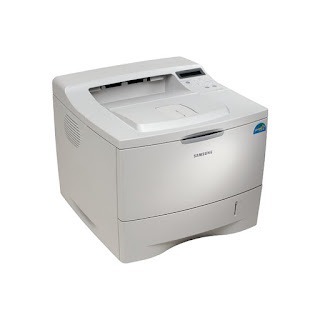
The Samsung ML-2550 was a step up in the workgroup mono line — a faster single-function black-and-white laser aimed at departments with serious daily print loads in the mid-2000s. The cartridge named for the machine itself is the ML-2550DA, and this page's shelf also carries the ML-2150D8 listings its close 2150-series relatives run on. Both compatible and genuine OEM cartridges are available here.
Department printers of this era were bought to be forgotten — installed in a print room or at the end of a corridor, loaded with paper, and expected to absorb whatever the floor sent them. The ML-2550 still in service today has usually survived on exactly that reputation. Keeping one fed is a simple two-code story: order by the code on the cartridge you remove, and the listings below cover both names this machine's supplies travel under.
Toner Cartridges for ML-2550
| Cartridge | Color | Page Yield |
|---|---|---|
| Samsung ML-2550 Toner Cartridge | Black | See product page |
| ML-2150D8 Toner Cartridge | Black | See product page |
| Samsung ML-2550 Toner Cartridge 2 Pack | Black | See product page |
| ML-2150D8 Premium Quality Toner Cartridge 2 Pack | Black | See product page |
Which cartridge should you buy?
Match the code on your empty cartridge first: that is the one non-negotiable. The model-named listings suit anyone whose supply is labeled ML-2550DA; the ML-2150D8 listings serve machines stocked from the 2150-series shelf this printer shares. On quantity, a department printer argues for the 2 Pack forms — the change takes minutes, and a second cartridge waiting in the cabinet keeps a busy floor from ever queuing behind an empty machine. The Premium Quality 2 Pack is the stock-up choice for sites that service several of these older workgroup units at once.
Chip, toner and everyday use
Grainy or washed-out output on a machine this age is more often a settings story than a supply story: a driver left on draft or low quality prints fast and looks poor. Set normal or high quality and confirm the paper type matches what is loaded before suspecting the cartridge. If graininess persists at proper settings, then check the toner level. Store spares with real discipline — damp is the enemy, because moisture makes toner clump and can corrode the chip contacts the printer reads; a cartridge that got damp should dry fully at room temperature before it goes anywhere near the machine.
Frequently Asked Questions
Which quality setting gives the ML-2550 its sharpest text?
Normal or high quality in the driver, with the paper type set to what is actually in the tray. Draft settings trade exactly the sharpness you are missing for speed. If output stays grainy after the settings are right, check the ML-2550DA level next.
Should spare cartridges stay sealed until the moment I need them?
Yes — the seal is the cartridge's protection against humidity and dust. Keep spares sealed, upright and in a dry interior space, and open one only when the installed unit is spent. A department that stores this way rarely meets a bad cartridge.
Does the ML-2551N use the same supplies as this machine?
The ML-2551N is the networked member of this model's own family in the list below, and the 2150-series models there share the ML-2150D8 shelf — which is why those listings appear on this page.
Why does this page list two different cartridge codes?
Because the machine's world has two shelves: its own ML-2550DA naming, and the ML-2150D8 code of the closely related 2150 line whose models fill the family list. Read the code off the cartridge you remove and order that one — the table keeps the two lines clearly separated.
More printers that use the same cartridges
The wider family this department line belongs to:
ML-2150, ML-2150N, ML-2151, ML-2151N, ML-2152, ML-2152W, ML-2155, ML-2155N, ML-2155W, ML-2551N, ML-2552W, Samsung-ML2150D8