




ML-2152
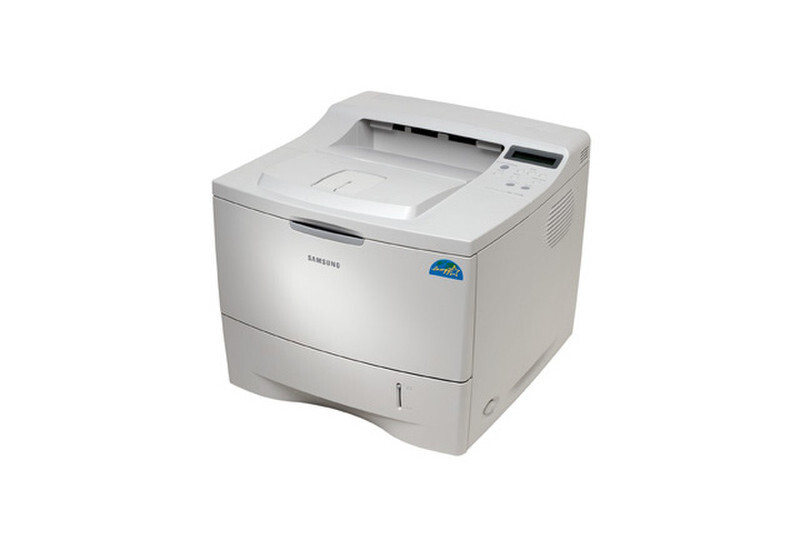
The Samsung ML-2152 continued the 2150 series with the same workgroup-grade mono engine in a straightforward local configuration — built for departments printing black-and-white all day.
Its toner is the ML-2150D8 cartridge. Compatible and genuine OEM options for the ML-2152 are available here.
Toner Cartridges for ML-2152
This printer works with the following toner cartridges:
- Samsung ML-2150D8
More Samsung Printers
Frequently Asked Questions
Why does Windows keep installing a generic driver for the ML-2152?
Gibberish or symbol pages from the ML-2152 almost always mean the wrong driver or print language is selected. Remove the printer, reinstall it with the model-specific Samsung driver, and try again. If plain text pages print fine afterward, the ML-2150D8 toner was never the issue.
Why does the ML-2152 ask me to replace toner when I just installed a new cartridge?
The blinking toner light on the ML-2152 signals low toner, an improperly installed ML-2150D8, or a cartridge the printer cannot read. Reseat the cartridge and check for packaging leftovers like seals or tabs. If the light stays on with a known-good ML-2150D8, try a different cartridge to isolate whether the issue is the cartridge or the printer.
Could a new ML-2150D8 cartridge cause blank pages on the ML-2152?
A new ML-2150D8 can cause blank pages on the ML-2152 if its seal is intact or it is not seated, but a genuinely defective cartridge is rare. Reseat it and confirm the printer recognizes the cartridge in the supplies status. If a different ML-2150D8 prints normally, the first cartridge is the problem.