




ML-1630W
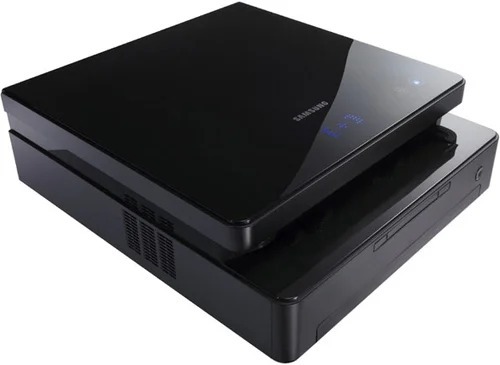
The W in the Samsung ML-1630W stands for wireless: this is the Wi-Fi build of the tiny ML-1630 mono laser, designed to sit anywhere in a home office and take jobs over the network instead of being tethered to one computer. It prints from a single cartridge, the ML-D1630A, and this page stocks that cartridge in compatible and genuine Samsung OEM form.
A cable-free printer changes where the machine can live — a shelf, a side table, the corner of a spare room — and everyone in the house can reach it. The trade-off is that nobody sits next to it, so toner tends to run out unnoticed mid-job. Owners of this model do well to keep one sealed spare within reach of wherever the printer ended up, because the ML-1630W rarely warns you in person.
Toner Cartridges for ML-1630W
| Cartridge | Color | Page Yield |
|---|---|---|
| ML-1630W Toner Cartridge, Single | Black | See product page |
| ML-D1630A Toner Cartridge, Single | Black | See product page |
| ML-1630W Toner Cartridge (ML-D1630A) | Black | See product page |
| ML-D1630A Toner Cartridges, 3 Pack | Black | See product page |
| ML-1630W Toner Cartridges, 5 Pack | Black | See product page |
| ML-D1630A Premium Quality Toner Cartridges, 5 Pack | Black | See product page |
Which cartridge should you buy?
There is only one cartridge decision on this printer: how many ML-D1630A cartridges to keep around. A single suits a light, occasional printer. If the ML-1630W serves a whole household or a busy home office, the 3 Pack and 5 Pack listings cut the cost per cartridge and spare you the dead-printer evening when the one installed cartridge fades. Compatible cartridges are the value pick for everyday documents; the genuine OEM version is there if you prefer factory-original supplies. Every compatible cartridge on this page is covered by a 1-year warranty and 1-year returns.
Chip, toner and everyday use
Each cartridge carries a chip the printer reads to confirm the install and track toner, so seat it firmly until it clicks and remove every seal and tape strip first — a chip that cannot be read is usually just a cartridge that is not fully home. Because jobs arrive wirelessly from several devices, a faded page can come as a surprise; a gentle side-to-side rock of the cartridge redistributes the remaining toner and buys time while a replacement ships. Store spares flat, sealed and away from heat, and use the driver's toner-save setting for drafts so the good cartridge lasts longer.
Frequently Asked Questions
Does the ML-1630W take the same cartridge as the wired ML-1630?
Yes. Both builds of the printer use the ML-D1630A, so owners who upgrade from the wired version keep the same supplies. Order by that code and the cartridge will fit either machine.
Why do the first pages from a brand-new cartridge look faint in my ML-1630W?
A partially removed sealing strip is the usual cause, followed by toner that has settled during shipping. Pull the seal out completely, rock the cartridge gently a few times to level the toner inside, and reinstall it — density normally evens out within the first several pages.
Is the eco or toner-save mode worth using on this printer?
For drafts, internal notes and anything headed for the recycling bin, yes: the driver setting lays down less toner per page and stretches the cartridge noticeably. Turn it off for final copies, resumes and anything a client will see, where full density matters.
More printers that use the same cartridges
The ML-D1630A is shared with a small group of compact Samsung machines; the models below take the same cartridge: ML-160, ML-160W, ML-1630, ML-1631K, SCX-4500, SCX-4500W, SCX-4501K, Samsung-MLD1630A.