




ML-1631K
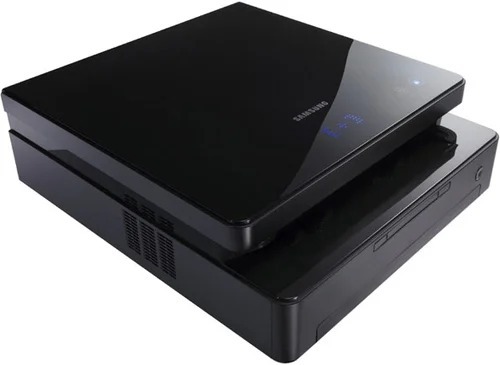
The Samsung ML-1631K is a market variant of the compact ML-1630 mono laser — the K marking a regional configuration of the same desk-friendly black-and-white printer.
It runs on the ML-D1630A cartridge. Compatible and genuine OEM toner for the ML-1631K is stocked here.
Toner Cartridges for ML-1631K
This printer works with the following toner cartridges:
- Samsung ML-D1630A
More Samsung Printers
Frequently Asked Questions
After installing the cartridge in my ML-1631K, the front cover stays ajar — what is causing that?
When handling a new ML-D1630A for the ML-1631K, keep your fingers off the green drum roller and the chip contacts — skin oils and scratches there become visible print defects. Do not set the cartridge in bright light for any length of time either. Do the swap over a sheet of paper in case some toner escapes.
Paper moves through the ML-1631K but comes out blank — where should I look first?
Blank pages on the ML-1631K are not always a hardware problem — a wrong or corrupted driver can cause them even when the ML-D1630A is full. Reinstall the ML-1631K's own Samsung driver, then print a test page straight from the printer's panel, which skips the computer entirely. If that panel page comes out fine, the trouble is on the computer side.
Where do jams happen most often inside the ML-1631K?
Most jams in the ML-1631K come from damp, curled, or misaligned paper — toner from the ML-D1630A does not block the paper path. Fan the stack, align it in the tray, and press the guides snugly against the paper. If jams keep happening near the hot fuser area, let the printer cool before clearing to avoid burns.