




LaserJet P2015N
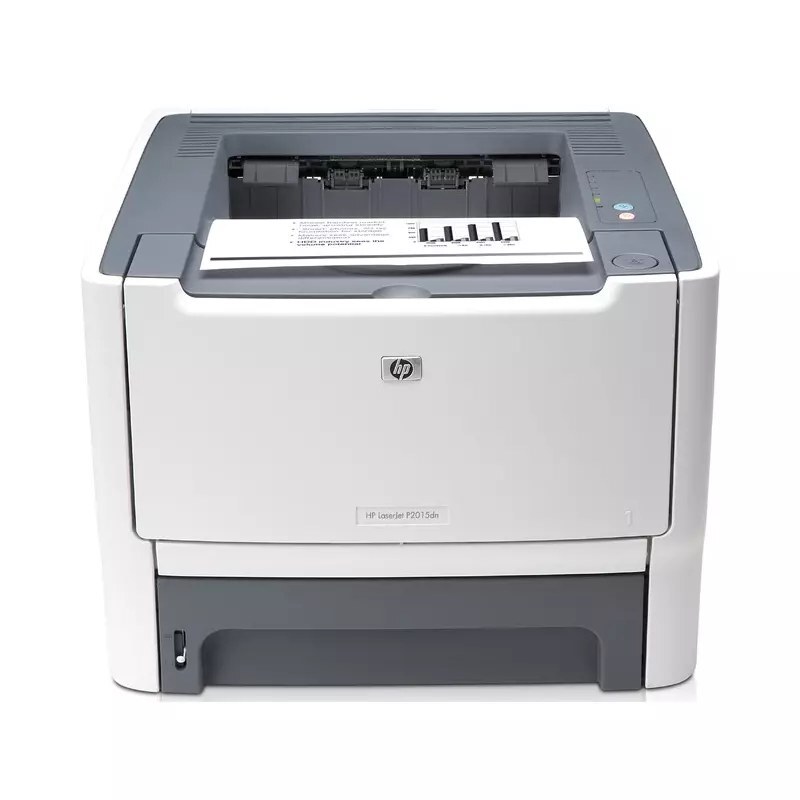
The LaserJet P2015N is a mid-2000s monochrome single-function printer that offices chose for everyday document printing — and many never found a reason to replace it. The N in the name signals built-in networking, making it an easy shared printer for a small office. Its cartridges belong to the HP 53A family, full code Q7553A, with a high-yield step up in the HP 53X, ordered as Q7553X.
Longevity is this model's reputation: a plain, sturdy document printer that keeps handling the office's everyday printing without complaint. Its supplies are equally plain-spoken — two fills of one cartridge, shared with the family of machines below, so the supply shelf for a small office stays one code deep.
Toner Cartridges for LaserJet P2015N
| Cartridge | Color | Page Yield |
|---|---|---|
| Q7553X — High Yield Black | Black | See product page |
| Q7553X — High Yield Black, 4 Pack | Black | See product page |
| Q7553X — High Yield Black MICR | Black | See product page |
| Q7553A — Black | Black | See product page |
| Q7553A — Black, 3 Pack | Black | See product page |
| Q7553A — Black MICR | Black | See product page |
| Q7553A — Premium Black, 3 Pack | Black | See product page |
Which cartridge should you buy?
A shared printer drinks toner at team pace, so the high-yield Q7553X is the sensible default for most P2015N owners: fewer swaps landing in the middle of someone else's print run. The standard Q7553A suits the quiet installation — one or two users, modest monthly volume — and costs less per purchase. Multipacks belong on a supply shelf: the X in a 4-pack or the A in a 3-pack, plus the Premium 3-pack where output quality is the priority. The two MICR listings, in standard and high-yield fills, exist for check printing and should be bought only for that desk. All compatible cartridges on this page carry a 1-year warranty and 1-year returns.
Chip, toner and everyday use
Because this machine serves several workstations, keep its spare where everyone can find it: sealed, upright, in a cool dry place away from direct light, with the seal intact until installation so the toner stays fresh. Each workstation needs the driver installed to print to it over the network — a new computer joins the printer by adding that driver, nothing more. The printer reads the cartridge chip on installation, and a non-HP cartridge notice is an acknowledgment, not a stop. When the shared queue's output starts to fade, that is the swap moment; a gentle rock of the old cartridge buys a short reprieve while the spare is fetched.
Frequently Asked Questions
Which toner cartridge does the LaserJet P2015N use?
The Q7553A in standard yield or the Q7553X in high yield — the two are interchangeable in the same bay. Confirm the code on the cartridge you remove before you order.
Can the P2015N really be shared across a small office?
Yes — the N configuration carries built-in networking with Ethernet connectivity. Plug it into the office network, install the driver on each workstation, and every computer sends jobs to it directly.
How should a spare cartridge for this printer be stored?
Sealed in its packaging, upright, in a cool and dry spot out of direct light. Kept that way a spare waits patiently; fitted oldest-first, your stock rotates before any of it ages.
What do the MICR listings add?
A magnetic toner fill that check-reading equipment can process. A bookkeeping desk printing checks needs it; a general office printer gains nothing from it, so buy MICR deliberately and keep it for the check runs.
More printers that use the same cartridges
The 53A/53X family reaches beyond this model. These machines take the same cartridges:
HP Q7553A, LASERJET M2727, LaserJet 2015DN, LaserJet M2727, LaserJet M2727 MFP, LaserJet M2727NF, LaserJet M2727NF MFP, LaserJet M2727NFS, LaserJet M2727NFS MFP, LaserJet P2010, LaserJet P2014, LaserJet P2014N, LaserJet P2015, LaserJet P2015D, LaserJet P2015DN, LaserJet P2015X