




LaserJet M2727NFS MFP
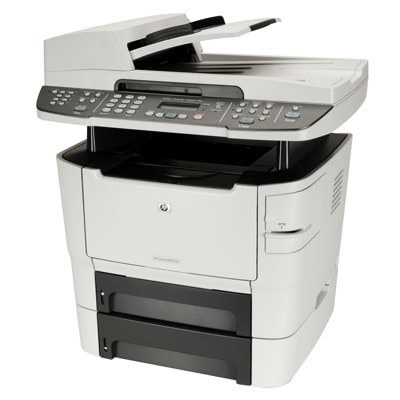
In its full multifunction listing, the LaserJet M2727NFS MFP is the 2008 all-in-one HP shaped for managed office environments: print, scan, copy and fax behind a tilting control panel, and no color hardware anywhere in the design. The cartridge choice is the familiar pair — the standard Q7553A (53A) or the high-yield Q7553X (53X) — and the shelf below carries both in singles, multipacks and specialty builds.
The detail that made this generation useful is how much of its work never touches a computer. It copies standing alone at the panel, and its scanner sends pages to a computer, to email or to a USB drive. For a small office, that turns one modest machine into the whole document desk — and because every one of those jobs is monochrome, the supply story stays at a single black cartridge no matter which function is running.
Toner Cartridges for LaserJet M2727NFS MFP
- Q7553A Black 3 Pack — a 3-cartridge box, the economical way to keep a shared all-in-one fed
- Q7553A Black MICR — the magnetic-ink build for check printing, in standard and high-yield capacities alike
- Q7553X High Yield Black 4 Pack — a 4-cartridge box, the economical way to keep a shared all-in-one fed
- Q7553X High Yield Black MICR — the magnetic-ink build for check printing, in standard and high-yield capacities alike
- Q7553A Premium Quality Black 3 Pack — the premium-quality build of the standard cartridge, boxed three at a time
- Q7553A Black — the single cartridge, sized for one straightforward replacement
- Q7553X High Yield Black — the single cartridge, sized for one straightforward replacement
- 53X (Q7553X Q7553A) 2 Black — a 2-cartridge box, the economical way to keep a shared all-in-one fed
- 53X (Q7553X Q7553A) 4 Black — a 4-cartridge box, the economical way to keep a shared all-in-one fed
Which cartridge should you buy?
Buy by workload, not by habit. The standard cartridge is the right answer for an M2727NFS MFP that idles most of the week; the high-yield is the right answer for one that copies and faxes all day, because the swap interval — not the sticker — is what a busy office actually feels. Telling the two apart before ordering is easy: both codes are printed on the cartridge in the machine, and the X version is the same shell with more inside. Offices keeping a supply shelf should look at the two- and four-cartridge boxes of the high-yield build, which cut the per-cartridge cost of staying ahead of an empty bay.
Chip, toner and everyday use
Everyday care for this all-in-one starts at the swap: pull the sealing tape in one clean motion, seat the cartridge until it sits level, and let the panel confirm it has been read before running a long copy job. Toner that has settled in storage can print unevenly at first; a slow side-to-side rock levels it. Spares keep best in their bags, flat and out of sunlight, and an aging cartridge that starts to fade across the whole page — not just at the edges — is telling you the toner, not the machine, is finished.
Frequently Asked Questions
Can the LaserJet M2727NFS MFP make copies with no computer involved?
Yes — copying is a standalone function. Set the original on the scanner, press copy on the control panel, and the machine handles the rest with no computer connected. Printing and scanning are the jobs that involve the PC; copying never has to.
Where can the scanner send a page?
The M2727NFS MFP can scan to a connected computer, to email, or to a USB drive. Use the scanner glass for single sheets and delicate originals; that route gives the cleanest capture for anything fragile or bound.
How do I tell the standard and high-yield cartridges apart before I buy?
Both fit this machine, so the distinction is capacity, not compatibility. The Q7553A is the standard fill and the Q7553X is the fuller one; match the code on your current cartridge, then choose the X if the machine's monthly volume keeps surprising you.
Prints have started fading in the middle of the month. What changed?
Almost always the cartridge is approaching empty rather than the printer failing. Rock the installed cartridge gently to redistribute the remaining toner for a short reprieve, and move the replacement — ideally the high-yield Q7553X — to the top of the order list.
More printers that use the same cartridges
Alphabetically, the machines that share this cartridge family are: HP Q7553A, LaserJet 2015DN, LASERJET M2727, LaserJet M2727, LaserJet M2727 MFP, LaserJet M2727NF, LaserJet M2727NF MFP, LaserJet M2727NFS, LaserJet P2010, LaserJet P2014, LaserJet P2014N, LaserJet P2015, LaserJet P2015D, LaserJet P2015DN, LaserJet P2015N, LaserJet P2015X.