




LASERJET M2727
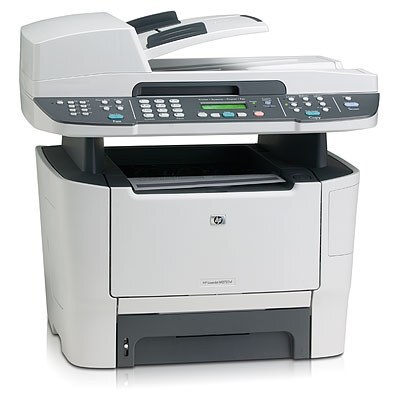
The LaserJet M2727 dates from HP's 2007-era LaserJet lineup, and its appeal was always practical: solid black output at a sensible running cost, with nothing exotic to feed. It runs on a single cartridge from the HP 53A family, the Q7553A (53A) in black. The listing stocked on this page also covers the high-yield Q7553X, so both capacities of the family are one order away. Because the machine takes one black cartridge and nothing else, toner management here is about as simple as laser printing gets.
Small offices kept machines like this one in service because the math stayed friendly year after year. There is no color set to balance and no second cartridge competing for the supply budget: when output fades, one cartridge is the whole story. The M2727 also shares its cartridge family with the wider LaserJet P2015 generation, which is why 53A cartridges remain easy to find long after the printer itself left the catalog. If your office runs more than one model from that generation, a single spare on the shelf can cover several machines.
Toner Cartridges for LASERJET M2727
This page stocks the family's cartridge under its P2015DN listing name; it is the same 53A cartridge this printer uses:
| Cartridge | Color | Page Yield |
|---|---|---|
| Q7553A / Q7553X (P2015DN listing) | Black | See product page |
Which cartridge should you buy?
Start with how much the machine actually prints. The standard Q7553A suits a desk or a small office that prints in modest bursts, and its lower purchase price keeps cash in the drawer. If the M2727 handles the office's daily paperwork, the high-yield Q7553X covered by the same listing stretches the interval between swaps and lowers the cost of each page, because yield ratings assume light 5% coverage and real documents usually run heavier. Either way, keep one sealed spare within reach: a single-cartridge printer has no fallback color to lean on while a replacement ships, and an empty cartridge on a deadline morning is the one failure this simple machine cannot work around.
Chip, toner and everyday use
Before a new cartridge goes in, pull its sealing tape fully and seat it until it clicks; most recognition complaints trace back to a seal left half-removed or a cartridge resting slightly high in its slot. The control panel's supplies-status page is the honest gauge of what is left, so print one before a big job instead of guessing from print quality alone. When pages first start to fade, lifting the cartridge out and rocking it gently from side to side redistributes the remaining toner and usually buys a few more usable days while the replacement is on its way.
Frequently Asked Questions
Which toner cartridges work with the LASERJET M2727?
The M2727 uses the Q7553A black cartridge from HP's 53A family, and the high-yield Q7553X fits the same slot. Match the code printed on your old cartridge before ordering; the family is shared with the P2015 generation, so listings may carry a sibling model's name while holding the identical cartridge.
How can I check how much toner is left?
Print a supplies-status page from the control panel, or read the levels in the printer software on your computer. When the gauge runs low or output begins to fade, that is the moment to order, rather than waiting for a blank page in the middle of a job.
Does the M2727 need a separate drum unit?
No separate drum is listed for this model. The 53A cartridge is a self-contained unit, so a cartridge change is the whole consumable job; there is no second part to track, stock or replace on its own schedule.
My prints are fading. Is it the cartridge or the printer?
On a single-cartridge machine it is almost always the cartridge running low. Rock the cartridge gently to redistribute the toner and print a test page; if the fade returns within days, the cartridge is spent and a replacement restores full density.
More printers that use the same cartridges
The 53A family is shared across the P2015 generation and the M2727 line: HP Q7553A, LaserJet 2015DN, LaserJet M2727, LaserJet M2727 MFP, LaserJet M2727NF, LaserJet M2727NF MFP, LaserJet M2727NFS, LaserJet M2727NFS MFP, LaserJet P2010, LaserJet P2014, LaserJet P2014N, LaserJet P2015, LaserJet P2015D, LaserJet P2015DN, LaserJet P2015N, LaserJet P2015X.