




LaserJet 2015DN
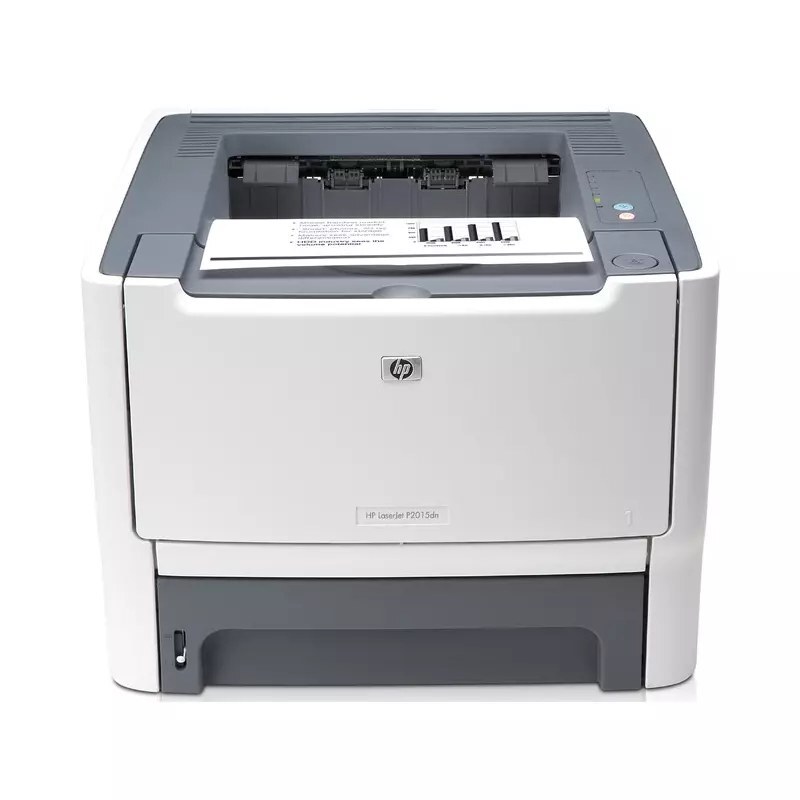
The LaserJet 2015DN is the shared, two-sided configuration in HP's P2015 line: a monochrome LaserJet with automatic duplexing and Ethernet, built to serve a small workgroup rather than a single desk. It prints from the Q7553A standard cartridge — stocked here as the HP 53A — or, when the shared queue runs long, the high-yield Q7553X, stocked as the HP 53X.
Putting one printer on the network changes its toner math. A personal printer idles most of the day; a workgroup printer like this one takes jobs from every desk around it, so cartridges turn over faster and running out stops several people at once. The duplex unit quietly halves paper use on long documents, and because the whole P2015 and M2727 family shares the same two cartridges, a small office can standardize its spare shelf on a single standard and a single high-yield code.
Toner Cartridges for LaserJet 2015DN
- Q7553A — Black — See product page
- Q7553X High Yield — Black — See product page
- P2015DN cartridge (Q7553A / Q7553X) — Black — See product page
- Q7553A 3 Pack — Black — See product page
- Q7553A Premium 3 Pack — Black — See product page
- Q7553X High Yield 4 Pack — Black — See product page
- Q7553A MICR — Black (MICR) — See product page
- Q7553X High Yield MICR — Black (MICR) — See product page
Which cartridge should you buy?
For a shared printer, plan around the busiest month, not the quietest. The standard cartridge is the economical choice for a lightly used 2015DN — a satellite office, say, or a backup unit — and as a first spare while you learn the machine's appetite. Most workgroups land on the high-yield cartridge: it costs more up front but runs considerably longer, which means fewer interruptions and a lower cost per page, and the 4 pack suits offices that would rather reorder quarterly than monthly. The Premium 3 pack splits the difference for buyers who want the upgraded build in a smaller bundle. The MICR versions, in either yield, are only for check printing. Compatible cartridges here carry a 1-year warranty and 1-year returns.
Chip, toner and everyday use
The cartridge chip reports toner levels to the printer, so a shared machine can warn the office before it runs dry — worth watching, because the first symptom everyone notices is a faded page in the middle of someone else's job. When the warning appears, rock the cartridge gently side to side to redistribute what is left and order the replacement the same day. Keep one sealed spare in the printer's cabinet, store it flat and away from heat, and after a swap print a test page from two different workstations to confirm the whole queue is printing cleanly again.
Frequently Asked Questions
Which toner cartridge does the LaserJet 2015DN use?
Two fit: the Q7553A standard cartridge and the Q7553X high-yield cartridge. They install identically; check the code on the cartridge you are replacing and match it, or step up to the high-yield version if the printer is heavily shared.
Does the 2015DN print on both sides automatically?
Yes. The built-in duplex unit flips the page for you — select two-sided printing in the driver and long documents come out printed on both sides, which cuts paper consumption roughly in half.
Can the whole office print to it?
Yes. Its Ethernet port puts the printer on the office network; install the driver on each workstation once and every computer can send jobs directly, with no host PC needing to stay switched on.
Is there a MICR option for check printing?
There is, in both yields: the Q7553A MICR and the Q7553X MICR use magnetic toner formulated for bank check readers. Regular documents do not need them, but a 2015DN dedicated to checks should run nothing else.
More printers that use the same cartridges
The same standard and high-yield cartridges also fit these models: