




LaserJet P2010
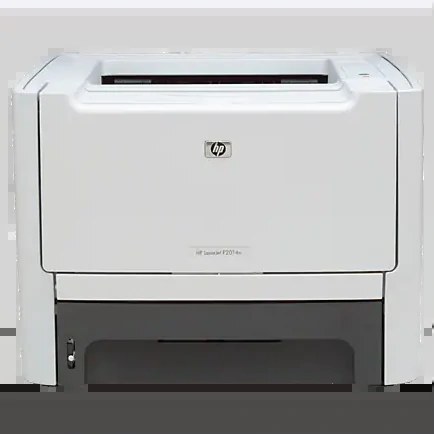
The HP LaserJet P2010, from 2007, was the entry point to the P2000-series small-office line — a compact monochrome printer with a straightforward brief: sharp pages, low fuss, honest value.
It takes HP 53A (Q7553A) toner, with the high-yield HP 53X (Q7553X) optional. Compatible and genuine OEM cartridges available.
Toner Cartridges for LaserJet P2010
This printer works with the following toner cartridges:
- HP Q7553A
- HP Q7553X
More HP Printers
- LaserJet 2015DN
- LaserJet M2727
- LaserJet M2727NF
- LaserJet M2727NF MFP
- LaserJet M2727NFS
- LaserJet M2727NFS MFP
- LaserJet P2014
- LaserJet P2014N
- LaserJet P2015
- LaserJet P2015D
- LaserJet P2015DN
- LaserJet P2015N
- LaserJet P2015X
Frequently Asked Questions
Which toner cartridge does the LaserJet P2010 use?
The LaserJet P2010 uses the Q7553A (standard yield) or the Q7553X (high-yield) toner cartridge. Confirm the code printed on your current cartridge matches before ordering a replacement.
How do I replace the toner cartridge in the LaserJet P2010?
Open the toner-access door on the LaserJet P2010, pull the spent cartridge out by its handle, and slide the new Q7553A or Q7553X straight in until it clicks. The LaserJet P2010 recognizes the new cartridge automatically — print a test page to confirm clean output.
Does the LaserJet P2010 warn me before the toner runs out?
The LaserJet P2010 displays a toner-low or replace-toner message when the cartridge nears empty, so you get advance notice. Keep a spare Q7553A or Q7553X on hand so a deadline job never catches the LaserJet P2010 without toner.