




LaserJet P2015DN
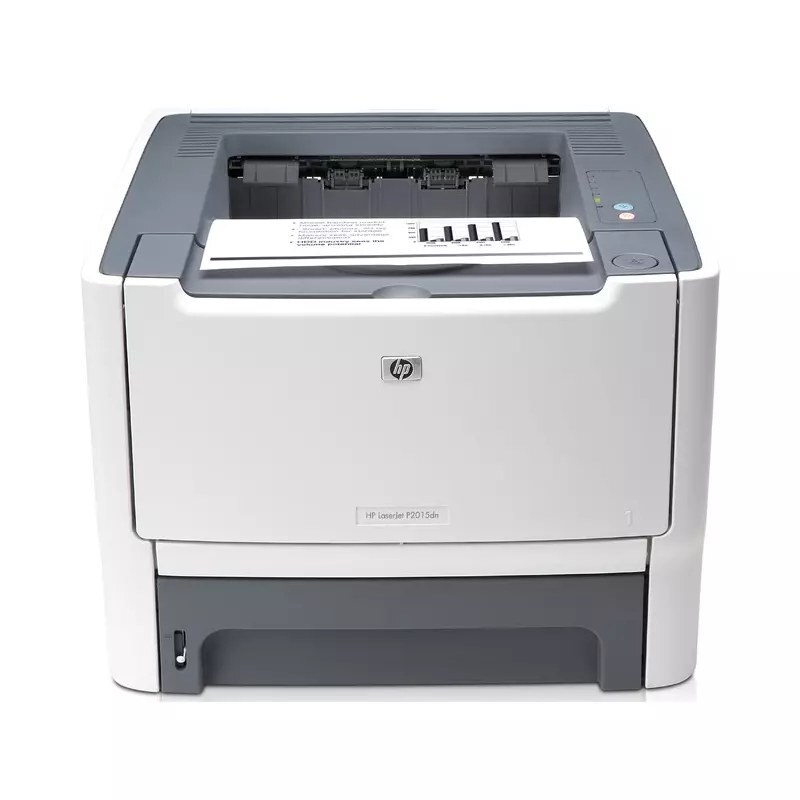
Dating from the mid-2000s, the HP LaserJet P2015DN is a mono single-function printer built around one idea: everyday office document printing without drama. The LaserJet P2015DN was purpose-built for everyday office document printing, and it handles that workload with unhurried confidence.
The LaserJet P2015DN runs on the HP 53A/53X family — the Q7553A cartridge — shared with 13 other HP models, so supplies stay easy to find. Choose genuine OEM Q7553A cartridges for the LaserJet P2015DN or save with our compatible HP 53A/53X alternatives — both keep the LaserJet P2015DN printing cleanly.
Toner Cartridges for LaserJet P2015DN
This printer works with the following toner cartridges:
- HP Q7553A
- HP Q7553X
More HP Printers
- LaserJet 2015DN
- LaserJet M2727
- LaserJet M2727NF
- LaserJet M2727NF MFP
- LaserJet M2727NFS
- LaserJet M2727NFS MFP
- LaserJet P2010
- LaserJet P2014
- LaserJet P2014N
- LaserJet P2015
- LaserJet P2015D
- LaserJet P2015N
- LaserJet P2015X
Frequently Asked Questions
Which toner cartridge does the LaserJet P2015DN use?
The LaserJet P2015DN uses the Q7553A (standard yield) or the Q7553X (high-yield) toner cartridge. Confirm the code printed on your current cartridge matches before ordering a replacement.
Can the LaserJet P2015DN print on both sides of the page automatically?
Yes — the LaserJet P2015DN includes automatic duplexing, so you can print double-sided without flipping pages by hand. Select two-sided printing in the LaserJet P2015DN's print dialog to cut paper use in half.
Can the LaserJet P2015DN be shared on an office network?
Yes — the LaserJet P2015DN has Ethernet connectivity, so plug it into your network and install the driver on each workstation. Every computer can then send jobs directly to the LaserJet P2015DN.