




LaserJet M2727 MFP
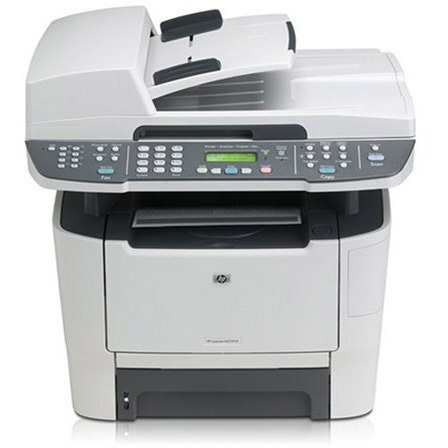
One machine for the whole paperwork loop: the LaserJet M2727 MFP is a monochrome multifunction from HP's late-2000s small-office line — print, scan and copy from a single unit — and it takes one black cartridge family to do all of it, HP's 53 line. The standard cartridge is the Q7553A, and its high-yield partner is the Q7553X, the version this page's shelf is built around.
A multifunction lives or dies on its supply, because the same cartridge feeds the printer, the copier and every fax-era paperwork habit in between. The M2727 was bought by offices that wanted the loop closed in one box, and most of those machines are still earning their place. Keeping a spare on the shelf is what separates a momentary pause from a dead afternoon when the toner finally gives out mid-job.
Toner Cartridges for LaserJet M2727 MFP
| Cartridge | Color | Page Yield |
|---|---|---|
| 53X (Q7553X, Q7553A) Toner Cartridge 2 Black | Black | See product page |
| 53X (Q7553X, Q7553A) Toner Cartridge 4 Black | Black | See product page |
| 53X (Q7553X, Q7553A) Toner Cartridge 2 Black (alternate listing) | Black | See product page |
All three listings are high-yield 53X packs; the third is a second 2-pack listing (the MICR-line listing, by its SKU). The standard 53A single cartridge is linked from this page's opening paragraph.
Which cartridge should you buy?
The live choice is between the standard 53A and the high-yield 53X. For an MFP that copies as well as prints, the X cartridge usually wins the arithmetic: it carries more toner, so its cost per page is lower and it survives the heavy paperwork weeks that empty a standard cartridge early. The standard cartridge still makes sense for a lightly used machine, where a cartridge may sit for a long season. On this page's shelf the X comes in 2-pack and 4-pack form — the 2-pack for a single machine with a spare in reserve, the 4-pack for offices feeding several 53-family printers from one cupboard.
Chip, toner and everyday use
Plan replacements from evidence, not guesswork: print a supplies-status page from the control panel, or check the levels in the printer software, and order when the cartridge runs low or pages begin to fade rather than after they do. Fit the new cartridge with the seal removed and the machine on so the chip registers, and set the old one aside for recycling. Spares keep best sealed and out of heat and damp, and every yield figure for this family is an estimate at standard coverage — a copying-heavy month will always outrun it.
Frequently Asked Questions
Which toner cartridges work with the LaserJet M2727 MFP?
A single black family: the HP 53A (Q7553A) in standard yield and the HP 53X (Q7553X) in high yield. Copy the number from your old cartridge's label when you reorder and the new one drops straight in.
Can I make copies on the M2727 MFP without a computer?
Yes. Lay the page on the scanner, press the copy button on the control panel, set the number of copies and start — the machine handles it entirely on its own.
How can I check how much toner is left?
Print a supplies-status page from the control panel, or view the levels in the printer software on your computer. Order the replacement as the level drops so the swap never interrupts a job.
Why does this page list only packs for the 53X?
The shelf stocked here is the high-yield line in 2-pack and 4-pack form, which is what most M2727 owners reorder. If you prefer the standard-yield single, it is the Q7553A cartridge linked at the top of this page.
More printers that use the same cartridges
The 53 family also feeds the P2015 workgroup line and the other M2727 configurations:
HP Q7553A, LASERJET M2727, LaserJet 2015DN, LaserJet M2727, LaserJet M2727NF, LaserJet M2727NF MFP, LaserJet M2727NFS, LaserJet M2727NFS MFP, LaserJet P2010, LaserJet P2014, LaserJet P2014N, LaserJet P2015, LaserJet P2015D, LaserJet P2015DN, LaserJet P2015N, LaserJet P2015X