




LaserJet M631z MFP
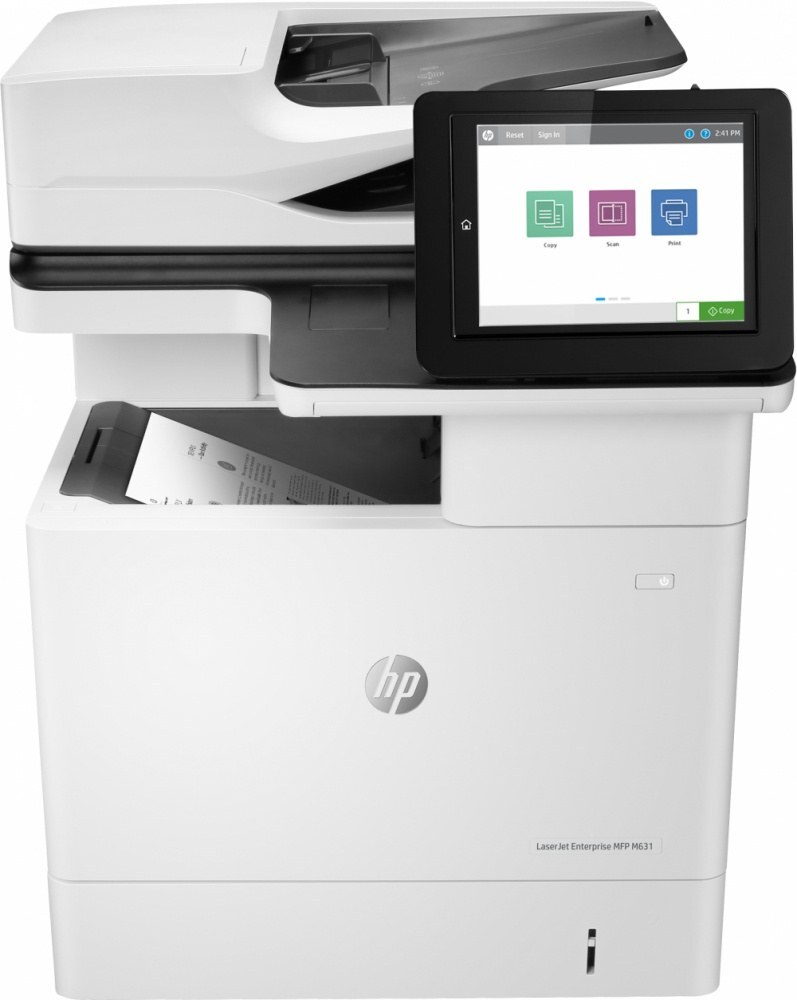
The LaserJet M631z MFP is a mono multifunction printer from HP's late-2010s enterprise range, made for everyday office document printing at shared-machine scale. Its printing runs on a single black cartridge, the CF237A, and the same family offers the high-yield CF237X and CF237Y. The stocked listing on this page is the CF237A four-pack.
A shared MFP lives a different life from a desk printer. It stands where everyone can reach it, its scanner feeds the office's paperwork habit, and its copy button gets pressed by people who never check toner levels. That pattern — many users, one cartridge, no single owner — is what shapes sensible supply buying for this model: stock ahead, keep the spare at the machine, and let the cartridge be a non-event.
Toner Cartridges for LaserJet M631z MFP
| Cartridge | Color | Page Yield |
|---|---|---|
| Compatible HP 37A (CF237A) — Black Toner, Four Pack | Black | See product page |
Which cartridge should you buy?
Shared machines reward buying in multiples. The four-pack of CF237A here keeps three spares behind the one in the printer, so the next three changes are already handled the day the box arrives. Copy-heavy offices burn through cartridges noticeably faster than print-only ones, and for them the high-yield CF237X and CF237Y are worth pricing — same fit, more toner, fewer changes — though they are separate listings from the pack sold here. The rule that survives every scenario: the cartridge code must be one of this family's three codes.
Chip, toner and everyday use
On a machine everyone uses, the most useful toner habit is a visible one: when you fit the last cartridge from the pack, that is the reorder signal — not the low-toner warning weeks later. The swap itself is a minute's work: door open, old cartridge out by the handle, seal off the new one, slide it home until it clicks. If a colleague reports a recognition message, reseating the cartridge with the machine powered on resolves it in most cases. Keep unopened cartridges sealed and flat; toner keeps its quality over a long shelf life when stored cool and dry.
Frequently Asked Questions
Which cartridge codes fit the LaserJet M631z MFP?
CF237A, CF237X and CF237Y — the standard cartridge and its two high-yield family members. The code printed on the box is what matters; matching it exactly is how you avoid returns. Cartridges from other HP families will not seat in this MFP.
Why does our LaserJet M631z MFP seem to empty cartridges quickly?
Usually because it is a shared machine doing shared work: prints from many users plus walk-up copies, which draw the same toner. Dense pages shorten cartridge life further. If changes feel frequent, the high-yield CF237X or CF237Y is the family's built-in answer.
Can I still scan with the LaserJet M631z MFP when the toner runs out?
You can. The scanner half of the machine never touches toner — it only reads pages. Printing and copying are what stop: copies are printed scans, so they wait until a fresh CF237A is fitted.
When should the toner in the LaserJet M631z MFP be replaced?
When printed pages fade or streak, or the printer reports the cartridge empty. On a shared machine, do not wait for a volunteer to notice — whoever fits the last spare should trigger the next order the same day.
More printers that use the same cartridges
The cartridge family on this page also serves each of these models in the M607 to M633 generation:
LaserJet M608dn, LaserJet M608 n, LaserJet M608, LaserJet M607dn, LaserJet M607 n, LaserJet Enterprise M607, LaserJet M633 z, LaserJet M633 fh MFP, LaserJet M633, LaserJet M632z MFP, LaserJet M632 h MFP, LaserJet M632 fht MFP, LaserJet M632, LaserJet M631dn MFP, LaserJet M631 h MFP, LaserJet M631 dn MFP, LaserJet M631, LaserJet M609x MFP, LaserJet M609 x, LaserJet M609 dn, LaserJet M609 dh, LaserJet M609, LaserJet M608x