




LaserJet M609 dn
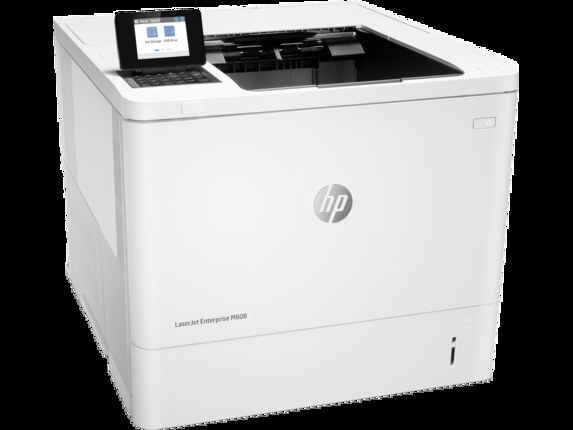
The networked duplex workhorse: the LaserJet M609dn puts two-sided monochrome printing on office Ethernet — the shared-printer configuration of the M609 line. It feeds on the HP 37A family: standard CF237A or high-yield CF237X and CF237Y.
We carry the full 37A range for the M609dn as genuine OEM and compatible cartridges. Shared duplex printers deserve the high-yield CF237X or CF237Y; Clever Supplies ships quickly.
Toner Cartridges for LaserJet M609 dn
This printer works with the following toner cartridges:
- HP CF237A
- HP CF237X
- HP CF237Y
More HP Printers
- LaserJet Enterprise Flow MFP M630z
- LaserJet Enterprise M607
- LaserJet Enterprise M608dn
- LaserJet Enterprise M608n
- LaserJet Enterprise M608x
- LaserJet Enterprise M609 x
- LaserJet Enterprise M609dh
- LaserJet Enterprise M609dn
- LaserJet Enterprise M609x MFP
- LaserJet Enterprise M631 dn
- LaserJet Enterprise MFP M630f
- LaserJet Enterprise MFP M631 h
- LaserJet Enterprise MFP M631dn
- LaserJet Enterprise MFP M631z
- LaserJet Enterprise MFP M632fht
- LaserJet Enterprise MFP M632h
- LaserJet Enterprise MFP M633 fh
- LaserJet Enterprise MFP M633 z
- LaserJet M607dn
- LaserJet M608
- LaserJet M608 n
- LaserJet M608dn
- LaserJet M608x
- LaserJet M609
- LaserJet M609 dh
- LaserJet M609 x
- LaserJet M609x MFP
- LaserJet M631
- LaserJet M631 dn MFP
- LaserJet M631 h MFP
- LaserJet M631dn MFP
- LaserJet M631z MFP
- LaserJet M632
- LaserJet M632 fht MFP
- LaserJet M632 h MFP
- LaserJet M632z MFP
- LaserJet M633
- LaserJet M633 fh MFP
- LaserJet M633 z
Frequently Asked Questions
Can I use any HP toner cartridge in the LaserJet M609 dn?
No — the LaserJet M609 dn only accepts CF237A, CF237X, CF237Y. Toner cartridges are keyed to specific printer families, so one made for another HP model generally won't fit or be recognized. Stick to the codes listed for your LaserJet M609 dn.
How should I store spare toner for the LaserJet M609 dn?
Keep spare CF237A cartridges sealed in their original packaging until the LaserJet M609 dn needs them — toner breaks down faster in heat and humidity. Store them flat in a cool, dry spot away from direct sunlight. Don't open a new cartridge until you're ready to install it.
How do I print on both sides with the LaserJet M609 dn?
Look for the duplex or "print on both sides" option in the print dialog when printing from the LaserJet M609 dn. You can set it as the default in the printer preferences to save paper automatically. If the option is missing, reinstall the driver for the LaserJet M609 dn and check again.