




LaserJet M607 n
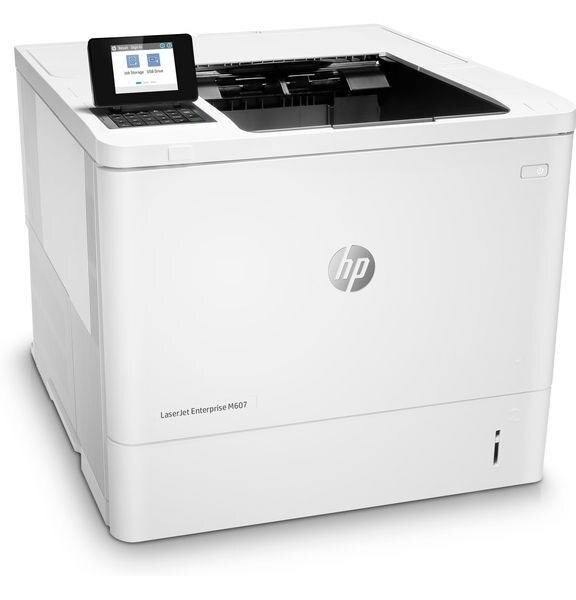
The LaserJet M607 n arrived in 2017 as a departmental laser built for enterprise fleets — a black-and-white workhorse meant to be managed alongside dozens of its siblings. The cartridge it takes is the standard-yield CF237A, and HP documents two larger tiers of the same family for heavier duty: the high-yield CF237X and the extra-high-yield CF237Y. On this page the stocked option is the standard cartridge in bulk form, an HP 37A four-pack suited to fleet stocking.
Fleet printers live or die on standardization. When every departmental machine on the floor drinks from the same cartridge family, the supplies cupboard stays simple, a spare fits whichever printer runs dry first, and nobody wastes an afternoon hunting an obscure code. The M607 n was specified for exactly that world, and its cartridge shelf reflects it: one black cartridge, three yield tiers, and a long list of sibling machines that share it.
Toner Cartridges for LaserJet M607 n
| Cartridge | Color | Page Yield |
|---|---|---|
| HP 37A (CF237A) Toner Cartridge — 4 Black | Black | See product page |
For the LaserJet M607 n, HP's own documentation lists two step-up versions of this cartridge family beyond the standard one: the high-yield CF237X and the extra-high-yield CF237Y. What this page carries is the standard CF237A (37A), sold here as the four-pack of black cartridges shown above.
Which cartridge should you buy?
Choose by volume, not by hope. The CF237A standard cartridge suits a departmental printer with steady, moderate output. Busier machines earn their keep on the higher tiers — the CF237X holds more toner for longer runs between swaps, and the CF237Y stretches that further still for the hardest-worked printers. This page's four-pack takes a different route to the same goal: four standard cartridges in one box, which spreads naturally across a small fleet or keeps one printer supplied through a long season without a mid-quarter reorder.
Chip, toner and everyday use
Each cartridge carries a chip the printer reads on fitting, so toner levels report back to the fleet tools your IT team already watches. If a newly fitted cartridge is not recognized, power the printer on, reseat the cartridge firmly until it clicks, and check that every strip of sealing tape came away with the tab. Store fleet spares sealed and flat in a cool, dry room — toner keeps for a long time, but heat and humidity shorten a cartridge's patience.
Frequently Asked Questions
Which toner cartridges work with the LaserJet M607 n?
The CF237A is the standard cartridge, with the CF237X and CF237Y as the high-yield and extra-high-yield tiers of the same family. All three fit the same slot; checking the code on the old cartridge's label is the fastest way to confirm what your printer has been running.
Do CF237A cartridges go bad if a fleet keeps them in storage?
Toner powder itself keeps well for a long time. The risks are environmental: cartridges stored for years in heat or damp can develop problems, and a very old cartridge may be flagged by the printer. Keep spares sealed, install them within a couple of years, and rotate stock so the oldest box goes in first.
How should a spare CF237A be stored?
Sealed in its original packaging, lying flat in a cool, dry spot out of direct sunlight. Do not break the seal until the moment of installation — the packaging is what keeps moisture and dust away from the cartridge.
Why stock a four-pack for a single departmental printer?
Departmental printers rarely warn anyone before they run dry, and a shared machine standing idle costs a whole team's time. Four cartridges in the cupboard means the swap happens in minutes, and the same box can rescue any sibling machine on the floor that empties first.
More printers that use the same cartridges
One cartridge family serves the entire bench below — printers and MFPs alike — which is the whole point of a fleet standard: LaserJet Enterprise M607, LaserJet M607dn, LaserJet M608, LaserJet M608 n, LaserJet M608dn, LaserJet M608x, LaserJet M609, LaserJet M609 dh, LaserJet M609 dn, LaserJet M609 x, LaserJet M609x MFP, LaserJet M631, LaserJet M631 dn MFP, LaserJet M631 h MFP, LaserJet M631dn MFP, LaserJet M631z MFP, LaserJet M632, LaserJet M632 fht MFP, LaserJet M632 h MFP, LaserJet M632z MFP, LaserJet M633, LaserJet M633 fh MFP, LaserJet M633 z.