




LaserJet M608
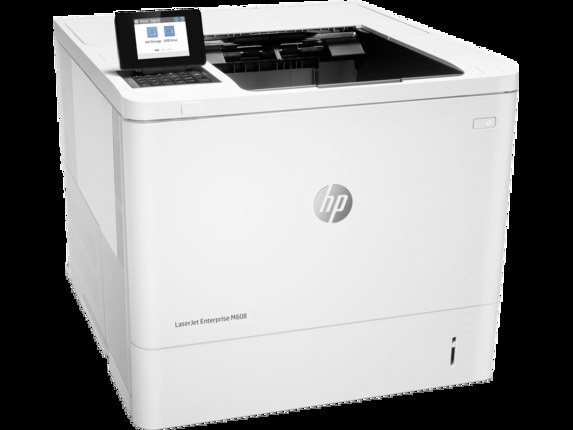
A late-2010s mono single-function printer, the LaserJet M608 reflects an era when printers were bought for durability first and features second. Offices that still run a LaserJet M608 usually do so for one reason: it keeps handling everyday office document printing without complaint.
For the LaserJet M608, toner means the HP 37A family: the CF237A cartridge, common to 39 models in the lineup. Whether you want the OEM CF237A or a compatible HP 37A cartridge for the LaserJet M608, both are made to deliver the crisp output this printer is known for.
Toner Cartridges for LaserJet M608
This printer works with the following toner cartridges:
- HP CF237A
- HP CF237X
- HP CF237Y
More HP Printers
- LaserJet Enterprise Flow MFP M630z
- LaserJet Enterprise M607
- LaserJet Enterprise M608dn
- LaserJet Enterprise M608n
- LaserJet Enterprise M608x
- LaserJet Enterprise M609 x
- LaserJet Enterprise M609dh
- LaserJet Enterprise M609dn
- LaserJet Enterprise M609x MFP
- LaserJet Enterprise M631 dn
- LaserJet Enterprise MFP M630f
- LaserJet Enterprise MFP M631 h
- LaserJet Enterprise MFP M631dn
- LaserJet Enterprise MFP M631z
- LaserJet Enterprise MFP M632fht
- LaserJet Enterprise MFP M632h
- LaserJet Enterprise MFP M633 fh
- LaserJet Enterprise MFP M633 z
- LaserJet M607dn
- LaserJet M608 n
- LaserJet M608dn
- LaserJet M608x
- LaserJet M609
- LaserJet M609 dh
- LaserJet M609 dn
- LaserJet M609 x
- LaserJet M609x MFP
- LaserJet M631
- LaserJet M631 dn MFP
- LaserJet M631 h MFP
- LaserJet M631dn MFP
- LaserJet M631z MFP
- LaserJet M632
- LaserJet M632 fht MFP
- LaserJet M632 h MFP
- LaserJet M632z MFP
- LaserJet M633
- LaserJet M633 fh MFP
- LaserJet M633 z
Frequently Asked Questions
What toner cartridges does the LaserJet M608 use?
The LaserJet M608 uses CF237A, CF237X, CF237Y. For heavier printing, the CF237X high-yield version of CF237A fits the same LaserJet M608. Order by these exact codes — cartridges made for other HP families won't fit or won't be recognized.
When should I replace the toner in my LaserJet M608?
Swap the CF237A when prints from the LaserJet M608 fade, streak, or the printer reports the cartridge as empty. "Toner low" warnings arrive earlier and still leave room to print, so keep a spare CF237A ready. Change it when quality visibly drops, not at the first warning.
Why does my LaserJet M608 show a non-HP cartridge message?
The LaserJet M608 shows that message when it detects a cartridge not manufactured by HP. Compatible cartridges usually print normally once you acknowledge the notice. If the printer refuses to print, read the on-screen instructions and contact your cartridge supplier.