




LaserJet M609 x
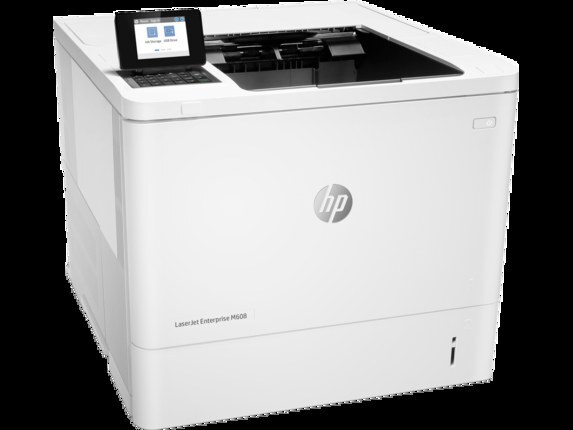
The M609's high-capacity answer: the LaserJet M609x is the big-tray configuration for departments whose print queues never really empty. It runs on HP 37A toner — CF237A standard, with the high-yield CF237X and CF237Y for long runs between changes.
Compatible and genuine OEM CF237A, CF237X and CF237Y for the M609x sit side by side here. Match the yield to the queue and the version to the budget; fast Clever Supplies shipping does the rest.
Toner Cartridges for LaserJet M609 x
This printer works with the following toner cartridges:
- HP CF237A
- HP CF237X
- HP CF237Y
More HP Printers
- LaserJet Enterprise Flow MFP M630z
- LaserJet Enterprise M607
- LaserJet Enterprise M608dn
- LaserJet Enterprise M608n
- LaserJet Enterprise M608x
- LaserJet Enterprise M609 x
- LaserJet Enterprise M609dh
- LaserJet Enterprise M609dn
- LaserJet Enterprise M609x MFP
- LaserJet Enterprise M631 dn
- LaserJet Enterprise MFP M630f
- LaserJet Enterprise MFP M631 h
- LaserJet Enterprise MFP M631dn
- LaserJet Enterprise MFP M631z
- LaserJet Enterprise MFP M632fht
- LaserJet Enterprise MFP M632h
- LaserJet Enterprise MFP M633 fh
- LaserJet Enterprise MFP M633 z
- LaserJet M607dn
- LaserJet M608
- LaserJet M608 n
- LaserJet M608dn
- LaserJet M608x
- LaserJet M609
- LaserJet M609 dh
- LaserJet M609 dn
- LaserJet M609x MFP
- LaserJet M631
- LaserJet M631 dn MFP
- LaserJet M631 h MFP
- LaserJet M631dn MFP
- LaserJet M631z MFP
- LaserJet M632
- LaserJet M632 fht MFP
- LaserJet M632 h MFP
- LaserJet M632z MFP
- LaserJet M633
- LaserJet M633 fh MFP
- LaserJet M633 z
Frequently Asked Questions
What toner cartridges does the LaserJet M609 x use?
The LaserJet M609 x uses CF237A, CF237X, CF237Y. For heavier printing, the CF237X high-yield version of CF237A fits the same LaserJet M609 x. Order by these exact codes — cartridges made for other HP families won't fit or won't be recognized.
How do I install a new toner cartridge in my LaserJet M609 x?
Open the cartridge door on the LaserJet M609 x and slide the old CF237A out by its handle — set it aside for recycling. Unpack the new CF237A, pull off its protective seal, and slide it straight in until it clicks. Close the door and print a test page from the LaserJet M609 x to confirm.
How can I get more pages out of each cartridge in the LaserJet M609 x?
Pick the higher-yield option when you order: the LaserJet M609 x accepts CF237X alongside CF237A, and the CF237X holds more toner for busier printing. Draft or toner-save mode in your driver stretches a CF237A further for everyday documents. Printing two-sided also cuts paper use in half.