




LaserJet M609x MFP
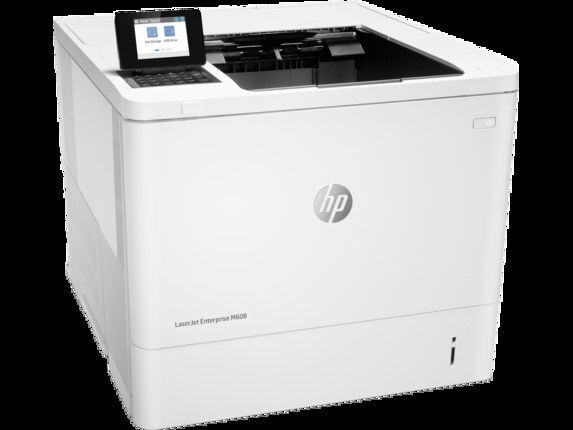
A late-2010s mono multifunction printer, the LaserJet M609x MFP reflects an era when printers were bought for durability first and features second. So many LaserJet M609x MFP units are still in service because everyday office document printing is exactly what this printer was designed for. As an MFP, the LaserJet M609x MFP folds scanning and copying into the same box — one machine doing the work of two.
The LaserJet M609x MFP runs on the HP 37A family — the CF237A cartridge — shared with 39 other HP models, so supplies stay easy to find. Our HP 37A lineup for the LaserJet M609x MFP covers both bases — genuine OEM CF237A cartridges and dependable compatible alternatives.
Toner Cartridges for LaserJet M609x MFP
This printer works with the following toner cartridges:
- HP CF237A
- HP CF237X
- HP CF237Y
More HP Printers
- LaserJet Enterprise Flow MFP M630z
- LaserJet Enterprise M607
- LaserJet Enterprise M608dn
- LaserJet Enterprise M608n
- LaserJet Enterprise M608x
- LaserJet Enterprise M609 x
- LaserJet Enterprise M609dh
- LaserJet Enterprise M609dn
- LaserJet Enterprise M609x MFP
- LaserJet Enterprise M631 dn
- LaserJet Enterprise MFP M630f
- LaserJet Enterprise MFP M631 h
- LaserJet Enterprise MFP M631dn
- LaserJet Enterprise MFP M631z
- LaserJet Enterprise MFP M632fht
- LaserJet Enterprise MFP M632h
- LaserJet Enterprise MFP M633 fh
- LaserJet Enterprise MFP M633 z
- LaserJet M607dn
- LaserJet M608
- LaserJet M608 n
- LaserJet M608dn
- LaserJet M608x
- LaserJet M609
- LaserJet M609 dh
- LaserJet M609 dn
- LaserJet M609 x
- LaserJet M631
- LaserJet M631 dn MFP
- LaserJet M631 h MFP
- LaserJet M631dn MFP
- LaserJet M631z MFP
- LaserJet M632
- LaserJet M632 fht MFP
- LaserJet M632 h MFP
- LaserJet M632z MFP
- LaserJet M633
- LaserJet M633 fh MFP
- LaserJet M633 z
Frequently Asked Questions
Which cartridge codes fit the LaserJet M609x MFP?
The LaserJet M609x MFP fits CF237A, CF237X, CF237Y. The code printed on the box is what matters; matching it exactly is how you avoid returns.
How do I install a new toner cartridge in my LaserJet M609x MFP?
Open the cartridge door on the LaserJet M609x MFP and slide the old CF237A out by its handle — set it aside for recycling. Unpack the new CF237A, pull off its protective seal, and slide it straight in until it clicks. Close the door and print a test page from the LaserJet M609x MFP to confirm.
Can I still scan with the LaserJet M609x MFP when the toner runs out?
Yes — scanning to a computer doesn't use toner, so the LaserJet M609x MFP keeps scanning even with an empty CF237A. Copying is the exception: it prints the scan, so it needs toner to work. Replace the CF237A when copies from the LaserJet M609x MFP start fading.