




LaserJet M609
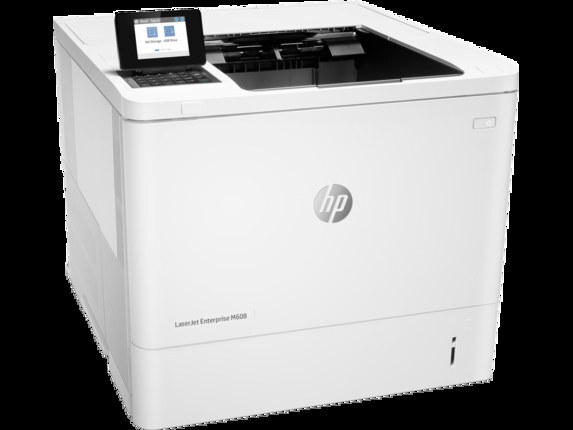
The LaserJet M609 belongs to HP's monochrome lineup of the late 2010s: a single-function printer engineered for everyday office document printing. Its cartridge story is refreshingly simple — the family starts and ends with the CF237A, the cartridge filed under the short name 37A and shared across 39 models. The shelf below offers it as a single, in multi-packs, and in listings titled for the sibling models it also feeds.
What keeps a machine like this relevant is not novelty; everyday document printing is unglamorous, essential, and exactly what offices need, and this printer was designed for nothing else. Supplies follow the same philosophy. There is one code to remember, one cartridge shape to stock, and no color set to balance — the whole consumables routine for this printer fits in a single line of a purchase order.
Toner Cartridges for LaserJet M609
| Cartridge | Color | Page Yield |
|---|---|---|
| CF237A cartridge, 10 pack | Black | See product page |
| CF237A cartridge, 5 pack | Black | See product page |
| CF237A cartridge, 3 pack | Black | See product page |
| CF237A cartridge, 2 pack | Black | See product page |
| CF237A cartridge, single | Black | See product page |
| CF237A cartridge, M607-named listing | Black | See product page |
| CF237A cartridge, M608-named listing | Black | See product page |
| CF237A cartridge, M609-named listing | Black | See product page |
| CF237A cartridge, M631-named listing | Black | See product page |
| CF237A cartridge, M632-named listing | Black | See product page |
| CF237A cartridge, M633-named listing | Black | See product page |
Which cartridge should you buy?
With one cartridge code in play, the real choice is pack size. Heavy, continuous use argues for the larger packs: the per-cartridge routine stays identical, but reorders come less often and the shelf rarely hits empty. Lighter or irregular use is served just as well by singles, which keep less money sitting in the supply cabinet. HP's documentation for this family also names higher-yield variants, the CF237X and the extra-high-yield CF237Y; neither is stocked on this page, so the listings below are the cartridge to order. Whichever size you pick, the cartridge inside is the same standard unit, backed here by a 1-year warranty and 1-year returns on compatible cartridges.
Chip, toner and everyday use
A cartridge change on this family is a two-minute job: seat the new unit firmly, make sure the sealing tape came out completely, and let the printer read the cartridge's chip, which is how it confirms the cartridge type and estimates the toner remaining. If the display questions the cartridge, removing and reinserting it with the printer powered on clears most recognition complaints. For storage, keep the next cartridge sealed, flat and away from heat — a cartridge that waits in its box keeps its toner in better condition than one opened early. And remember that quoted yields assume light page coverage, so report-heavy printing shortens any cartridge's run.
Frequently Asked Questions
Which cartridge codes fit the LaserJet M609?
The cartridge stocked for this printer is the CF237A. The code printed on the box is what matters — matching it exactly is how you avoid returns, because cartridges from other families are keyed differently and will not register.
When should I replace the toner in the M609?
When prints fade or streak, or the printer reports the cartridge empty. Toner-low warnings arrive earlier and still leave room to print, so keep a spare ready and make the change when quality visibly drops, not at the first warning.
Why does my M609 show a non-HP cartridge message?
It shows that message when it detects a cartridge HP did not manufacture. Compatible cartridges usually print normally once the notice is acknowledged. If the printer refuses to print, read the on-screen instructions and contact your cartridge supplier.
More printers that use the same cartridges
The complete family that shares this cartridge, in alphabetical order:
- LaserJet Enterprise M607
- LaserJet M607 n
- LaserJet M607dn
- LaserJet M608
- LaserJet M608 n
- LaserJet M608dn
- LaserJet M608x
- LaserJet M609 dh
- LaserJet M609 dn
- LaserJet M609 x
- LaserJet M609x MFP
- LaserJet M631
- LaserJet M631 dn MFP
- LaserJet M631 h MFP
- LaserJet M631dn MFP
- LaserJet M631z MFP
- LaserJet M632
- LaserJet M632 fht MFP
- LaserJet M632 h MFP
- LaserJet M632z MFP
- LaserJet M633
- LaserJet M633 fh MFP
- LaserJet M633 z