




LaserJet M631dn MFP
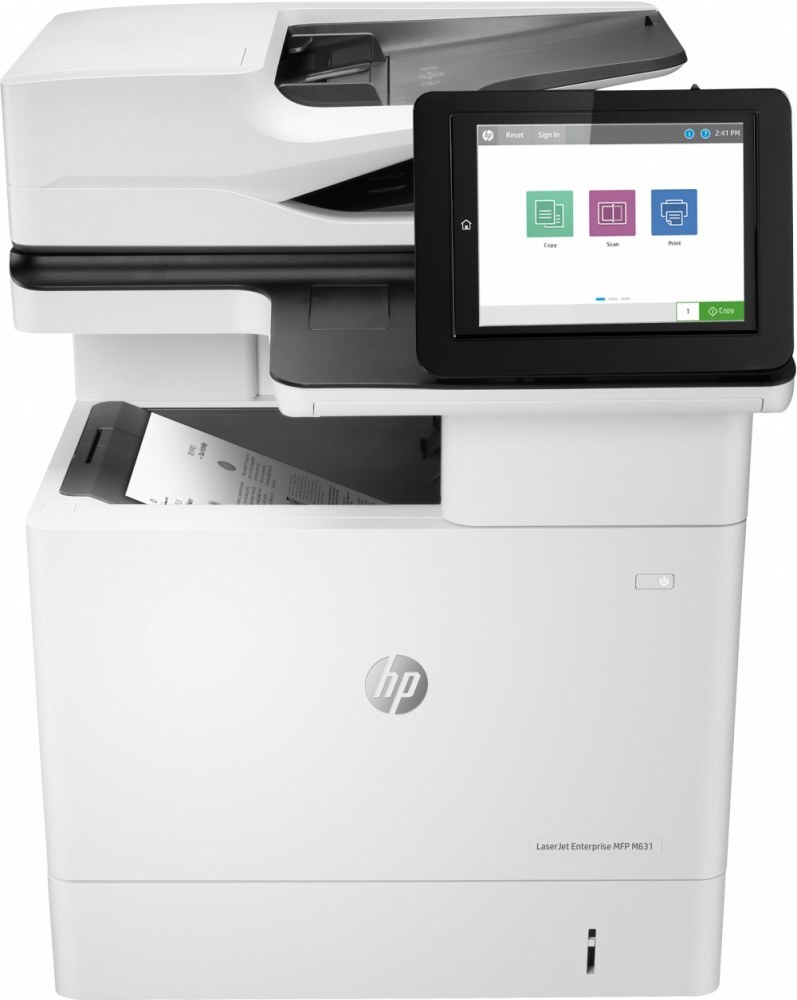
The HP LaserJet M631dn MFP is exactly what its late-2010s badge suggests: a mono multifunction printer made for everyday office document printing. What keeps the LaserJet M631dn MFP relevant is everyday office document printing: unglamorous, essential, and exactly what offices need.
Keeping the LaserJet M631dn MFP fed is simple thanks to the HP 37A family — the CF237A cartridge it shares with 39 other models. The LaserJet M631dn MFP runs reliably on our compatible HP 37A cartridges as well as on genuine OEM CF237A — pick the one that fits your budget.
Toner Cartridges for LaserJet M631dn MFP
This printer works with the following toner cartridges:
- HP CF237A
- HP CF237X
- HP CF237Y
More HP Printers
- LaserJet Enterprise Flow MFP M630z
- LaserJet Enterprise M607
- LaserJet Enterprise M608dn
- LaserJet Enterprise M608n
- LaserJet Enterprise M608x
- LaserJet Enterprise M609 x
- LaserJet Enterprise M609dh
- LaserJet Enterprise M609dn
- LaserJet Enterprise M609x MFP
- LaserJet Enterprise M631 dn
- LaserJet Enterprise MFP M630f
- LaserJet Enterprise MFP M631 h
- LaserJet Enterprise MFP M631dn
- LaserJet Enterprise MFP M631z
- LaserJet Enterprise MFP M632fht
- LaserJet Enterprise MFP M632h
- LaserJet Enterprise MFP M633 fh
- LaserJet Enterprise MFP M633 z
- LaserJet M607dn
- LaserJet M608
- LaserJet M608 n
- LaserJet M608dn
- LaserJet M608x
- LaserJet M609
- LaserJet M609 dh
- LaserJet M609 dn
- LaserJet M609 x
- LaserJet M609x MFP
- LaserJet M631
- LaserJet M631 dn MFP
- LaserJet M631 h MFP
- LaserJet M631z MFP
- LaserJet M632
- LaserJet M632 fht MFP
- LaserJet M632 h MFP
- LaserJet M632z MFP
- LaserJet M633
- LaserJet M633 fh MFP
- LaserJet M633 z
Frequently Asked Questions
What toner cartridges does the LaserJet M631dn MFP use?
The LaserJet M631dn MFP uses CF237A, CF237X, CF237Y. For heavier printing, the CF237X high-yield version of CF237A fits the same LaserJet M631dn MFP. Order by these exact codes — cartridges made for other HP families won't fit or won't be recognized.
When should I replace the toner in my LaserJet M631dn MFP?
Swap the CF237A when prints from the LaserJet M631dn MFP fade, streak, or the printer reports the cartridge as empty. "Toner low" warnings arrive earlier and still leave room to print, so keep a spare CF237A ready. Change it when quality visibly drops, not at the first warning.
How do I fix faded or streaky prints on my LaserJet M631dn MFP?
Check the toner level first — the LaserJet M631dn MFP flags a low CF237A before quality drops. Try reseating the cartridge and running a cleaning cycle from the printer's maintenance menu. If streaks persist with a fresh CF237A, the issue is likely elsewhere in the paper path.