




LaserJet M608 n
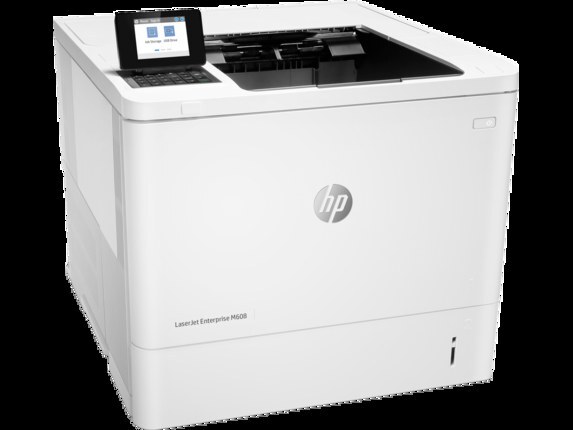
The LaserJet M608 n arrived on the scene in the late-2010s as HP's mono single-function printer for everyday office document printing, and its staying power says the formula worked. So many LaserJet M608 n units are still in service because everyday office document printing is exactly what this printer was designed for. The N in the LaserJet M608 n name signals built-in networking, making the LaserJet M608 n an easy shared printer for a small office.
The LaserJet M608 n shares its HP 37A cartridges — including the CF237A — with 39 other HP models, keeping replacement options plentiful. The LaserJet M608 n also accepts the high-yield CF237X for busier stretches, alongside the standard CF237A for everyday office document printing.
Toner Cartridges for LaserJet M608 n
This printer works with the following toner cartridges:
- HP CF237A
- HP CF237X
- HP CF237Y
More HP Printers
- LaserJet Enterprise Flow MFP M630z
- LaserJet Enterprise M607
- LaserJet Enterprise M608dn
- LaserJet Enterprise M608n
- LaserJet Enterprise M608x
- LaserJet Enterprise M609 x
- LaserJet Enterprise M609dh
- LaserJet Enterprise M609dn
- LaserJet Enterprise M609x MFP
- LaserJet Enterprise M631 dn
- LaserJet Enterprise MFP M630f
- LaserJet Enterprise MFP M631 h
- LaserJet Enterprise MFP M631dn
- LaserJet Enterprise MFP M631z
- LaserJet Enterprise MFP M632fht
- LaserJet Enterprise MFP M632h
- LaserJet Enterprise MFP M633 fh
- LaserJet Enterprise MFP M633 z
- LaserJet M607dn
- LaserJet M608
- LaserJet M608dn
- LaserJet M608x
- LaserJet M609
- LaserJet M609 dh
- LaserJet M609 dn
- LaserJet M609 x
- LaserJet M609x MFP
- LaserJet M631
- LaserJet M631 dn MFP
- LaserJet M631 h MFP
- LaserJet M631dn MFP
- LaserJet M631z MFP
- LaserJet M632
- LaserJet M632 fht MFP
- LaserJet M632 h MFP
- LaserJet M632z MFP
- LaserJet M633
- LaserJet M633 fh MFP
- LaserJet M633 z
Frequently Asked Questions
Can I use any HP toner cartridge in the LaserJet M608 n?
No — the LaserJet M608 n only accepts CF237A, CF237X, CF237Y. Toner cartridges are keyed to specific printer families, so one made for another HP model generally won't fit or be recognized. Stick to the codes listed for your LaserJet M608 n.
Why won't my LaserJet M608 n print after a cartridge change?
If the LaserJet M608 n won't print after a cartridge change, confirm the new CF237A is fully seated and its sealing tape was removed. Read any message on the printer's display and follow its steps. Removing and reinserting the cartridge with the printer powered on usually clears recognition errors.
How can I get more pages out of each cartridge in the LaserJet M608 n?
Pick the higher-yield option when you order: the LaserJet M608 n accepts CF237X alongside CF237A, and the CF237X holds more toner for busier printing. Draft or toner-save mode in your driver stretches a CF237A further for everyday documents. Printing two-sided also cuts paper use in half.