




Color Laser 2150CDN
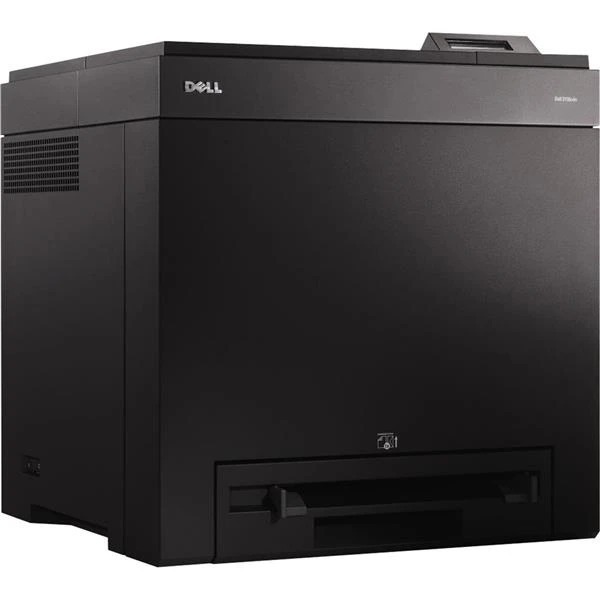
The Dell 2150CDN is the fully loaded member of its family: automatic duplex printing and Gigabit networking layered onto the 23-page-per-minute color engine. Two-sided color documents leave the tray finished, with no manual flipping, and the faster network interface keeps large graphics files moving to the printer instead of queuing behind them. Its cartridge family spans standard cartridges of about 1,200 pages up to the high-yield line listed here — black 331-0719 at roughly 3,000 pages, cyan 331-0716, magenta 331-0717 and yellow 331-0718 at roughly 2,500 pages apiece.
This is the configuration offices choose when the output is the product: double-sided brochures, handouts and reports that have to look deliberate. Duplexing already halves the paper side of the bill; pairing it with high-yield toner does the same favor for the supply side. The result is a small machine whose per-page cost behaves like a much larger one's.
Toner Cartridges for Dell 2150CDN
Which cartridge should you buy?
Stay with the high-yield line unless your 2150CDN prints only occasionally. The standard members of this family, at around 1,200 pages, suit a machine that wakes up a few times a month; anything resembling regular office duty outgrows them quickly and pays for it in swap frequency. In the high-yield range listed above, black is the volume cartridge — its 2, 3 and 5 packs suit a duplexing office that turns paper over daily. Colors at roughly 2,500 pages each are best replaced one channel at a time as the printer reports them, since duplex brochures and reports consume colors unevenly. A 4 Color Set handles the full refresh, with the Premium Quality set as the step-up alternative. Compatible cartridges include a 1-year warranty and 1-year returns.
Chip, toner and everyday use
Duplex printing doubles the work each sheet asks of the machine, so supply discipline matters: watch the per-color level reports the printer's chips provide and act on the first warning for whichever channel is named. Fitting a cartridge is straightforward — slide it home until it seats, and let the printer recognize the new chip before sending the next two-sided job. Faded output ahead of a warning usually means the toner has settled unevenly; a gentle side-to-side rock redistributes it. The printer's cleaning cycle is worth running periodically on a machine doing heavy duplex work. Keep the next set sealed, upright and out of sunlight, and read all yield figures against their roughly 5% coverage basis.
Frequently Asked Questions
What cartridges does the Dell 2150CDN use?
The family is 331-0719 black, 331-0716 cyan, 331-0717 magenta and 331-0718 yellow, in standard and high-yield sizes; the listings on this page are the high-yield line. If you are ever unsure, copy the code off the old cartridge before ordering.
Can the 2150CDN be shared on an office network?
Yes. The wired network port — the N in the model name — lets you plug the printer into a router or switch and share it with every computer on the network, and the Gigabit interface keeps big color files from bottlenecking.
My 2150CDN prints look faded. What should I try first?
Check the toner levels, then run the printer's cleaning cycle. Faded output alongside a nearly empty cartridge is simply a low-toner warning in disguise — replace that channel and the sharpness should return.
Does duplex printing use more toner?
No. Two-sided printing spends the same toner per page of content; it is the paper bill that drops. What does rise with duplex work is total pages per week, which is why the high-yield cartridges suit this model.
More printers that use the same cartridges
Every other member of the 2150/2155 family, multifunction versions included, uses this same set: Color Laser 2150, Color Laser 2150CN, Color Laser 2155, Color Laser 2155CDN, Color Laser 2155CN, Dell (331-0719, 331-0716, 331-0717, 331-0718), Multifunction 2155cdn, Multifunction 2155cn.