




Multifunction 2155cn
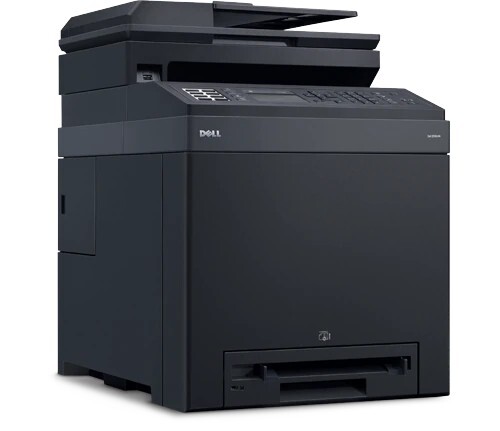
One box on the network replaces four on the Dell 2155cn: the color printer, the flatbed scanner, the copier and the fax machine consolidate into a single multifunction running at up to 23 pages per minute. All of that traffic draws on the same four cartridges - 331-0716 cyan, 331-0717 magenta, 331-0718 yellow and 331-0719 black, listed in Dell's catalog as the high-yield set for this family. The cartridges stocked here are compatible versions of that set, each with a 1-year warranty and 1-year returns.
Consolidation changes the toner math in a way offices underestimate. When printing, copying and faxing all flow through one engine, the machine's page count climbs faster than a standalone printer's ever did - every copied handout and faxed form is a printed page too. Buying toner as if the 2155cn were just a printer leads to surprise shortages; buying for its real, combined workload makes the high-yield set the economical starting point and keeps all four office functions fed from one small shelf of spares.
Toner Cartridges for 2155cn
- 2150 Toner 4 Color Set (331-0719, 331-0716, 331-0717, 331-0718) - black, cyan, magenta, yellow; page yield: on the product page
- 2150 Toner 5 Color Set (331-0719, 331-0716, 331-0717, 331-0718) - two black, plus cyan, magenta, yellow; page yield: on the product page
- 2150 Toner 8 Color Set (331-0719, 331-0716, 331-0717, 331-0718) - two each of black, cyan, magenta, yellow; page yield: on the product page
- 2150 Toner 3 Color Set (331-0716, 331-0717, 331-0718) - cyan, magenta, yellow; page yield: on the product page
- 2150 Toner 6 Color Set (331-0716, 331-0717, 331-0718) - two each of cyan, magenta, yellow; page yield: on the product page
- 2150 Toner Black 5 Pack (331-0719) - black; page yield: on the product page
- 2150 Toner Black 3 Pack (331-0719) - black; page yield: on the product page
- 2150 Toner Black 2 Pack (331-0719) - black; page yield: on the product page
- 2150 Toner Black (331-0719) - black; page yield: on the product page
- 2150 Toner Cyan (331-0716) - cyan; page yield: on the product page
- 2150 Toner Magenta (331-0717) - magenta; page yield: on the product page
- 2150 Toner Yellow (331-0718) - yellow; page yield: on the product page
Which cartridge should you buy?
Begin with the high-yield four and a realistic view of total pages, copies included. The black cartridge will set the replacement rhythm - it serves the text in prints, copies and faxes alike - so holding a spare black is the cheapest insurance against downtime. Colors can be bought one at a time as their levels fall; there is no economy in retiring a half-full cyan because yellow gave out. If the machine's workload is genuinely light, standard buying still applies: judge by whether a cartridge will be emptied within about a year of fitting it.
Chip, toner and everyday use
Levels for the four cartridges are tracked separately and shown on the display, which tells you exactly which color to order and when. A good everyday habit on any multifunction is to set the driver default to black-and-white for routine documents, reserving color for the jobs that need it; draft mode for internal copies trims consumption further. When a cartridge does come out, handle it by the body rather than the drum area, keep it out of strong light while it is outside the machine, and give a fading unit a gentle rock from side to side before writing it off.
Frequently Asked Questions
What is the difference between the 2155cn and the 2155cdn?
The 2155cdn adds automatic two-sided printing to the same color multifunction package. Cartridges are shared between the two: 331-0719, 331-0716, 331-0717 and 331-0718 fit both models.
Which cartridges fit the 2155cn?
The four-color set: black 331-0719 with cyan 331-0716, magenta 331-0717 and yellow 331-0718. The display identifies which color is running low, and each is replaced on its own.
How can I make the color cartridges last longer?
Default everyday printing and copying to grayscale or black-only so the color cartridges are spent only on true color output, and use draft quality for internal documents. Scanning, by contrast, costs no toner at all - send a scan instead of a copy whenever the recipient accepts a file.
Does faxing use toner?
Receiving a fax prints it, so incoming faxes draw on the same four cartridges as any other page. Sending a fax scans and transmits, using no toner on your side.
More printers that use the same cartridges
This family is shared with the 2150 printer line and the duplexing 2155cdn:
Color Laser 2150, Color Laser 2150CDN, Color Laser 2150CN, Color Laser 2155, Color Laser 2155CDN, Color Laser 2155CN, Dell (331-0719, 331-0716, 331-0717, 331-0718), Multifunction 2155cdn.