




PC790
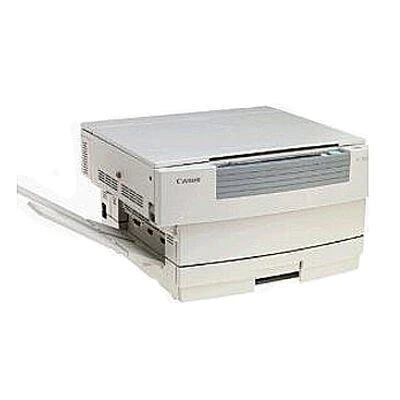
Documentation on the Canon PC790 is thinner than for most of its relatives, but the essentials are not in doubt: it is another 12-copy-per-minute member of the upper bracket of the PC-7xx analog generation, and it shares that generation's cartridge class. The one cartridge the PC790 needs is the black Canon E40, good for up to 4,000 pages.
Thin paperwork is a familiar story with office machines of this age — manuals got separated from copiers somewhere between the second office move and the third facilities manager. The good news for PC790 owners is that nothing about keeping the machine supplied depends on the missing paperwork. Canon built the whole upper end of this line around a single cartridge family, so the supply question that matters — which cartridge, and how many to keep — has a short, certain answer even when the spec sheet is long gone.
Toner Cartridges for PC790
The E40 is the PC790's only consumable. It is stocked here in six formats:
| Cartridge | Color | Page Yield |
|---|---|---|
| E40 Cartridge for Canon PC790 — Single | Black | 4,000 pages |
| E40 Cartridges for Canon PC790 — 2 Pack | Black | 4,000 pages each |
| E40 Cartridges for Canon PC790 — 3 Pack | Black | 4,000 pages each |
| E40 Cartridges for Canon PC790 — 5 Pack | Black | 4,000 pages each |
| E40 Premium Quality Cartridges for Canon PC790 — 5 Pack | Black | 4,000 pages each |
| E40 Cartridges for Canon PC790 — 10 Pack | Black | 4,000 pages each |
Which cartridge should you buy?
If you are reviving a PC790 that has sat idle, begin with a single E40: it proves the machine, covers about 4,000 pages, and commits you to nothing more until you know the copier's condition and workload. Once the machine is back in daily service, settle into the pack rhythm that fits — the 2 Pack or 3 Pack for a department copier, one of the 5-pack options (standard or Premium Quality) for a shared machine, and the 10 Pack where several Canon copiers of this generation draw from one supply shelf. There is no separate drum or second supply hiding in this model, so the E40 quantity you choose is the entire decision.
Chip, toner and everyday use
Fitting an E40 to an analog Canon of this period is deliberately untechnical: the cartridge slides in mechanically, with no chip to register and no counter to reset. Give the new unit a few gentle side-to-side rocks first to distribute the toner evenly. The 4,000-page figure rests on the standard 5% coverage basis, so a copier used for dense forms and dark originals will land below it, while letter copying can land close. If a PC790 has been stored for a long time, run a few test copies after fitting a fresh cartridge — the first pages clear any settled toner from the path. Spares keep best sealed, flat and in a cool cupboard.
Frequently Asked Questions
I cannot find my PC790 manual. Which cartridge do I order?
The Canon E40 black cartridge. The PC790 belongs to the PC-7xx generation that standardized on this one supply, rated at up to 4,000 pages, and every listing on this page is that cartridge.
Does the PC790 need a drum replaced separately?
No separate drum purchase applies to this machine's supply list — the E40 cartridge is the only consumable stocked for it.
The copier has been unused for years. Should I buy a multi-pack?
Start with a single cartridge to confirm the machine copies cleanly, then move to a 2 Pack or larger once it is back in regular use. All formats are covered by a 1-year warranty and 1-year returns.
More printers that use the same cartridges
Documentation for the PC790 may be thin, but its cartridge is the best-documented one Canon made for this class: the E40, shared with the complete family below:
FC-300, FC-336, FC-224, PC300, FC-204, FC-224S, FC-228, FC-770, PC890, PC720, PC530, FC-330, FC-326, FC-740, FC-220, FC-750, FC-210, PC745, FC-200, PC775, PC760, PC880, PC330L, PC400, PC735, PC430, FC-280, PC800, PC550, PC420, FC-310, PC320, PC160, FC-540, PC750, PC355, PC740, FC-204S, PC425, PC770, PC140, PC230, PC210, PC900, PC150, PC980, PC950, PC780, PC428, PC921, PC170, FC-530, FC-100, PC325, FC-230, PC310, PC730, PC981, PC785, PC860, PC960, PC500, PC795, PC920, FC-226, PC941, PC330, PC940, FC-720, FC-120, FC-500, PC700, PC710.