




FC-210
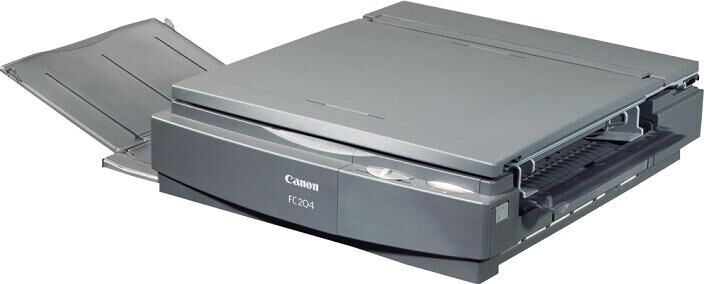
Canon’s own service manual for the FC-210 and FC-230 (February 1995) confirms the FC-210 at 4 cpm: manual exposure, manual feed, zero warmup, up to 9 copies per run. A straightforward analog personal copier, it prints with the Canon E40 toner cartridge, good for up to 4,000 pages.
Everything on the FC-210 is done by hand, and that is the point. You place the original, set the exposure yourself and feed each sheet — the machine simply has to be ready the instant you are, which is where zero warmup earns its keep. For desks that copy in short bursts rather than long runs, that combination of simplicity and instant readiness is hard to beat.
Toner Cartridges for FC-210
| Cartridge | Color | Page Yield |
|---|---|---|
| E40 — single cartridge | Black | 4,000 pages |
| E40 — 3 pack | Black | 4,000 pages per cartridge |
| E40 — 2 pack | Black | 4,000 pages per cartridge |
| E40 — 5 pack | Black | 4,000 pages per cartridge |
| E40 — 10 pack | Black | 4,000 pages per cartridge |
| E40 — Premium Quality 5 pack | Black | 4,000 pages per cartridge |
Which cartridge should you buy?
With a maximum of 9 copies per run, the FC-210 sips toner. A single 4,000-page cartridge covers a very long season of short copying jobs, and most owners will find one at a time plenty. Multi-packs make sense where several of these analog copiers share one supply shelf, or where the machine sits in a busy reception area. The Premium Quality 5 pack offers the premium-grade line in a box of five; the standard packs hold the same cartridge.
Chip, toner and everyday use
Because feeding is manual, everyday care is mostly about the paper path and the cartridge. When output fades, slide the cartridge out and rock it gently to level the toner before assuming it is finished — at 5% coverage ratings, a cartridge often has useful life left. Fitting a fresh one is the usual sequence: unpack, rock, slide in until it clicks. Keep the spare sealed and stored flat, and let it reach room temperature on a cold day before it goes into the machine.
Frequently Asked Questions
What toner does the Canon FC-210 use?
The FC-210 uses the Canon E40 toner cartridge, delivering up to 4,000 pages. All the singles and packs above contain that cartridge.
What does zero warmup mean in practice?
The copier is ready to copy the moment you switch it on — there is no waiting period before the first sheet, which suits the short, occasional jobs this model was built for.
How many copies can the FC-210 make in one run?
Up to 9 copies per run, per Canon’s service documentation. Longer documents are copied in batches, feeding each original by hand.
How do I replace the cartridge?
Open the front cover, lift out the spent cartridge, rock the new one gently a few times, and slide it in until it clicks. Then close the cover and copy as usual.
More printers that use the same cartridges
Reading the family from the top of the PC range back down: PC981, PC980, PC960, PC950, PC941, PC940, PC921, PC920, PC900, PC890, PC880, PC860, PC800, PC795, PC790, PC785, PC780, PC775, PC770, PC760, PC750, PC745, PC740, PC735, PC730, PC720, PC710, PC700, PC550, PC530, PC500, PC430, PC428, PC425, PC420, PC400, PC355, PC330L, PC330, PC325, PC320, PC310, PC300, PC230, PC210, PC170, PC160, PC150, PC140, FC-770, FC-750, FC-740, FC-720, FC-540, FC-530, FC-500, FC-336, FC-330, FC-326, FC-310, FC-300, FC-280, FC-230, FC-228, FC-226, FC-224S, FC-224, FC-220, FC-204S, FC-204, FC-200, FC-120, FC-100.