




PC320
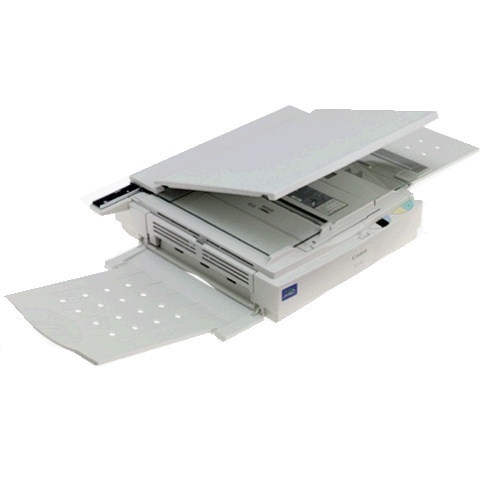
Mid-line and mid-1990s, the Canon PC320 is an analog member of the PC-3xx family with a desktop footprint and fully manual operation: place the original on the glass, press for a copy, take the page. It runs at 4 copies per minute and feeds from one black cartridge, the Canon E40, rated at 4,000 pages. Canon never published a spec sheet for the PC320 on its own — for owners, the E40 code is the specification that matters.
Manual operation is this machine's whole philosophy, and for many settings it is a genuine virtue. A PC320 in a library corner, a club office or a small warehouse asks nothing of its users: no login, no driver, no network, no updates. Anyone who can put a page on glass can run it. That also makes it forgiving hardware to keep — the list of things that can go wrong starts and ends with a cartridge that eventually runs out, and the fix for that is a one-minute swap.
Toner Cartridges for PC320
| Cartridge | Color | Page Yield |
|---|---|---|
| Black E40 cartridge — single unit | Black | Approx. 4,000 pages |
| Black E40 cartridges — two units | Black | Approx. 4,000 pages per unit |
| Black E40 cartridges — three units | Black | Approx. 4,000 pages per unit |
| Black E40 cartridges — five units | Black | Approx. 4,000 pages per unit |
| Black E40 cartridges — five units, Premium Quality | Black | Approx. 4,000 pages per unit |
| Black E40 cartridges — ten units | Black | Approx. 4,000 pages per unit |
Which cartridge should you buy?
Gauge your order to how public the machine's workload is. A PC320 on a personal desk does fine with a single E40; 4,000 pages is a deep well for one user. Shared machines in lobbies and offices argue for the two-pack or three-pack, so whoever finds the output fading can fix it on the spot instead of starting a purchase order. The 5 pack, the Premium Quality 5 pack and the 10 pack on this page cover heavier shared duty. Every unit is the same black cartridge at the same rating — you are choosing reserve depth, not a different product.
Chip, toner and everyday use
There is no chip anywhere in this arrangement, because an analog copier never asks its cartridge to identify itself; the E40 fits, seats with a click, and copies. Keep two habits and the PC320 stays happy: rock each new cartridge gently from side to side before it goes in, so toner spreads evenly across the drum, and store the spare flat and sealed, out of sunlight and away from radiators. The 4,000-page yield assumes the 5% coverage standard page; originals with heavy black areas draw the supply down faster, which is normal and not a fault.
Frequently Asked Questions
What cartridge fits the Canon PC320?
The black Canon E40, rated at 4,000 pages — the only consumable this copier uses, whether bought singly or in the multi-packs listed here.
What does fully manual operation mean in daily use?
Exactly what it sounds like: originals are placed on the glass by hand and copies are made one pass at a time, with no feeder automation, software or network involved. It is the simplest copying workflow Canon sold in this line.
How many pages does an E40 last in the PC320?
Up to about 4,000 pages at 5% coverage. Light, letter-style originals track close to that number; dense pages with large dark areas finish a cartridge sooner.
How do I change the cartridge?
Open the front cover, slide the old cartridge out, rock the new E40 gently side to side, and slide it in until it clicks. No tools, no reset procedure and no chip to register.
More printers that use the same cartridges
Same cartridge, many housings: the E40 that runs the PC320 also slots into each of the FC and PC copiers that follow. Alternating between the two lines: FC-100, PC140, FC-120, PC150, FC-200, PC160, FC-204, PC170, FC-204S, PC210, FC-210, PC230, FC-220, PC300, FC-224, PC310, FC-224S, PC325, FC-226, PC330, FC-228, PC330L, FC-230, PC355, FC-280, PC400, FC-300, PC420, FC-310, PC425, FC-326, PC428, FC-330, PC430, FC-336, PC500, FC-500, PC530, FC-530, PC550, FC-540, PC700, FC-720, PC710, FC-740, PC720, FC-750, PC730, FC-770, PC735, PC740, PC745, PC750, PC760, PC770, PC775, PC780, PC785, PC790, PC795, PC800, PC860, PC880, PC890, PC900, PC920, PC921, PC940, PC941, PC950, PC960, PC980, PC981.