




PC425
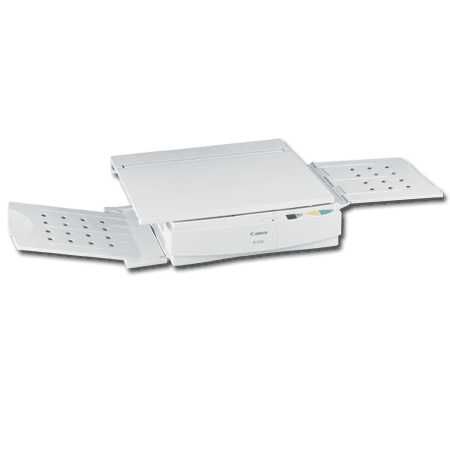
Five copies per minute is the headline figure on the Canon PC425, a desktop analog personal copier from Canon's long-running PC family. Everything it produces runs through a single supply: the Canon E40 cartridge, rated at about 4,000 pages. There is no second consumable to keep track of — when copies start to fade, the E40 is the part that gets changed.
Copiers like the PC425 stay in service in home offices, classrooms and small shops because they ask for so little: no computer, no network login, nothing between the power switch and a finished copy. The workload is the opposite of a print queue — a form here, a letter there, one page out of a book — spread across the day in ones and twos rather than long runs. A one-cartridge design fits that rhythm well. The owner stocks a single item, and the machine is never left waiting on a part somebody forgot to order.
Toner Cartridges for PC425
| Cartridge | Color | Page Yield |
|---|---|---|
| Canon E40 Premium Quality Toner Cartridges Black 5 Pack | Black | 4,000 pages per cartridge |
| Canon E40 Toner Cartridge Black | Black | 4,000 pages per cartridge |
| Canon E40 Toner Cartridges Black 10 Pack | Black | 4,000 pages per cartridge |
| Canon E40 Toner Cartridges Black 2 Pack | Black | 4,000 pages per cartridge |
| Canon E40 Toner Cartridges Black 3 Pack | Black | 4,000 pages per cartridge |
| Canon E40 Toner Cartridges Black 5 Pack | Black | 4,000 pages per cartridge |
Which cartridge should you buy?
Only one cartridge fits the PC425, so the honest choice here is not which cartridge but how many to keep on the shelf. A single E40 covers light copying for a long stretch at roughly 4,000 pages, and for a copier that sees a few pages a day it is all most owners need. The 2 pack and 3 pack suit desks where running out midweek is a nuisance, while the standard 5 pack and the Premium Quality 5 pack bring the cost per cartridge down for busier machines. The 10 pack is the bulk option, aimed at offices running several of these analog copiers side by side. Whichever count you pick, every listing on this page is the same E40 fit — the packs differ in quantity, not in what goes into the machine.
Chip, toner and everyday use
An analog copier like this one predates cartridge chips and recognition electronics, so there is no handshake to fail: seat a fresh E40 and the PC425 copies. When output turns light toward the end of a cartridge, take it out and rock it gently from side to side a few times — the toner settles level again and the last pages print evenly instead of fading in patches. Store spares flat, in their packaging, away from heat and direct light, and remember that the 4,000-page rating assumes ordinary document coverage; dense originals with dark backgrounds use toner faster. Clever Supplies compatible cartridges carry a 1-year warranty and 1-year returns.
Frequently Asked Questions
What toner cartridge does the Canon PC425 use?
It uses the Canon E40, the only cartridge listed for this model. The E40 is rated at about 4,000 pages, and every pack size on this page — single, 2, 3, 5 and 10 — is built around that same cartridge.
Does the PC425 need a separate drum unit replaced?
No separate drum is sold for this copier. The E40 is the complete supply for the PC425, so one cartridge swap is the whole job — there is no second imaging part on a different schedule to plan around.
How do I change the E40 cartridge?
Open the front cover, slide the old cartridge out, and unpack the new one. Rock the new E40 gently to distribute the toner inside, then slide it into the copier until it seats. The first copy afterwards should come out at full density.
Why are my copies fading on one side?
Uneven fading usually means the toner has settled to one end of the cartridge. Removing the E40 and rocking it side to side levels the toner again. If density does not recover after that, the cartridge is near the end of its roughly 4,000-page life.
More printers that use the same cartridges
The E40 is shared across Canon's analog personal copier lines, so the same cartridge also serves every FC and PC model in this list: FC-100, FC-120, FC-200, FC-204, FC-204S, FC-210, FC-220, FC-224, FC-224S, FC-226, FC-228, FC-230, FC-280, FC-300, FC-310, FC-326, FC-330, FC-336, FC-500, FC-530, FC-540, FC-720, FC-740, FC-750, FC-770, PC140, PC150, PC160, PC170, PC210, PC230, PC300, PC310, PC320, PC325, PC330, PC330L, PC355, PC400, PC420, PC428, PC430, PC500, PC530, PC550, PC700, PC710, PC720, PC730, PC735, PC740, PC745, PC750, PC760, PC770, PC775, PC780, PC785, PC790, PC795, PC800, PC860, PC880, PC890, PC900, PC920, PC921, PC940, PC941, PC950, PC960, PC980, PC981.