




PC400
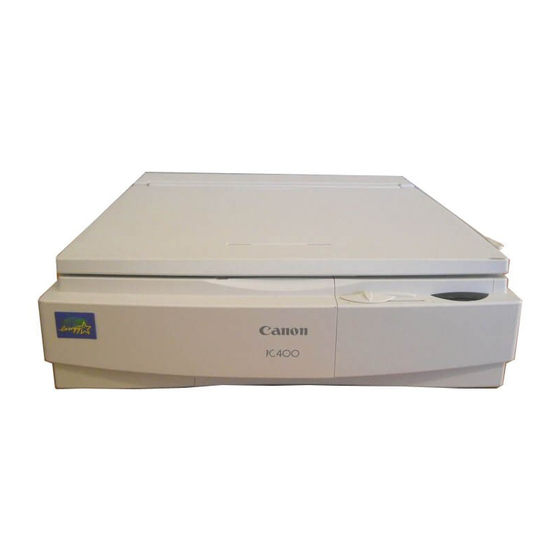
Service technicians met the Canon PC400 in the same manual family as Canon's FC copiers of the period, which tells you most of what matters: a mid-1990s desktop personal copier, analog at 4 copies per minute, and manual in every operation. Its supply is the all-in-one black Canon E40 cartridge, rated for 4,000 pages — toner and drum combined in a single unit, so the machine's entire wear surface renews each time the cartridge changes.
That is the profile of a machine built to be kept, not replaced. Manual throughout means there is no software to age out and no electronics package to fail in exotic ways; the service story is a cartridge swap and an occasional wipe of the glass. PC400s survive in back offices and workshops because their upkeep never required a technician — and because the one cartridge they need was shared across so much of Canon's personal-copier range that it never became hard to find.
Toner Cartridges for PC400
| Cartridge | Color | Page Yield |
|---|---|---|
| Canon E40 toner cartridge | Black | 4,000 pages |
| Canon E40 toner cartridges, 2 pack | Black | 4,000 pages per cartridge |
| Canon E40 toner cartridges, 3 pack | Black | 4,000 pages per cartridge |
| Canon E40 toner cartridges, 5 pack | Black | 4,000 pages per cartridge |
| Canon E40 toner cartridges, Premium Quality 5 pack | Black | 4,000 pages per cartridge |
| Canon E40 toner cartridges, 10 pack | Black | 4,000 pages per cartridge |
Which cartridge should you buy?
Stock a PC400 the way you would stock any long-serving tool: one cartridge working, one waiting. The 2 pack is the natural pattern for this machine — fit one E40, shelve the second. Owners who copy in volume can look at the 3, 5 and 10 packs or the Premium Quality 5 pack on this page; every unit is the identical all-in-one cartridge at the same 4,000-page rating. Because each swap also renews the drum, there is no second part to budget for — the pack decision is the whole purchasing decision.
Chip, toner and everyday use
All-in-one is the operative fact for daily care: the E40 carries its own drum, so scratches, wear and toner are retired together at every change, and the analog PC400 has no chip to register any of it. Rock each cartridge gently side to side before fitting to level the toner, and repeat the trick when output fades — settled toner, not an empty cartridge, is the usual cause. The 4,000-page rating assumes 5% coverage. Keep the spare sealed, flat and cool; a cartridge stored properly waits patiently for years of light-duty machines.
Frequently Asked Questions
What cartridge does the Canon PC400 take?
The all-in-one black Canon E40, rated for 4,000 pages. Singles and all pack sizes on this page are that same cartridge.
Does the PC400 have a separate drum to replace?
No. The drum is inside the E40 cartridge, so a cartridge change replaces the toner and the drum surface together — there is no separate drum unit in this machine's supply list.
Why do sellers list two part numbers for this cartridge?
Canon cataloged the one E40 cartridge under two part numbers, so listings and boxes differ in the number they print while describing the identical supply. Either label is correct for the PC400.
What does manual operation mean on the PC400?
Every step is by hand: the original goes on the glass, the copy is made, the page comes off. There is no feeder automation or computer link — a simplicity that is much of why these machines are still running.
More printers that use the same cartridges
The PC400 is the last of this batch, not of the family: the E40's reach runs across the full FC and PC directory below. FC copiers in order: FC-100, FC-120, FC-200, FC-204, FC-204S, FC-210, FC-220, FC-224, FC-224S, FC-226, FC-228, FC-230, FC-280, FC-300, FC-310, FC-326, FC-330, FC-336, FC-500, FC-530, FC-540, FC-720, FC-740, FC-750, FC-770. PC copiers in reverse order: PC981, PC980, PC960, PC950, PC941, PC940, PC921, PC920, PC900, PC890, PC880, PC860, PC800, PC795, PC790, PC785, PC780, PC775, PC770, PC760, PC750, PC745, PC740, PC735, PC730, PC720, PC710, PC700, PC550, PC530, PC500, PC430, PC428, PC425, PC420, PC355, PC330L, PC330, PC325, PC320, PC310, PC300, PC230, PC210, PC170, PC160, PC150, PC140.