




PC310
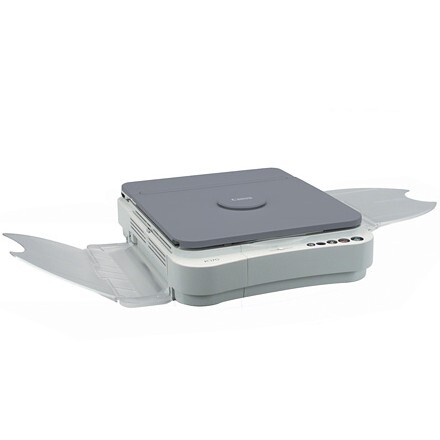
Second in the PC-3xx run, the Canon PC310 changed very little from the model before it — deliberately. The mid-1990s formula stayed intact: analog copying at 4 copies per minute, and one black cartridge, the Canon E40, lasting about 4,000 pages. No individual spec sheet survives for the PC310, and in practice none is needed, because everything about keeping this machine fed and running reduces to that single supply item.
The PC310 was bought by people who wanted a copier, full stop — not a system, not a project. It rewards that attitude today. There are no secondary consumables to track, no color set to keep balanced and no menu tree to learn; the ownership routine is copying until the output fades, swapping the cartridge, and copying again. For small offices and homes that still run one, that predictability is precisely the point, and it is why a well-kept PC310 remains a perfectly serviceable machine.
Toner Cartridges for PC310
| Cartridge | Color | Page Yield |
|---|---|---|
| E40 black cartridge, sold singly | Black | Up to 4,000 pages |
| E40 black cartridges, pack of 2 | Black | Up to 4,000 pages each |
| E40 black cartridges, pack of 3 | Black | Up to 4,000 pages each |
| E40 black cartridges, pack of 5 | Black | Up to 4,000 pages each |
| E40 black cartridges, Premium Quality pack of 5 | Black | Up to 4,000 pages each |
| E40 black cartridges, pack of 10 | Black | Up to 4,000 pages each |
Which cartridge should you buy?
With exactly one cartridge in the machine's life, the buying decision is about stock, not selection. A single E40 covers a home PC310 for a long stretch — 4,000 rated pages is a lot of occasional copying. If the copier is shared or sits in a small office, the pack of 2 removes the gap between a cartridge fading and its replacement arriving. Heavier users will find the 3, 5 and 10 packs and the Premium Quality 5 pack on this page; each unit inside them is identical, rated the same 4,000 pages, so choose by how many months of copying you want sitting in the cupboard.
Chip, toner and everyday use
Swapping the E40 in an analog machine like the PC310 is a mechanical job: front cover open, old cartridge out, new cartridge rocked gently side to side to settle its toner, then slid home until it clicks. No chip reports the change, because there is no chip — the machine simply copies. Halfway through a cartridge, a second gentle rock often squeezes more even pages out of toner that has settled to one side. Yields are quoted at 5% coverage. Keep the next cartridge sealed in its bag, stored flat in a cool spot, and it will be ready whenever the current one fades.
Frequently Asked Questions
Which cartridge does the Canon PC310 need?
The black Canon E40, at about 4,000 pages per cartridge. Singles and every pack size on this page are that same unit.
Why does the same cartridge appear under two Canon part numbers?
Canon listed the identical E40 under two catalog numbers, so different boxes and sellers show different numbers for one and the same black cartridge. Either number is the correct supply for the PC310.
Realistically, how many copies does one cartridge give a small office?
Up to about 4,000 pages at the 5% coverage test standard. An office copying mostly letters lands near that figure; one copying dense forms and statements should expect somewhat fewer.
Should I keep a spare E40 on hand for a PC310?
It is the cheapest insurance this machine offers: the cartridge is its only consumable, and a sealed spare in the cupboard turns a mid-job fade into a one-minute swap.
More printers that use the same cartridges
If a PC310 shares an office with another Canon personal copier, the odds are good it drinks from the same E40 shelf as the machines in this directory. The FC branch, read backwards: FC-770, FC-750, FC-740, FC-720, FC-540, FC-530, FC-500, FC-336, FC-330, FC-326, FC-310, FC-300, FC-280, FC-230, FC-228, FC-226, FC-224S, FC-224, FC-220, FC-210, FC-204S, FC-204, FC-200, FC-120, FC-100.
The PC branch follows the same cartridge: PC981, PC980, PC960, PC950, PC941, PC940, PC921, PC920, PC900, PC890, PC880, PC860, PC800, PC795, PC790, PC785, PC780, PC775, PC770, PC760, PC750, PC745, PC740, PC735, PC730, PC720, PC710, PC700, PC550, PC530, PC500, PC430, PC428, PC425, PC420, PC400, PC355, PC330L, PC330, PC325, PC320, PC300, PC230, PC210, PC170, PC160, PC150, PC140.