




PC710
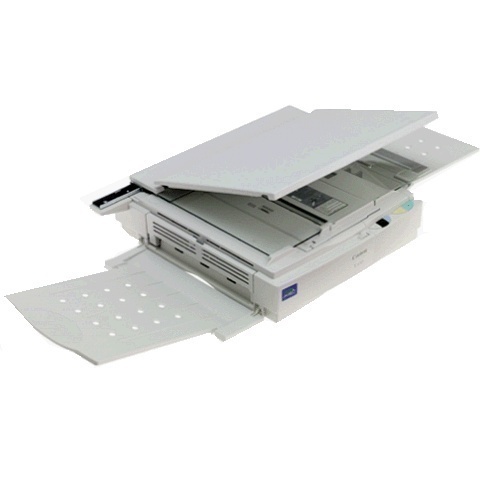
Eight copies per minute made the early PC-7xx models office-grade, and the Canon PC710 belongs to that first 8 cpm wave. Its own spec sheet never surfaced, but the line's pace is clear — and so is its supply: the Canon E-40 all-in-one cartridge, rated for 4,000 pages. All-in-one means the cartridge change refreshes the heart of the machine, which is a large part of why these copiers keep going.
The PC710 was aimed at the small office that had outgrown a personal copier: more copies per minute, same straightforward analog operation. Nothing about it demands a service contract or an IT department. It asks only for paper and a fresh E-40 every few thousand pages — a supply routine simple enough for whoever sits nearest the machine.
Toner Cartridges for PC710
| Cartridge | Color | Page Yield |
|---|---|---|
| Canon E40 All-in-One Toner Cartridge, Single | Black | 4,000 pages |
| Canon E40 All-in-One Toner Cartridges, 2 Pack | Black | 4,000 pages each |
| Canon E40 All-in-One Toner Cartridges, 3 Pack | Black | 4,000 pages each |
| Canon E40 All-in-One Toner Cartridges, 5 Pack | Black | 4,000 pages each |
| Canon E40 All-in-One Toner Cartridges, 10 Pack | Black | 4,000 pages each |
| Canon E40 Premium Quality All-in-One Toner Cartridges, 5 Pack | Black | 4,000 pages each |
Which cartridge should you buy?
One cartridge, one capacity — 4,000 pages — so the buying decision is purely how many to stock. For a PC710 that copies occasionally, a single E-40 is enough. Busier offices should keep a 2 pack or 3 pack as working stock: the swap takes a minute, and having the next cartridge ready keeps a shared machine from sitting idle. The 5 pack and 10 pack stretch the interval between orders for heavy users, and the premium-quality 5 pack offers the higher-grade build at the same pack size. All six listings fit the PC710 identically.
Chip, toner and everyday use
Because the E-40 is an all-in-one design from the pre-chip era, installation is purely mechanical: out with the old, in with the new, and the PC710 copies — no chip handshake, no reset procedure. The 4,000-page rating is quoted at about 5% coverage, so originals with big solid areas will finish a cartridge earlier than text pages do. Fading copies near the end usually respond to a gentle side-to-side rock of the cartridge, which spreads the remaining toner evenly. Keep spare cartridges sealed until installation day.
Frequently Asked Questions
What cartridge does the Canon PC710 take?
The Canon E-40, an all-in-one black cartridge rated for 4,000 pages. It is the sole supply item for this copier.
What does all-in-one mean for the E-40?
The cartridge combines the toner supply with the imaging components in one unit, so each cartridge change renews them together. That is why a fresh E-40 so often brings an old PC710's copy quality straight back.
There is no published spec sheet for my PC710 — how do I know this cartridge is right?
The PC710 was documented as part of the early PC-7xx line rather than individually, and the E-40 is the cartridge that line was built around. Listings naming the E-40 are the correct supplies.
Will a compatible E-40 trigger a cartridge error?
No — the PC710 has no chip-recognition system, so there is no electronic check to pass. A correctly seated E-40 cartridge is ready to copy.
More printers that use the same cartridges
The PC710's all-in-one E-40 design is shared across Canon's personal copier range — keep this list with the machine and any cartridge bought for a model below will run in the PC710 too.
FC machines that use the E-40: FC-336, FC-500, FC-530, FC-540, FC-720, FC-740, FC-750, FC-770, FC-100, FC-120, FC-200, FC-204, FC-204S, FC-210, FC-220, FC-224, FC-224S, FC-226, FC-228, FC-230, FC-280, FC-300, FC-310, FC-326, FC-330.
PC machines that use the E-40: PC500, PC530, PC550, PC700, PC720, PC730, PC735, PC740, PC745, PC750, PC760, PC770, PC775, PC780, PC785, PC790, PC795, PC800, PC860, PC880, PC890, PC900, PC920, PC921, PC940, PC941, PC950, PC960, PC980, PC981, PC140, PC150, PC160, PC170, PC210, PC230, PC300, PC310, PC320, PC325, PC330, PC330L, PC355, PC400, PC420, PC425, PC428, PC430.