




ImageClass MF5960DN
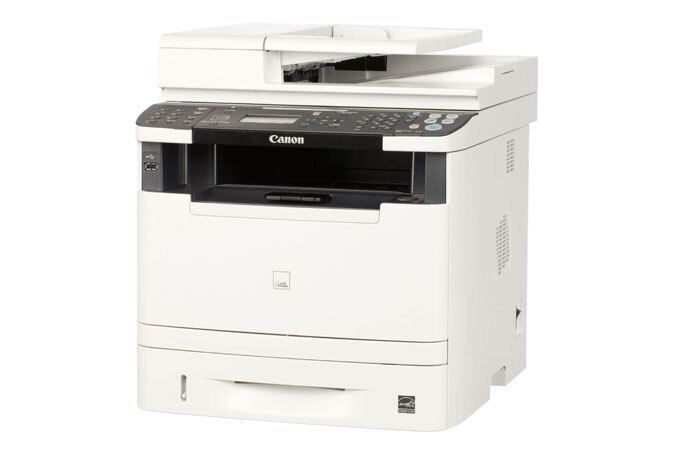
The step-up wired model of the MF5900 series, the imageCLASS MF5960dn adds PCL 5e/6 and PostScript 3 emulation plus SEND scan-to-email and folder over the MF5950's base — 35 ppm, auto duplex, Ethernet. It uses the Canon 119 (OEM #3479B001, up to 2,100 pages).
Toner Cartridges for Canon Imageclass Mf5960Dn
| Cartridge | Color | Page Yield | OEM # |
|---|---|---|---|
| Canon 119 (Compatible) | Black | 2,100 pages | 3479B001 |
Frequently Asked Questions
What toner does the Canon Imageclass Mf5960Dn use?
The Canon Imageclass Mf5960Dn uses the Canon 119 toner cartridge (OEM #3479B001).
How many pages does a Canon 119 cartridge print?
A standard Canon 119 toner cartridge yields approximately 2,100 pages pages at 5% coverage.
Are compatible Canon 119 cartridges safe for the Imageclass Mf5960Dn?
Compatible cartridges are designed to work in the Imageclass Mf5960Dn. Check your printer's warranty terms for specific coverage details.
How do I install a Canon 119 toner cartridge in the Imageclass Mf5960Dn?
Open the front cover of your Canon Imageclass Mf5960Dn, remove the old cartridge, unpack the new Canon 119 cartridge, gently rock it to distribute toner, and slide it into place until it clicks.
More Printers That Use Canon 119 Toner
- I Sensys Lbp6650Dn
- Imageclass Lbp 6650Dn
- Imageclass Lbp 6300Dn
- Imageclass Lbp253Dw
- Imageclass Lbp251Dw
- Imageclass Lbp6650
- Imageclass Lbp6300
- Imageclass Lbp6670
- Imageclass Lbp6650Dn
- Imageclass Lbp6670Dn
- Imageclass Lbp6300Dn
- Imageclass M6160Dw
- Imageclass Mf414Dw
- Imageclass Mf416Dw
- Imageclass Mf419Dw
- Imageclass Mf5850
- Imageclass Mf5900
- Imageclass Mf5880
- Imageclass Mf5850Dn
- Imageclass Mf5950Dw
- Imageclass Mf6100
- Imageclass Mf6160
- Imageclass Mf5950
- Imageclass Mf5880Dn
- Imageclass Mf6180
- Imageclass Mf6160Dw
- Imageclass Mf5960
- Imageclass Mf6180Dw
- Lbp 6300Dn
- Lbp 6300
- Lbp 6670Dn
- Lbp 6650
- Lbp 6670
- Lbp 6650Dn