




ImageClass MF229dw
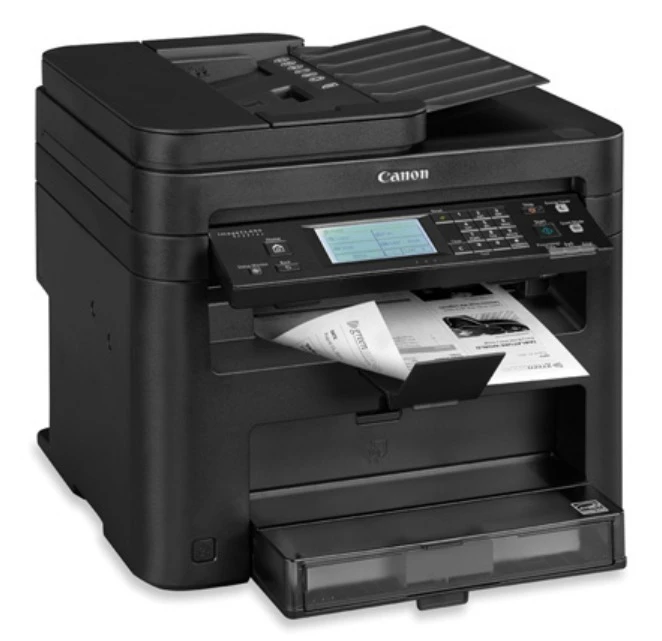
The Canon imageCLASS MF229dw is the flagship of its generation: a 28-page-per-minute monochrome laser multifunction that duplexes in every mode it offers — printing, copying, scanning and faxing — fed by a 50-sheet duplexing document feeder, with Wi-Fi on board. Everything it prints comes from one black cartridge, the Canon 137, rated for up to 2,400 pages, so a single supply keeps the whole 4-in-1 running.
That combination suits a small office that treats one machine as its document hub. Contracts go out two-sided by default, incoming paper gets scanned from the feeder instead of a flatbed page at a time, and the fax line stays ready in the background. Because every job draws on the same cartridge, keeping this printer fed is a one-item chore rather than a supply cabinet project.
Toner Cartridges for ImageClass MF229dw
| Cartridge | Color | Page Yield |
|---|---|---|
| Canon 137 Black | Black | 2,400 pages |
| Canon 137 Black (137BK listing) | Black | 2,400 pages |
| Canon 137 Black for MF229dw | Black | 2,400 pages |
| Canon 137 Black 2 Pack | Black | 2,400 pages per cartridge |
| Canon 137 Black 3 Pack | Black | 2,400 pages per cartridge |
| Canon 137 Black 4 Pack | Black | 2,400 pages per cartridge |
| Canon 137 Black 5 Pack | Black | 2,400 pages per cartridge |
| Canon 137 Black 5 Pack (137BK listing) | Black | 2,400 pages per cartridge |
| Canon 137 Premium Black 5 Pack | Black | 2,400 pages per cartridge |
| Canon 137 Black 10 Pack | Black | 2,400 pages per cartridge |
Which cartridge should you buy?
There is no standard-versus-high-yield split on this platform — the choice is pack size. A single cartridge fits a desk that prints lightly, while the 2 Pack and larger bundles suit a shared machine that works through 2,400-page cartridges on a steady rhythm: fewer orders, and a spare always on the shelf when the low-toner warning lands mid-job. The same cartridge appears on this page under two listing styles, the original-number line and the 137BK line; they are the identical black toner, so pick whichever listing you prefer. Every compatible cartridge here is covered by a 1-year warranty with 1-year returns.
Chip, toner and everyday use
Each cartridge carries the chip the printer reads for toner level reporting, and a fresh unit is recognized as soon as it seats. Before installing, rock the cartridge gently from side to side a few times so the toner inside settles evenly, remove the sealing materials, and slide it in until it clicks. Yields are rated at 5% page coverage, so dense duplex documents will cycle a cartridge faster than the headline figure suggests. Store spares flat, sealed, and away from direct heat.
Frequently Asked Questions
What toner does the Canon imageCLASS MF229dw use?
It uses the Canon 137 black toner cartridge, rated for up to 2,400 pages. Only one cartridge is needed — the machine is monochrome, so there are no color supplies to track.
Does the MF229dw need a separate drum unit?
No separate drum is sold for this model on this page. The listings here are complete cartridges, so a cartridge change is the only supply swap the printer asks for.
Can the MF229dw copy and scan two-sided pages automatically?
Yes. Duplexing runs through every mode — print, copy, scan and fax — and the 50-sheet duplexing document feeder handles two-sided originals without manual flipping.
How do I install a new cartridge in the MF229dw?
Open the front cover, pull the old cartridge straight out, unpack the new one and rock it gently to distribute the toner, then slide it in until it clicks and close the cover.
More printers that use the same cartridges
The same black cartridge also feeds a long list of smaller and larger machines on this platform: ImageClass D570, ImageClass LBP151dw, ImageClass LBP151dw, ImageClass MF212, ImageClass MF212W, ImageClass MF216, ImageClass MF216N, ImageClass MF217W, ImageClass MF227, ImageClass MF227DW, ImageClass MF229, ImageClass MF232w, ImageClass MF236n, ImageClass MF244dw, ImageClass MF247dw, ImageClass MF249dw, imageCLASS MF217.