




ImageClass MF217W
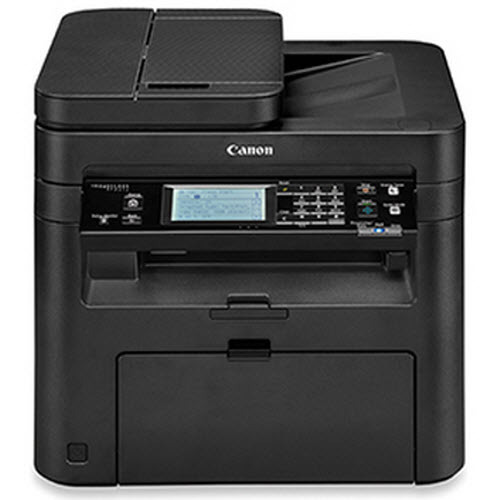
Wireless first, duplex second — that is the trade the Canon imageCLASS MF217w makes. It is a 24-page-per-minute monochrome laser 4-in-1 covering print, copy, scan and fax, with Wi-Fi built in, and it runs on the same single black supply as its platform mates: the Canon 137, rated for up to 2,400 pages.
This is the version for a home office or a small team that prints from laptops and phones scattered around the building and would rather place the printer wherever it fits than wherever a cable reaches. The compromise sits in two-sided work: automatic duplex printing is not included, so a two-sided job means flipping the stack by hand — a fair exchange for many buyers, as long as it is chosen knowingly.
Toner Cartridges for ImageClass MF217W
| Cartridge | Color | Page Yield |
|---|---|---|
| Canon 137 Black (137BK listing) | Black | 2,400 pages |
| Canon 137 Black | Black | 2,400 pages |
| Canon 137 Black for MF217w | Black | 2,400 pages |
| Canon 137 Black 3 Pack | Black | 2,400 pages per cartridge |
| Canon 137 Black 2 Pack | Black | 2,400 pages per cartridge |
| Canon 137 Premium Black 5 Pack | Black | 2,400 pages per cartridge |
| Canon 137 Black 4 Pack | Black | 2,400 pages per cartridge |
| Canon 137 Black 5 Pack (137BK listing) | Black | 2,400 pages per cartridge |
| Canon 137 Black 5 Pack | Black | 2,400 pages per cartridge |
| Canon 137 Black 10 Pack | Black | 2,400 pages per cartridge |
Which cartridge should you buy?
Every listing on this page is the same black cartridge at the same 2,400-page rating, sold singly and in bundles, and also under the MF217w model name. A wireless machine in a busy household tends to be used by everyone, so its cartridge often empties sooner than expected; the 2 Pack is the practical floor for most owners, keeping one unit in the printer and one in a drawer. Bigger bundles only change how often you reorder. Compatible cartridges here carry a 1-year warranty and 1-year returns.
Chip, toner and everyday use
The printer tracks the cartridge through its chip, so the level reading on the panel reflects the unit actually installed. Swap on a flat surface with the cover fully open, keep fingers off the cartridge contacts, and give the new unit a slow side-to-side rock before it goes in so the first pages print evenly. Page yields assume 5% coverage; school reports and contracts with heavy text will land below the rating. Keep the spare sealed in its bag until the day it is needed.
Frequently Asked Questions
What toner does the Canon imageCLASS MF217w take?
The Canon 137 black cartridge, rated for up to 2,400 pages. It is the only supply this monochrome machine uses.
Does the MF217w print on both sides automatically?
No. Automatic two-sided printing is not part of this model, so duplex jobs are done with a manual flip — the driver can print the odd pages first to make that easier.
Is the MF217w cartridge the same one the MF229dw uses?
Yes — the whole platform shares it, including the imageCLASS MF229dw. A spare bought for one machine fits the other.
How do I change the cartridge on the MF217w?
Open the front cover, remove the old cartridge, rock the new one gently side to side, and slide it in until it clicks. Close the cover and the printer is ready.
More printers that use the same cartridges
One cartridge covers the whole platform — these models take the same black supply: ImageClass MF227DW, ImageClass MF229, ImageClass MF229dw, ImageClass MF232w, ImageClass MF236n, ImageClass MF244dw, ImageClass MF247dw, ImageClass MF249dw, imageCLASS MF217, ImageClass D570, ImageClass LBP151dw, ImageClass LBP151dw, ImageClass MF212, ImageClass MF212W, ImageClass MF216, ImageClass MF216N, ImageClass MF227.