




ImageClass MF229
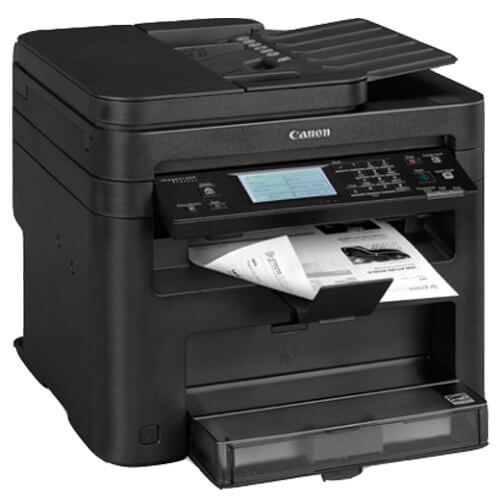
Speed is the story here: the Canon imageCLASS MF229 pushes output to 28 pages per minute and is understood to be the wired-network 4-in-1 of the faster MF220 tier. The Ethernet-only part of that description is inferred from the naming pattern rather than a standalone factory sheet, so it is labeled as such. Underneath the pace, the machine keeps the family's practical formula — four functions in one cabinet, fed by a single supply: the Canon 137 cartridge, rated for 2,400 pages.
Four extra pages a minute sounds modest until the jobs queue: the month-end packet, the forty-page agreement, the stack of forms everyone needs before lunch. The MF229 is built for the desk or small team whose printing arrives in bursts and resents waiting. Wired networking suits that role — a fixed connection, a fixed address, no wireless variables — and the shared 137 supply means a faster engine does not force a new cartridge shelf on you.
Toner Cartridges for Canon imageCLASS MF229
| Cartridge | Color | Page Yield |
|---|---|---|
| Canon 137 Black | Black | 2,400 pages |
| Canon 137 Black 5 Pack | Black | 2,400 pages per cartridge |
| Canon 137 Black 4 Pack | Black | 2,400 pages per cartridge |
| Canon 137 Premium Black 5 Pack | Black | 2,400 pages per cartridge |
Which cartridge should you buy?
One cartridge type serves this printer, the Canon 137, so the decision is how many to keep at hand. Its 2,400-page rating is identical to the slower models', which on a 28-ppm machine simply means the pages arrive sooner — a busy MF229 can walk through a cartridge at a pace that surprises owners of its calmer siblings. Our recommendation leans accordingly: singles are fine for light duty, but most MF229 owners should live in the 4-pack and 5-pack rows, with the Premium 5-pack as the premium-grade alternative. A spare on site is the difference between a one-minute swap and a stalled workgroup, and there is no separate drum or high-yield version to complicate the shelf.
Chip, toner and everyday use
Changing the cartridge is the same quick routine as the rest of the family: cover open, old unit out, fresh unit rocked gently side to side to wake the toner up, seal removed, cartridge seated until it clicks, cover closed. The printer registers the chip on its own. Judge yield expectations with the coverage rule in mind — the 2,400-page rating is measured at about 5% coverage, and a fast machine printing dense packets will use its fill in fewer, bigger bites. When pages start to lighten, remove and rock the cartridge once before replacing it; the remaining toner often levels out for the rest of the job.
Frequently Asked Questions
What toner does the Canon imageCLASS MF229 use?
The Canon 137 cartridge, rated for 2,400 pages — the same supply as the rest of the MF210/MF220 family, sold here in single, 4-pack, 5-pack and Premium 5-pack forms.
How does the MF229 differ from the 24-ppm models?
Chiefly pace: it prints at up to 28 pages per minute against the 24 of the MF212–MF227 models, while keeping the same cartridge and the same 4-in-1 idea.
Is the MF229 a wireless printer?
It is understood to be Ethernet-wired only, a detail inferred from the family naming pattern rather than a dedicated spec sheet. The toner assignment carries no such uncertainty.
What warranty comes with the compatible cartridges?
The compatible cartridges on this page are backed by a 1-year warranty and 1-year returns.
More printers that use the same cartridges
These printers run on the same 137 cartridge too: ImageClass MF232w, ImageClass MF236n, ImageClass MF244dw, ImageClass MF247dw, ImageClass MF249dw, imageCLASS MF217, ImageClass D570, ImageClass LBP151dw, ImageClass LBP151dw, ImageClass MF212, ImageClass MF212W, ImageClass MF216, ImageClass MF216N, ImageClass MF217W, ImageClass MF227, ImageClass MF227DW, ImageClass MF229dw.