




WorkCentre 7346
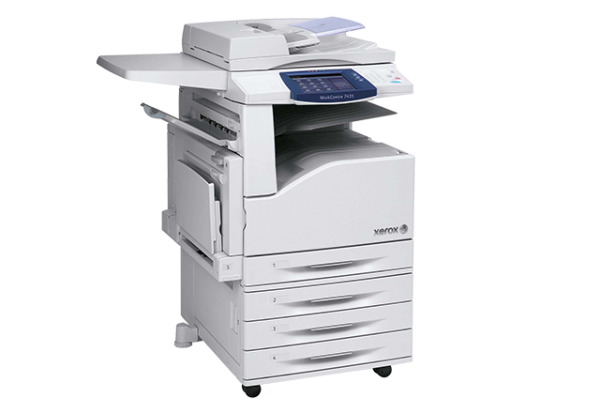
The Xerox WorkCentre 7346 is a full-featured multifunction printer covering print, copy, scan and fax duty for busy office environments, and Xerox designed it as a central document hub for workgroups. Its toner is the four-cartridge family built around 006R01175 in black, joined by 006R01176 in cyan, 006R01177 in magenta and 006R01178 in yellow — four independent cartridges, each replaced when its own level runs out.
A hub machine is the one printer a whole workgroup depends on, and the 7346 was specified for that role, with robust paper handling for offices consolidating their document tasks onto a single unit. Consolidation has a supply consequence: when one machine does everything, its toner consumption is the office's toner consumption. Downtime on a hub is never private — an empty cartridge at 4 p.m. becomes everyone's problem, which is why this model rewards a deliberate spares shelf more than most.
Toner Cartridges for WorkCentre 7346
| Cartridge | Color | Page Yield |
|---|---|---|
| 006R01175 | Black | See product page |
| 006R01176 | Cyan | See product page |
| 006R01177 | Magenta | See product page |
| 006R01178 | Yellow | See product page |
| 006R01175 / 006R01176 / 006R01177 / 006R01178 4 Color Set | Black + Cyan + Magenta + Yellow | See product page |
| WorkCentre 7346 4 Color Set | Black + Cyan + Magenta + Yellow | See product page |
| WorkCentre 7346 Premium Quality 4 Color Set | Black + Cyan + Magenta + Yellow | See product page |
Which cartridge should you buy?
For a machine the whole office leans on, buy ahead of the warning light. The practical pattern is a full set — the 4 Color Set, the WorkCentre 7346 4 Color Set or the Premium Quality 4 Color Set — held in reserve, with individual cartridges ordered to replace whichever color the hub consumes fastest in your workload. Singles still make sense for topping up one color between set purchases, particularly black on a print-heavy floor. What matters more than the bundle choice is never letting the shelf reach zero on a shared machine. Compatible cartridges for the 7346 are covered by a 1-year warranty, and returns run a full year as well.
Chip, toner and everyday use
Keep spare cartridges in a cool, dry spot near the machine, still sealed — toner keeps well, but heat and humidity do it no favors, and a hub printer is no place to test an old cartridge's luck. Each cartridge's chip reports its level, so assign someone to glance at the supply status during the week instead of discovering an empty slot during a deadline run. When a cartridge is changed, note which color it was; a simple log shows within a couple of cycles which colors your office truly burns through, and ordering gets easier from there.
Frequently Asked Questions
What toner does the WorkCentre 7346 use?
The 7346 takes 006R01175 for black, 006R01176 for cyan, 006R01177 for magenta and 006R01178 for yellow — four separate cartridges, one per color slot.
Does the 7346 share cartridges with other WorkCentre models?
Yes — its black cartridge is shared across the family listed at the bottom of this page, so a spare bought for the 7346 can also serve those relatives if your office runs more than one of them.
One color is empty but black still has toner. Do I have to replace everything?
No. Replace only the empty color. The cartridges are independent, and the 7346 keeps working with a fresh cartridge in one slot alongside older ones in the others.
How should we store spare cartridges for a shared machine like this?
Flat, sealed in their packaging, in a cool dry place away from direct sunlight. Stored that way, a spare waits patiently until the day the hub needs it — which is exactly the point of keeping one.
More printers that use the same cartridges
The 7346's black cartridge is common to this whole group of WorkCentre and CopyCentre machines:
CopyCentre C2128, CopyCentre C2632, CopyCentre C2636, CopyCentre C3545, WorkCentre 7245, WorkCentre 7328, WorkCentre 7335, WorkCentre 7345, WorkCentre C2128, WorkCentre C2636, WorkCentre C3545, WorkCentre Pro C2128, WorkCentre Pro C2636, WorkCentre Pro C3545