




WorkCentre C2128
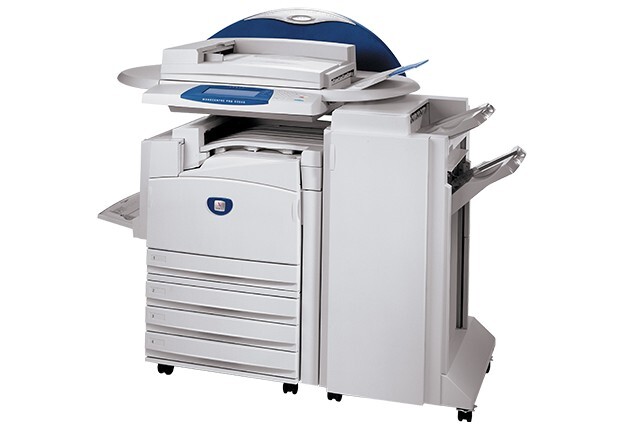
For shared-office duty, the Xerox WorkCentre C2128 delivers the color output and stamina workgroups expect, and it feeds on a four-cartridge list. Black is the 006R01175, which delivers around 26,000 pages of output; on this page it is stocked as a black 2 pack. The color supplies are separate cartridges — magenta comes from 006R01177, yellow from 006R01178 and cyan from 006R01176 — and they are stocked here in the color sets shown below.
In a shared office the workload is mixed: long runs of black-only documents punctuated by color reports and handouts. The supply pattern follows from that. Black does the heavy lifting and its generous rating stretches the interval between changes, while the colors tick down slowly in the background and are best handled as a group when one of them finally fades. Buying in packs and sets matches how an office actually consumes them.
Toner Cartridges for WorkCentre C2128
| Cartridge | Color | Page Yield |
|---|---|---|
| 006R01175 Black 2 Pack | Black | Approx. 26,000 pages per cartridge |
| 3 Color Set (006R01176 / 006R01177 / 006R01178) | Cyan, Magenta, Yellow | See product page |
| 5 Color Set (006R01175 / 006R01176 / 006R01177 / 006R01178) | Black, Cyan, Magenta, Yellow | See product page |
Which cartridge should you buy?
For routine restocking, the black 2 pack is the workhorse choice: two 006R01175 cartridges rated at roughly 26,000 pages apiece cover months of ordinary office printing, with the second cartridge acting as the built-in spare. When color output starts looking tired, the 3 Color Set replaces cyan, magenta and yellow as a group — sensible because office colors are usually installed together and age together. The 5 Color Set folds a black cartridge in with the three colors and works as the single-box option when everything is due at once. These compatible cartridges are covered by a 1-year warranty and 1-year returns.
Chip, toner and everyday use
Installation is the familiar routine: open the front of the machine, slide the used cartridge out, rock its replacement gently to distribute the toner, and push it home until the chip registers and the machine accepts it. If a new cartridge is not recognized, reseating it almost always solves the problem. Yield figures are quoted at 5% coverage, so treat the 26,000-page black rating as a best-case guide for text documents. Keep spare packs in a dry cupboard at room temperature, out of direct sunlight.
Frequently Asked Questions
What toner does the WorkCentre C2128 use?
The C2128 runs on the 006R01175 black cartridge plus three color cartridges: 006R01176 cyan, 006R01177 magenta and 006R01178 yellow.
Are the colors really separate cartridges?
Yes. Each color is its own cartridge and can run out at its own pace. This page stocks them together in the 3 Color Set and in the 5 Color Set rather than as loose singles.
Why is black stocked as a 2 pack instead of a single?
That is the format sold on this page — two 006R01175 cartridges per listing. For a shared office machine it is a practical default, since the second cartridge is already on site when the first one finishes.
How many pages should I expect from a black cartridge?
The 006R01175 is rated at approximately 26,000 pages measured at 5% coverage. Real yield depends on how dense your documents are; text-heavy office work comes closest to the rating.
More printers that use the same cartridges
The C2128 shares its four cartridge numbers with a wide group of machines: CopyCentre C2128, CopyCentre C2632, CopyCentre C2636, CopyCentre C3545, WorkCentre 7245, WorkCentre 7328, WorkCentre 7335, WorkCentre 7345, WorkCentre 7346, WorkCentre C2636, WorkCentre C3545, WorkCentre Pro C2128, WorkCentre Pro C2636, WorkCentre Pro C3545.