




WorkCentre C2636
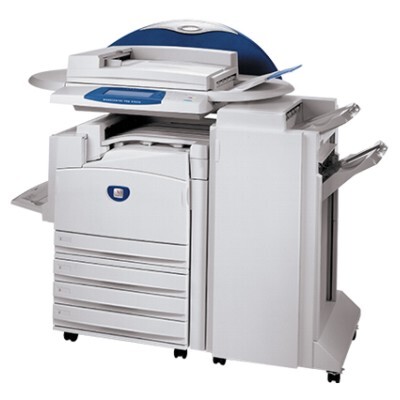
The Xerox WorkCentre C2636 laser multifunction was designed to disappear into the background: quality color pages, on demand, with no drama in between. Keeping it fed is the 006R01175 black toner cartridge, with an approximate yield of 26,000 pages, stocked on this page as a 2 pack. Three more cartridges feed its color output — yellow 006R01178, magenta 006R01177 and cyan 006R01176 — sold here as the color sets in the table.
Some printers demand attention; this one earns its keep quietly in a busy department. Supplies for that kind of machine are a calendar task rather than an emergency: a black cartridge rated near 26,000 pages lasts through long stretches of departmental work, and the sensible routine is simply to check levels occasionally and keep the next pack on the shelf. When a machine is this undemanding, the worst outcome is an empty cartridge discovered with nothing behind it.
Toner Cartridges for WorkCentre C2636
| Cartridge | Color | Page Yield |
|---|---|---|
| 3 Color Set (006R01176 / 006R01177 / 006R01178) | Cyan, Magenta, Yellow | See product page |
| 006R01175 Black 2 Pack | Black | Approx. 26,000 pages per cartridge |
| 5 Color Set (006R01175 / 006R01176 / 006R01177 / 006R01178) | Black, Cyan, Magenta, Yellow | See product page |
Which cartridge should you buy?
Order around how the machine is actually used. If the C2636 mostly turns out everyday documents with occasional color, the black 2 pack is nearly a standing order: the 006R01175 rating of about 26,000 pages makes each cartridge a long-term tenant. The 3 Color Set is the refresh for the color bank when prints start looking washed out on one side of the palette. Choose the 5 Color Set when you would rather reset everything in a single order — it adds a black cartridge to the three colors. Every listing here is a compatible cartridge with a 1-year warranty and 1-year returns behind it.
Chip, toner and everyday use
Because cartridges can sit in a machine like this for a long time between changes, storage habits matter: keep spares sealed in their packaging, in a cool and dry place, and they will be ready whenever the change finally comes. At installation, a gentle rock from side to side levels the toner, and the cartridge should slide in until it seats and its chip is read. Faded patches on prints from a low cartridge can sometimes be coaxed along briefly by that same gentle rocking, but treat it as a stopgap while the replacement is on its way.
Frequently Asked Questions
Which black cartridge fits the WorkCentre C2636?
The 006R01175. On this page it is sold in the black 2 pack and as part of the 5 Color Set, and it is rated for approximately 26,000 pages per cartridge.
What exactly is inside the two color sets?
The 3 Color Set contains the cyan 006R01176, magenta 006R01177 and yellow 006R01178 cartridges. The 5 Color Set contains those three plus a black 006R01175.
Does this page stock a drum unit for the C2636?
No drum unit is listed on this page. The stock here is toner only — the black 2 pack and the two color sets shown in the table.
The machine prints, copies and scans. Does scanning use toner?
No. Scanning and copying an original to a file use no toner at all; toner is consumed only when pages are printed or copies are made on paper.
More printers that use the same cartridges
The same cartridge numbers serve the rest of this machine family as well: CopyCentre C2128, CopyCentre C2632, CopyCentre C2636, CopyCentre C3545, WorkCentre 7245, WorkCentre 7328, WorkCentre 7335, WorkCentre 7345, WorkCentre 7346, WorkCentre C2128, WorkCentre C3545, WorkCentre Pro C2128, WorkCentre Pro C2636, WorkCentre Pro C3545.