




WorkCentre Pro C3545
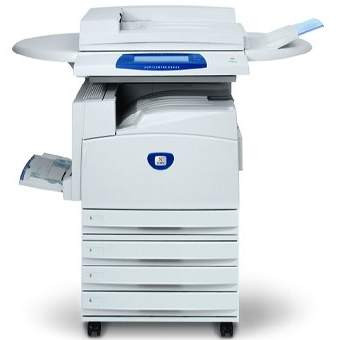
At the top of this color trio sits the Xerox WorkCentre Pro C3545, the fastest of the three and the one built for demanding office workflows. Its supply list matches its siblings: the 006R01175 black cartridge at approximately 26,000 pages, with 006R01176 cyan, 006R01177 magenta and 006R01178 yellow completing the set. High throughput, ordinary cartridges — the machine is exotic, its toner is not.
Demanding workflows change the meaning of a toner rating. A cartridge that would last a quiet office the better part of a season can pass through this machine quickly, simply because the pages move faster. What matters here is not squeezing the last page from a cartridge but making sure the next one is always within reach when the gauge falls.
Toner Cartridges for WorkCentre Pro C3545
| Cartridge | Color | Page Yield |
|---|---|---|
| 006R01175 | Black | 26,000 pages |
| 006R01176 | Cyan | See product page |
| 006R01177 | Magenta | See product page |
| 006R01178 | Yellow | See product page |
| 006R01175 / 006R01176 / 006R01177 / 006R01178 — 4 Color Set | All four colors | See product page |
| WorkCentre Pro C3545 — 4 Color Set | All four colors | See product page |
| WorkCentre Pro C3545 — Premium 4 Color Set | All four colors | See product page |
Which cartridge should you buy?
Stock this machine like the production asset it is. Keep the 006R01175 black single in rotation — it does the bulk of the work — and hold one 4 Color Set in reserve so any color can be replaced the moment it empties; the Premium Quality set is the reserve choice in the higher-grade line. Individual color singles handle the routine top-ups between those events. Every compatible cartridge on this page is backed by a 1-year warranty and 1-year returns, which matters most on a machine that cannot sit idle waiting for a dispute to resolve.
Chip, toner and everyday use
Swap cartridges between runs rather than during one, and let the machine finish its calibration after a change before judging the first pages. A gentle rock before fitting keeps the toner bed level for even coverage on dense color work. Ratings are figured at roughly 5% coverage per color; presentation decks and graphics-heavy reports draw the color cartridges down much faster, so on this machine the gauges, not the calendar, should drive reordering.
Frequently Asked Questions
What toner cartridges does the Pro C3545 take?
006R01175 black, 006R01176 cyan, 006R01177 magenta and 006R01178 yellow — the same four codes as the other models in its color family.
Is the black cartridge really rated near 26,000 pages?
Yes, approximately 26,000 pages at 5% coverage. On a fast machine that figure translates into fewer calendar weeks than it would on a slower model, but the page count itself is the same rating its siblings carry.
Can I mix a Premium set with standard singles?
Yes. The premium and standard compatible lines fit the same slots; offices often keep a premium set as the emergency reserve and standard singles for routine changes.
What happens when one color empties mid-run?
Replace that color only. The other cartridges keep their remaining life, and the machine resumes with the new unit once it is seated.
More printers that use the same cartridges
Supplies are shared across this color family — the full list of models on the same cartridges is: CopyCentre C2128, CopyCentre C2632, CopyCentre C2636, CopyCentre C3545, WorkCentre 7245, WorkCentre 7328, WorkCentre 7335, WorkCentre 7345, WorkCentre 7346, WorkCentre C2128, WorkCentre C2636, WorkCentre C3545, WorkCentre Pro C2128, WorkCentre Pro C2636.