




CopyCentre C3545
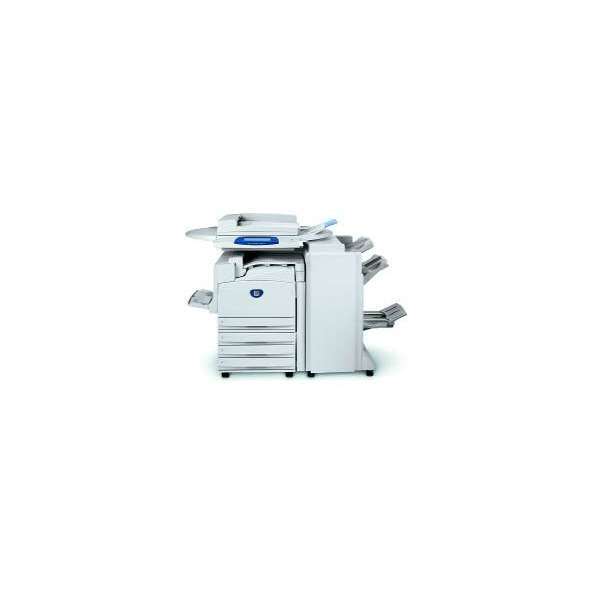
For a shared office copier, few things matter more than supplies that any staff member can manage, and the Xerox CopyCentre C3545 was built with that in mind — administrators appreciate its simple driver setup and routine maintenance. Four part numbers keep it supplied: 006R01176 (cyan), 006R01175 (black), 006R01178 (yellow) and 006R01177 (magenta). This page collects every compatible single, pack and set that fits it.
The C3545's natural habitat is the busy department corridor: class packs, board papers, HR forms and the steady drip of everyday copying from a team that prints throughout the workday. In that setting, toner management is a rota job rather than a specialist task — whoever is nearby swaps the empty cartridge — so clear part numbers and predictable ordering matter as much as the toner itself. The four codes above never change, and the sets below are built around them.
Toner Cartridges for CopyCentre C3545
| Cartridge | Color | Page Yield |
|---|---|---|
| 006R01175 | Black | — |
| 006R01176 | Cyan | — |
| 006R01177 | Magenta | — |
| 006R01178 | Yellow | — |
| 006R01175 Black 2 Pack | Black | — |
| 3 Color Set (006R01176 / 006R01177 / 006R01178) | Cyan / Magenta / Yellow | — |
| 4 Color Set (006R01175 / 006R01176 / 006R01177 / 006R01178) | Full Set | — |
| Premium Quality 4 Color Set | Full Set | — |
| 5 Color Set (extra 006R01175 Black) | Full Set + Spare Black | — |
| 4 Color Set — 006R01175 / 006R01176 / 006R01177 / 006R01178 | Full Set | — |
Which cartridge should you buy?
For most departments, singles plus one spare black is the lowest-effort strategy: order a color only when the panel warns, and keep the black 2 pack in the supply cabinet because black is consumed by every text page the team prints. Choose a 4 color set when the copier comes back from a big job — a training manual run, a proposal deadline — with multiple colors showing low; swapping all four at once resets the machine for the next stretch. The premium quality 4 color set is the alternative full-refresh option listed here. If only the color side looks tired while black remains healthy, the 3 color set restores cyan, magenta and yellow without paying for black you do not need yet.
Chip, toner and everyday use
Compatible cartridges for the C3545 include the chip the copier uses to track remaining toner, and the machine reports levels normally once the cartridge is pushed fully home. If a new unit is not recognized, power the copier on, open the toner cover, slide the cartridge out and reseat it squarely — misalignment, not the chip, is the usual culprit. Handle cartridges by their ends and keep them in their bags until fitting day, since light and dust both shorten a cartridge's useful life. A gentle side-to-side rock before installation evens out the toner inside and helps the first pages print at full density.
Frequently Asked Questions
Which toner cartridge fits the CopyCentre C3545?
Four cartridges fit: black 006R01175, cyan 006R01176, magenta 006R01177 and yellow 006R01178. Match the color on the cartridge label to the color slot inside the copier — the slots are keyed so a wrong color will not seat.
How do I replace a toner cartridge in the C3545?
With the copier powered on, open the toner access cover, pull the used cartridge straight out, rock the new one gently side to side, slide it in firmly until it seats, and close the cover. The panel should confirm the new level within moments.
My C3545 says a cartridge is empty but pages still look fine. Should I swap it?
Low-toner warnings are estimates, and office printing often continues well past the first alert. Keep printing until output actually fades, but order the replacement as soon as the warning appears so the spare is on hand when density drops.
Can one spare cartridge serve other machines in our office?
Quite possibly — these four cartridges fit a long list of CopyCentre and WorkCentre models shown at the bottom of this page, so a shared supply shelf often covers several machines.
More printers that use the same cartridges
If your office runs several Xerox units, note that this exact cartridge family is shared across all of these models: CopyCentre C2128, CopyCentre C2632, CopyCentre C2636, WorkCentre 7245, WorkCentre 7328, WorkCentre 7335, WorkCentre 7345, WorkCentre 7346, WorkCentre C2128, WorkCentre C2636, WorkCentre C3545, WorkCentre Pro C2128, WorkCentre Pro C2636, WorkCentre Pro C3545.