




Phaser EX7760
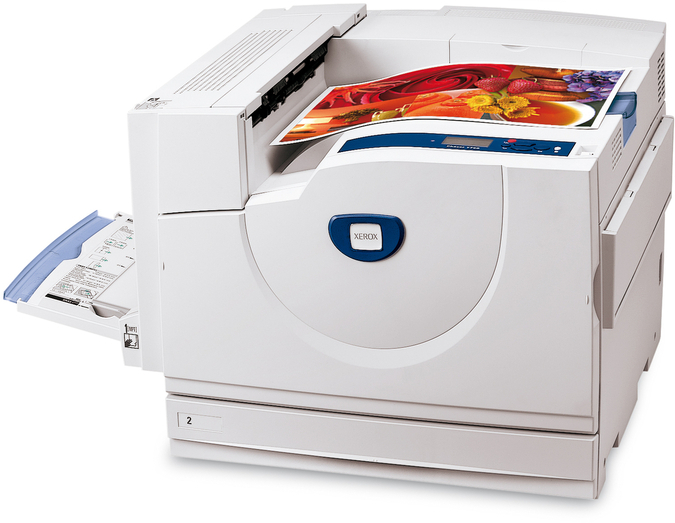
Straightforward operation and durable construction are the Xerox Phaser EX7760's calling cards, and its supply routine is just as uncomplicated. The machine runs through toner in four colors — 106R00652 black, 106R00653 cyan, 106R00654 magenta and 106R00655 yellow — one cartridge per color, each changed when its own level runs out. Its 108R00581 imaging drum is replaced separately, once it reaches the end of its service life, and not a moment before.
Printers like this one end up where fuss is not affordable: a front desk, a small team without a dedicated technician, a shared corner where the manual went missing years ago. Everything about the supply side suits that life — four codes that never change, cartridges that announce their own color, and a printer that names the slot it needs. If you can read the code off the old cartridge, you already know how to keep this machine fed.
Toner Cartridges for Xerox Phaser EX7760
| Cartridge | Color | Page Yield |
|---|---|---|
| 106R00652 | Black | See product page |
| 106R00653 | Cyan | See product page |
| 106R00654 | Magenta | See product page |
| 106R00655 | Yellow | See product page |
| 4 Color Set | Black, cyan, magenta and yellow | See product page |
| Phaser EX7760 4 Color Set | Black, cyan, magenta and yellow | See product page |
| Phaser EX7760 Premium 4 Color Set | Black, cyan, magenta and yellow | See product page |
One part on the Phaser EX7760 does not follow the toner calendar: the 108R00581 drum unit cartridge, black. The drum is the imaging component behind this printer's 106R00652 through 106R00655 toner set, it is stocked as a separate purchase from the toner itself, and its own service life decides when it gets changed — not the next empty toner cartridge.
Which cartridge should you buy?
Simplicity is the buying strategy here too. An empty color gets its single — 106R00652, 106R00653, 106R00654 or 106R00655 — and nothing else changes hands. The moment for the model 4 Color Set is a general refresh: several colors low together, or a machine returning to service after sitting idle. The 4 Color Set and the Premium 4 Color Set hold the same four cartridges if either listing is easier for your records. Do not let anyone sell you a drum as routine maintenance alongside toner; the drum for this printer is a rare, separate purchase driven by print quality, and each cartridge's page rating is stated on its product page for comparison.
Chip, toner and everyday use
One spare, kept close, is the whole system this printer asks for: a single black cartridge on the shelf covers the most common stop, because black does the bulk of everyday printing. When a low warning appears, that is the moment to reorder — not when the pages come out faded. A cartridge that has been in the machine a long time can also print light simply because its toner has settled; lifting it out and rocking it gently end to end redistributes the powder and often restores even output for the remainder of its life.
Frequently Asked Questions
Which toner cartridges does the Xerox Phaser EX7760 take?
Four, one for each color: 106R00652 black, 106R00653 cyan, 106R00654 magenta and 106R00655 yellow. A fifth supply, the 108R00581 drum unit, is an imaging part rather than a toner and is changed on a much longer cycle.
My pages have started coming out light. Is the cartridge finished?
Not always. Settled toner prints light before a cartridge is truly empty; remove it, rock it gently side to side, and reinstall — output often evens out. If every color is light at once, suspect the 108R00581 drum unit instead of any single cartridge.
Only one color has run out. Do I have to replace all four?
No. The cartridges are independent, and the printer tracks them individually. Swap the empty color and carry on; replacing healthy cartridges early costs money without improving a single page.
How long will a cartridge last in this printer?
Longer on text than on pictures: ratings are figured at five percent coverage, and dense pages spend toner faster. Each product page on this site states its cartridge's rating, which is the right basis for comparing one listing against another.
More printers that use the same cartridges
- Document Centre 250
- Document Centre 250CF
- Document Centre 250FS
- Phaser EX 7750GX
- Phaser EX 7760
- Phaser EX 7800
- Phaser EX7894
- PhaserEX 7750
- PhaserEX 7750DXF
Owners of the other models in this group get the same simplicity — one cartridge list serves every printer here: Phaser 7750, Phaser 7750B, Phaser 7750DN, Phaser 7750DXF, Phaser 7750GX, Phaser EX7750, Phaser EX7750B, Phaser EX7750DFX, Phaser EX7750DN, Phaser EX7750DXF, Phaser EX7750GX, Phaser EX7800, Phaser EX7890.