




Phaser EX 7760
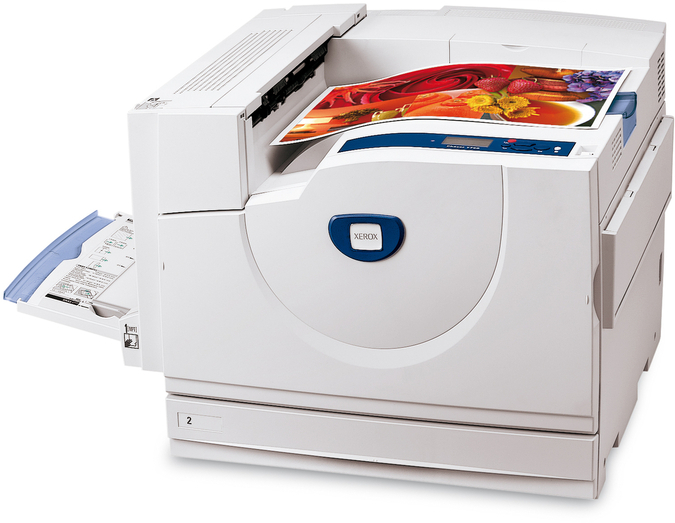
The Xerox Phaser EX 7760 is a laser printer from the Phaser line, and the people who run it tend to appreciate its simple driver setup and routine maintenance. Part of that routine is the imaging drum: the 108R00581 drum unit, stocked here in 2 Pack and 4 Pack form. Toner cartridges come and go one after another; the drum stays in the machine far longer, forming every image the printer produces until it eventually wears.
Routine maintenance is a scheduling exercise, and the drum fits it neatly: it does not fail on a weekly rhythm, it wears over a long span of printing and then asks to be changed. An administrator who keeps the correct drum on the shelf folds the swap into planned work instead of an emergency. This page exists for that shelf — the drum unit matched to the EX 7760, in two pack sizes, so the replacement is already in the building when the printer asks for it.
Toner Cartridges for Phaser EX 7760
The supply listed for the EX 7760 here is its drum unit rather than toner cartridges:
Which cartridge should you buy?
Decide by how you stock supplies. The 2 Pack is the maintenance-shelf minimum: fit one unit, hold one spare, and the printer is covered for two drum cycles. The 4 Pack makes sense where supplies are bought in planned batches — fewer orders to raise, and no risk of the shelf being empty at the wrong moment. Because a drum outlasts many toner cartridges, even the larger pack is consumed slowly; it is stock, not a short-term supply. Either way, both packs contain the same 108R00581 unit, so the choice is about inventory habits, not about the part itself.
Chip, toner and everyday use
A drum unit is a supply you handle with a little care: keep it sealed in its packaging, out of bright light, until fitting time, and hold it by its edges or frame so nothing touches or scratches the drum surface. Rotate your stock so the unit that has waited longest is fitted first. When a drum reaches the end of its life, prints develop repeating marks or streaks and pale patches that persist even with a fresh toner cartridge — that pattern, rather than any page counter, is the signal to schedule the change. After fitting, run a few pages and check that the marks are gone.
Frequently Asked Questions
What drum unit fits the Phaser EX 7760?
The 108R00581 drum unit. It is the imaging component for this printer, separate from the toner cartridges, and it is listed here in 2 Pack and 4 Pack quantities.
What are the signs that the drum is at the end of its life?
Look for defects that repeat down the page at regular intervals, streaks that survive a cartridge change, and areas of print that stay pale no matter what you load. Those point at the drum surface rather than the toner supply.
Can I change the drum unit myself?
Yes — it is a user-replaceable supply, changed the way a cartridge is: open the printer, slide the old unit out, slide the new one in until it seats, and close up. Handle the new unit by its frame and keep it out of bright light while you work.
How should I store a spare drum unit?
Sealed in its packaging, flat, in a cool and dry place away from windows or other strong light. Stored that way, a spare waits patiently until the printer needs it.
More printers that use the same cartridges
- Document Centre 250
- Document Centre 250CF
- Document Centre 250FS
- Phaser 7750
- Phaser 7750B
- Phaser 7750DN
- Phaser 7750DXF
- Phaser 7750GX
- Phaser EX 7750GX
- Phaser EX 7800
- Phaser EX7750
- Phaser EX7750B
- Phaser EX7750DFX
- Phaser EX7750DN
- Phaser EX7750DXF
- Phaser EX7750GX
- Phaser EX7760
- Phaser EX7800
- Phaser EX7890
- Phaser EX7894
- PhaserEX 7750
- PhaserEX 7750DXF