




Phaser EX7750DN
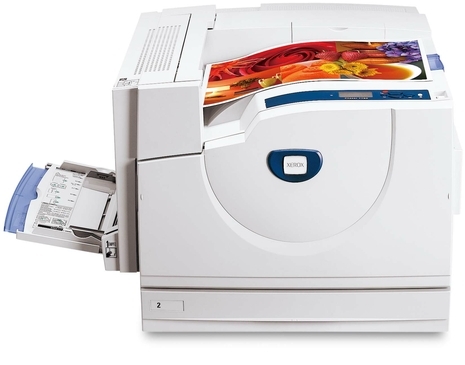
Running cost is part of the Xerox Phaser EX7750DN's appeal: its energy-saving modes trim what the machine spends between jobs, and its supply shelf is equally plainspoken. The printer takes 106R00653 cyan, 106R00654 magenta, 106R00652 black and 106R00655 yellow toner cartridges, each sold and replaced on its own. When fresh toner stops curing streaky prints, the separate 108R00581 drum unit is the next part to look at — it images the page, and it wears independently of everything above it.
A printer chosen with operating costs in mind usually belongs to an office that counts them: power draw between jobs, cost per page across the month, supplies that arrive before they are urgent. In that setting the cartridge decision is an accounting decision as much as a technical one. Four separate color cartridges help — you pay to replace the color that is actually empty instead of discarding three healthy ones inside a combined unit — and the separate drum keeps a long-life part out of the per-cartridge price.
Toner Cartridges for Xerox Phaser EX7750DN
| Cartridge | Color | Page Yield |
|---|---|---|
| 106R00652 | Black | See product page |
| 106R00653 | Cyan | See product page |
| 106R00654 | Magenta | See product page |
| 106R00655 | Yellow | See product page |
| 4 Color Set | Black, cyan, magenta and yellow | See product page |
| Phaser EX7750DN 4 Color Set | Black, cyan, magenta and yellow | See product page |
| Phaser EX7750DN Premium 4 Color Set | Black, cyan, magenta and yellow | See product page |
Drum unit, sold separately from the toner above: 108R00581 drum unit cartridge, black. The drum is an imaging part with its own service life, so it is replaced on its own schedule rather than with every toner change.
Which cartridge should you buy?
The cheapest cartridge is the one you do not buy twice, so start with what is empty. For a single spent color, its single — 106R00652, 106R00653, 106R00654 or 106R00655 — is the whole order. The model 4 Color Set makes financial sense at a full-row change, or when a color-heavy project is coming and all four levels are already low; the identical bundle is also listed as the 4 Color Set and the Premium 4 Color Set. Because no yield figures are printed on this page, do the cost-per-page math on the product pages, where each cartridge's rating is stated, and compare singles against the set on equal terms before you commit to a stocking habit.
Chip, toner and everyday use
Page-yield ratings assume five percent coverage — a page of ordinary text. Anything denser, and color work in particular, spends toner faster, which is why a cartridge that should last the quarter sometimes does not. Two habits keep the numbers honest: judge a cartridge by the printer's own page count rather than by the calendar, and treat the first low-toner warning as information, not failure — the cartridge still holds usable toner, and the warning is your signal to have the replacement on the shelf before the old one truly stops.
Frequently Asked Questions
How can I compare the cost of these cartridges fairly?
Use the page rating on each product page and divide by price — that gives a cost per page you can compare across the singles and the sets on this page. Just remember the rating assumes light coverage, so your real cost per page will run higher on dense color work.
What toner does the Xerox Phaser EX7750DN use?
Four cartridges: 106R00652 black, 106R00653 cyan, 106R00654 magenta and 106R00655 yellow, each in its own slot. The 108R00581 drum unit is a separate imaging part and is only changed when print quality, not toner level, calls for it.
Is there a difference between the three 4 Color Set listings?
Not in the box: each set holds the same four cartridges, one per color. The page carries a general 4 Color Set, a model 4 Color Set under this model's name and a Premium 4 Color Set as alternative listings for the same bundle, so order from whichever you prefer.
Are compatible cartridges a safe economy for this printer?
They are the economy this page exists for: the cartridges are made for the Xerox Phaser EX7750DN, and every one is backed by a one-year warranty and one-year returns. If a cartridge underperforms in that window, it comes back to us — the risk does not stay with you.
More printers that use the same cartridges
- Document Centre 250
- Document Centre 250CF
- Document Centre 250FS
- Phaser EX 7750GX
- Phaser EX 7760
- Phaser EX 7800
- Phaser EX7894
- PhaserEX 7750
- PhaserEX 7750DXF
Cost planning gets simpler across a fleet: every model below runs the same four cartridges and the same drum, so one stocking list covers them all: Phaser 7750, Phaser 7750B, Phaser 7750DN, Phaser 7750DXF, Phaser 7750GX, Phaser EX7750, Phaser EX7750B, Phaser EX7750DFX, Phaser EX7750DXF, Phaser EX7750GX, Phaser EX7760, Phaser EX7800, Phaser EX7890.