




Phaser EX 7750GX
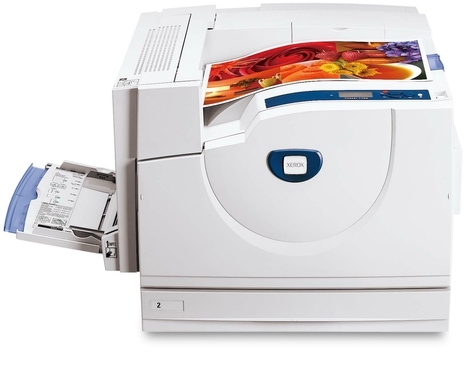
The Xerox Phaser EX 7750GX is a laser printer aimed at workplaces that value steady performance, and its high-capacity paper trays cut down on refills during long print runs. The supply stocked for it on this page is not a toner cartridge but the long-life part behind the toner: the 108R00581 drum unit, sold here in a 2 Pack and a 4 Pack. The drum is the imaging component that forms every page, and it keeps working through cartridge after cartridge before its own turn to be replaced arrives.
A printer bought for long runs is bought for uptime, and the drum is the one supply whose timing is easy to get wrong: it gives out rarely, so it is easy to forget — until print quality fades in the middle of a heavy week. Owners who know the drum's part number in advance, and ideally keep a spare in the building, turn that moment into a ten-minute job. That is the role of this page: the correct drum for the 7750GX, in pack sizes matched to how the machine is used.
Toner Cartridges for Phaser EX 7750GX
No toner cartridges are listed for the EX 7750GX on this page — the stocked supply is the drum unit:
Which cartridge should you buy?
For the drum, the choice is between the 2 Pack and the 4 Pack. A single 7750GX in one office is well served by the 2 Pack: one unit to fit when the old drum gives out, and one on the shelf so the next change is never waiting on a delivery. The 4 Pack suits a machine that runs long and often, where drums are treated as planned stock rather than occasional purchases, and it means fewer reorders across the printer's life. A drum change is a rare event next to toner changes, so think in terms of spares on hand rather than immediate need — the worst time to order a drum is the day the old one fails.
Chip, toner and everyday use
The drum unit's surface is light-sensitive, so keep a new unit in its packaging until the moment you fit it, and handle it by its frame rather than touching the drum surface itself. When the old unit comes out and the new one slides in, the printer registers the replacement and print quality should return to full strength at once. The signs of a drum at the end of its life are repeating spots or streaks down the page and bands of faded print that a fresh toner cartridge does not cure. Storing spares in a cool, dark place keeps them ready for the day they are called on.
Frequently Asked Questions
Does the Phaser EX 7750GX have a separate drum unit?
Yes. Alongside its toner cartridges, the printer relies on the 108R00581 drum unit — a separate imaging part with its own, much longer replacement interval. The 2 Pack and 4 Pack listed here are that unit.
How often does the drum unit need replacing?
Far less often than a toner cartridge: one drum serves through many cartridge changes. There is no page count to watch in the same way — the practical signals are the printer's own messages and a drop in print quality that new toner does not fix.
Should I buy the 2 Pack or the 4 Pack?
The 2 Pack covers one change plus a spare, which is enough for most single printers. Choose the 4 Pack if the machine runs heavy volume and you would rather stock drums the way you stock paper.
Is the compatible drum unit covered by a warranty?
Yes. The compatible 108R00581 units on this page carry a 1-year warranty, and returns are accepted for a year, so a unit that arrives damaged or fails early is covered.
More printers that use the same cartridges
- Document Centre 250
- Document Centre 250CF
- Document Centre 250FS
- Phaser 7750
- Phaser 7750B
- Phaser 7750DN
- Phaser 7750DXF
- Phaser 7750GX
- Phaser EX 7760
- Phaser EX 7800
- Phaser EX7750
- Phaser EX7750B
- Phaser EX7750DFX
- Phaser EX7750DN
- Phaser EX7750DXF
- Phaser EX7750GX
- Phaser EX7760
- Phaser EX7800
- Phaser EX7890
- Phaser EX7894
- PhaserEX 7750
- PhaserEX 7750DXF