




Phaser EX7750GX
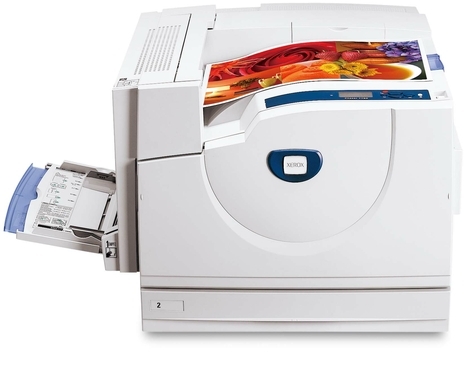
Memos, invoices and forms are the daily bread of the Xerox Phaser EX7750GX, a laser printer that handles everyday workloads with ease and turns out professional-looking pages. Its toner comes by color: 106R00654 magenta, 106R00655 yellow, 106R00653 cyan and 106R00652 black — four cartridges, ordered by number and swapped one at a time. Print quality also rides on the 108R00581 imaging drum, a separate unit with a service life of its own that runs quietly behind every cartridge change.
Document-flow offices print in a pattern: black carries the invoices and the memos, while the colors wake up for the occasional chart, letterhead or presentation page. That pattern shows up in the supply cupboard, where black turns over steadily and color cartridges can sit for months between changes. It is a forgiving rhythm for toner — each cartridge waits in its own slot until its turn — as long as spares are stored properly and the codes on the shelf match the codes in the machine.
Toner Cartridges for Xerox Phaser EX7750GX
| Cartridge | Color | Page Yield |
|---|---|---|
| 106R00652 | Black | See product page |
| 106R00653 | Cyan | See product page |
| 106R00654 | Magenta | See product page |
| 106R00655 | Yellow | See product page |
| 4 Color Set | Black, cyan, magenta and yellow | See product page |
| Phaser EX7750GX 4 Color Set | Black, cyan, magenta and yellow | See product page |
| Phaser EX7750GX Premium 4 Color Set | Black, cyan, magenta and yellow | See product page |
One more part belongs on the Phaser EX7750GX shelf, and it is sold separately from the 106R00652, 106R00653, 106R00654 and 106R00655 toner cartridges above: the 108R00581 drum unit cartridge in black. Toner and drum wear out on different clocks — the drum is an imaging part with its own service life, so you replace it when its own schedule calls for it, not at every toner swap.
Which cartridge should you buy?
Buy for the rhythm your office actually prints in. For most document-heavy desks that means the 106R00652 single on repeat, with 106R00653, 106R00654 and 106R00655 ordered only when the printer calls for them — color cartridges replaced early are value thrown away. When a full row does come due, or a new machine is being stocked from empty, the model 4 Color Set covers all four slots in one order; the 4 Color Set and the Premium 4 Color Set list the identical four cartridges. Keep the drum out of this calculation entirely: it is bought rarely, separately, and only when print quality says so. Ratings for comparing the options are printed on each product page.
Chip, toner and everyday use
Color cartridges that sit for months deserve decent storage. Keep spares sealed in their boxes, stored flat in a cool, dry cupboard away from sunlight and radiators — heat and light age toner and drums alike. When a color finally is called for, note the date the old cartridge went in on the box end; on a slow color that small habit is the only reliable record of how long it lasted. And keep the empty cartridge until the new one is printing cleanly, so its code is at hand if anything needs checking.
Frequently Asked Questions
How do I know which color to reorder?
The printer reports each color's level separately. When one is low, its code is the order: 106R00652 black, 106R00653 cyan, 106R00654 magenta or 106R00655 yellow. Matching the code on the cartridge you remove removes any doubt.
Does the Xerox Phaser EX7750GX use a separate drum unit?
Yes — the 108R00581 drum unit is its own part, replaced independently of the toner cartridges and far less often. Toner levels can read full while the drum is due; judge the drum by print quality, not by the supply screen.
What is the difference between the set listings on this page?
Contents, none: every set holds one black, one cyan, one magenta and one yellow cartridge. The page lists the bundle three ways — a general 4 Color Set, a model 4 Color Set and a Premium 4 Color Set — as separate listings for the same four cartridges.
Are the compatible cartridges on this page guaranteed?
They carry a one-year warranty, and returns are accepted for one year as well. That coverage applies to the singles and the sets alike, so a cartridge that misbehaves early is our problem to fix, not yours to absorb.
More printers that use the same cartridges
- Document Centre 250
- Document Centre 250CF
- Document Centre 250FS
- Phaser EX 7750GX
- Phaser EX 7760
- Phaser EX 7800
- Phaser EX7894
- PhaserEX 7750
- PhaserEX 7750DXF
The same document rhythm runs across this family — every model below takes the identical four cartridges and drum: Phaser 7750, Phaser 7750B, Phaser 7750DN, Phaser 7750DXF, Phaser 7750GX, Phaser EX7750, Phaser EX7750B, Phaser EX7750DFX, Phaser EX7750DN, Phaser EX7750DXF, Phaser EX7760, Phaser EX7800, Phaser EX7890.