




Phaser 7800DG
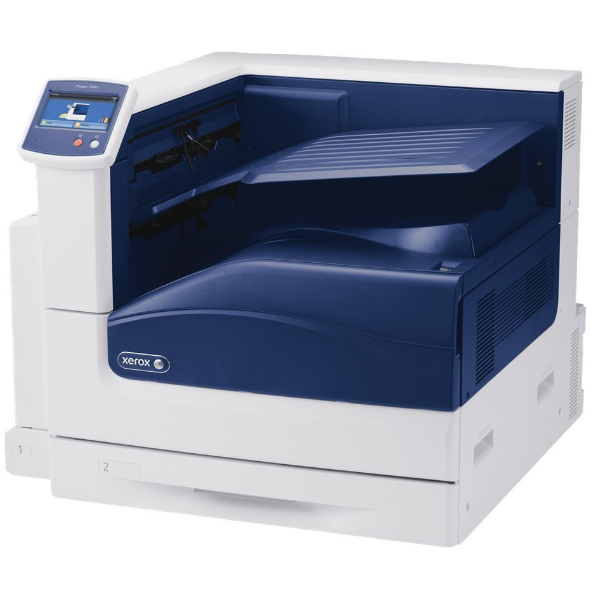
The Xerox Phaser 7800DG is a heavy-duty color laser printer aimed at offices and departments with serious full-color demands, and it takes four high-yield cartridges: black 106R01569, cyan 106R01566, magenta 106R01567 and yellow 106R01568. The listings below are the ones stocked under the 7800DG's own name. Each color is a separate cartridge that is changed independently, and the compatibles on this page are backed by a 1-year warranty and 1-year returns.
The DG configuration was put together for production-style color work inside a workgroup: high-resolution documents, marketing collateral and graphics-heavy pages that would punish a lighter machine. That workload changes how toner behaves. A page carrying a full-bleed photograph or a dense brand background can consume several times the color toner of a text page, so colors that last for months in an ordinary office can move quickly here. Departments running this printer usually track toner by color rather than by calendar, because no two colors empty at the same pace on image work.
Toner Cartridges for Phaser 7800DG
| Cartridge | Color | Page Yield |
|---|---|---|
| Xerox Phaser 7800DG Toner Cartridges Black (106R01569) | Black | See product page |
| Xerox Phaser 7800DG Toner Cartridges Cyan (106R01566) | Cyan | See product page |
| Xerox Phaser 7800DG Toner Cartridges Magenta (106R01567) | Magenta | See product page |
| Xerox Phaser 7800DG Toner Cartridges Yellow (106R01568) | Yellow | See product page |
| Xerox Phaser 7800DG Toner Cartridges 4 Color Set (106R01569, 106R01566, 106R01567, 106R01568) | Set | See product page |
Which cartridge should you buy?
For graphics work, singles are the working rule: they let you replace exactly the color a big job drained, instead of retiring three cartridges that still hold toner. Cyan and yellow typically move fastest on photographic and branded material, so those are the spares worth doubling up on. The 7800DG 4 Color Set has a narrower use — a full reset after an unusually heavy production run, or when a department takes over the machine and wants every slot at a known level. Black follows its own rhythm: on collateral-heavy output it may outlast the colors, while offices mixing in reports and contracts will see it lead instead.
Chip, toner and everyday use
Color accuracy starts with cartridges the printer has properly registered, so push each new unit in until it seats and allow the machine to read its chip before sending a proof. Do not judge a fresh cartridge by the very first sheet; a couple of pages let toner distribution settle. Remember that yield ratings are built on roughly 5% coverage, a figure graphics pages exceed by a wide margin — treat the rating as a comparison between cartridges, not a promise for artwork. Store color spares sealed and flat, and keep them out of the light well in the printer room if yours has one; toner keeps best in the conditions you would choose for paper.
Frequently Asked Questions
What toner cartridges does the Phaser 7800DG take?
The high-yield line shared by the whole 7800 family: 106R01569 in black, 106R01566 in cyan, 106R01567 in magenta and 106R01568 in yellow, each sold here under the 7800DG's own listings.
Why do the colors run out at such different rates?
Image content decides it. Photographs and solid brand colors draw heavily on specific colors — skies and product shots lean on cyan, skin tones and warm graphics on magenta and yellow — while black serves text and outlines. Uneven depletion is normal on this model, not a fault.
How many pages will a cartridge print in our graphics work?
Fewer than the rated figure, because ratings assume light 5% coverage and graphics pages carry far more toner. Check the product page for the rated yield of the cartridge you are considering and treat it as an upper reference point.
Should we keep a full set on hand for production deadlines?
If a deadline cannot slip, yes — a spare set removes the one supply risk you fully control. For routine weeks, singles matched to the colors your work actually drains will tie up less money in the supply cabinet.
More printers that use the same cartridges
Departments running the wider 7800 family can share the same spares — these models use the identical four cartridges: Phaser 7800, Phaser 7800DN, Phaser 7800DNS, Phaser 7800DX, Phaser 7800DXS, Phaser 7800GX, Phaser 7800GXS, Phaser 7800YDN, Phaser 7800YDX, Phaser 7800YGX.